Tag Archive for: studio

Results from one workshop Cosplay!

Results from workshop Cosplay

So what do we shoot during a workshop?

I often get the question, “So what do we learn or shoot during a workshop?”
Believe it or not, but 99% of what you see in my portfolio was shot during workshops or events.
So in essence, that’s what you’re going to shoot. Today I show you some results from the workshop Cosplay

But of course, it’s about a lot more than just getting portfolio material.
For me, a workshop is not a shooting day, but a day in which you learn about lighting, and of course, get great shots.

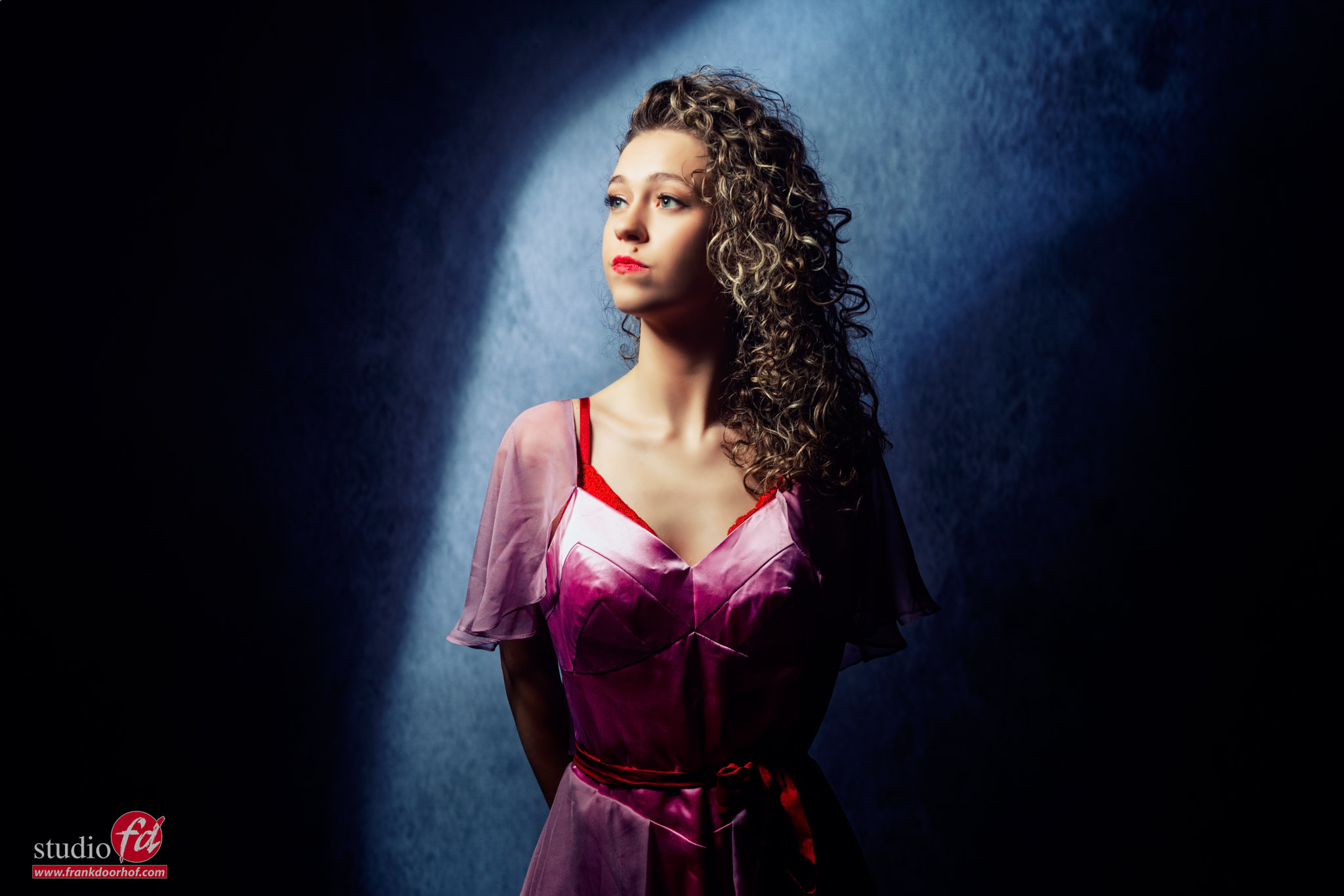
So let’s see what we did during a recent workshop with Linda. She is inexperienced in cosplay but did a great job.

Set 1: Building depth

Using the Clickbackdrops backgrounds really changed the way I shoot.
Our walls in the studio are all painted and are awesome, but are always the same. Of course, we also have moving walls with wallpaper, seamless paper, and some collapsible backgrounds; they all have advantages and disadvantages. The Clickbackdrops backgrounds I’m using are perfect in size, and the material is top-notch. My first backgrounds still look brand new and have been used on several events.

Background

But whatever you use, it’s still a background.
And sometimes you want more.
During the workshops, we always build small sets around the background.
The background we are using here in the workshop Cosplay, is one of my favorites for that old-fashioned “movie/glamour” look.
Add a chair, some accessories, and it’s very cool quickly.

For this setup, we decided to make it a bit more difficult and use red material (curtain) in front of the set to create some extra framing and depth.
The problem is of course that you want to see the material, but don’t want it to take away the light on the set.

Lighting setup

In this case, I’m feathering Geekoto GT200 with a red gel and Rogue dome in the front to make sure the material is lit as evenly as possible with one strobe.
By feathering and using the dome, you can do this pretty quickly by angling the strobe.

For the main light, I’m using the Geekoto GT400 with the new Quicky softbox with grid.
This light is aimed from the ceiling down, so the model does have to look slightly up.
To finish the set, I’m using a second red gel from the back for a nice lens flare.
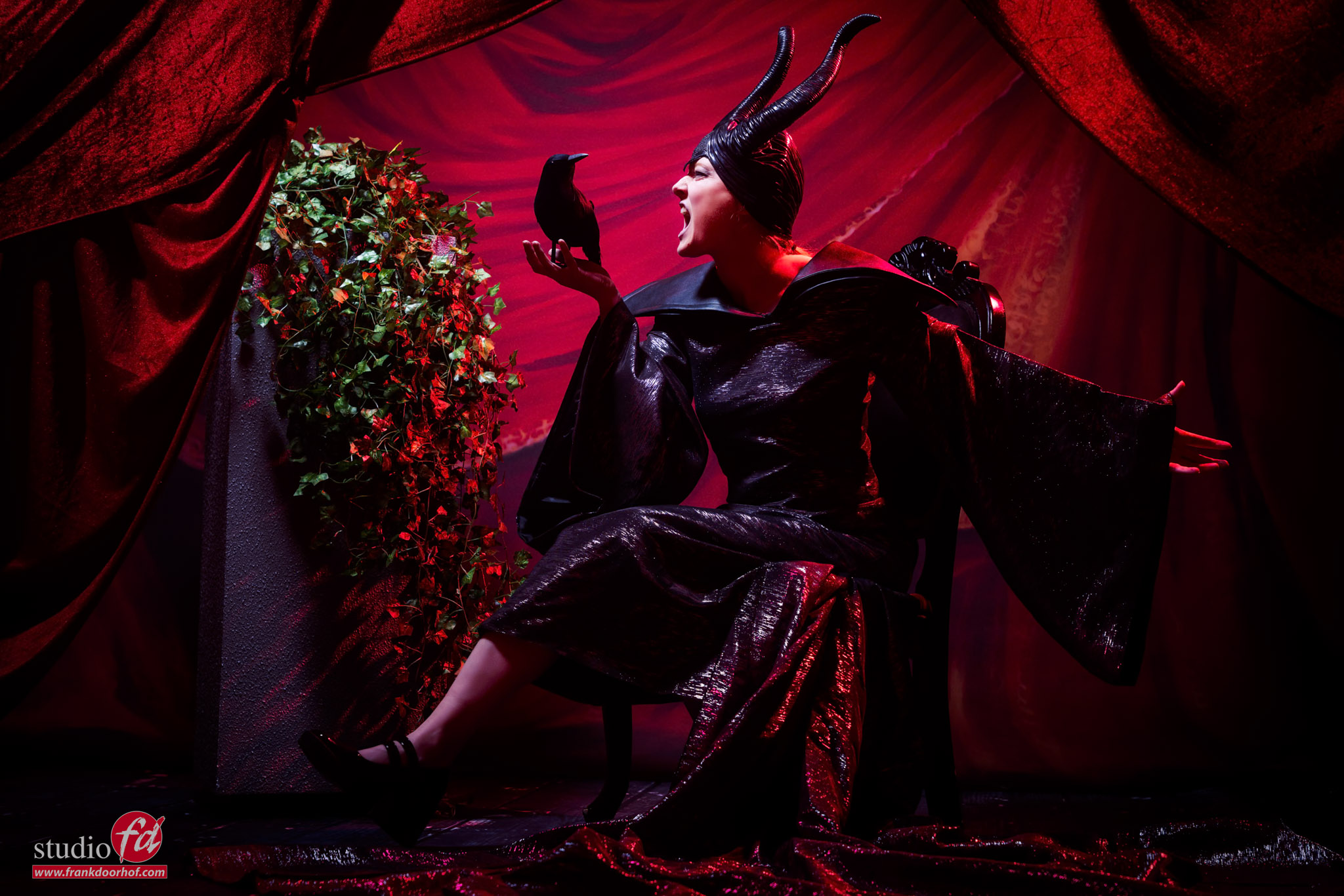
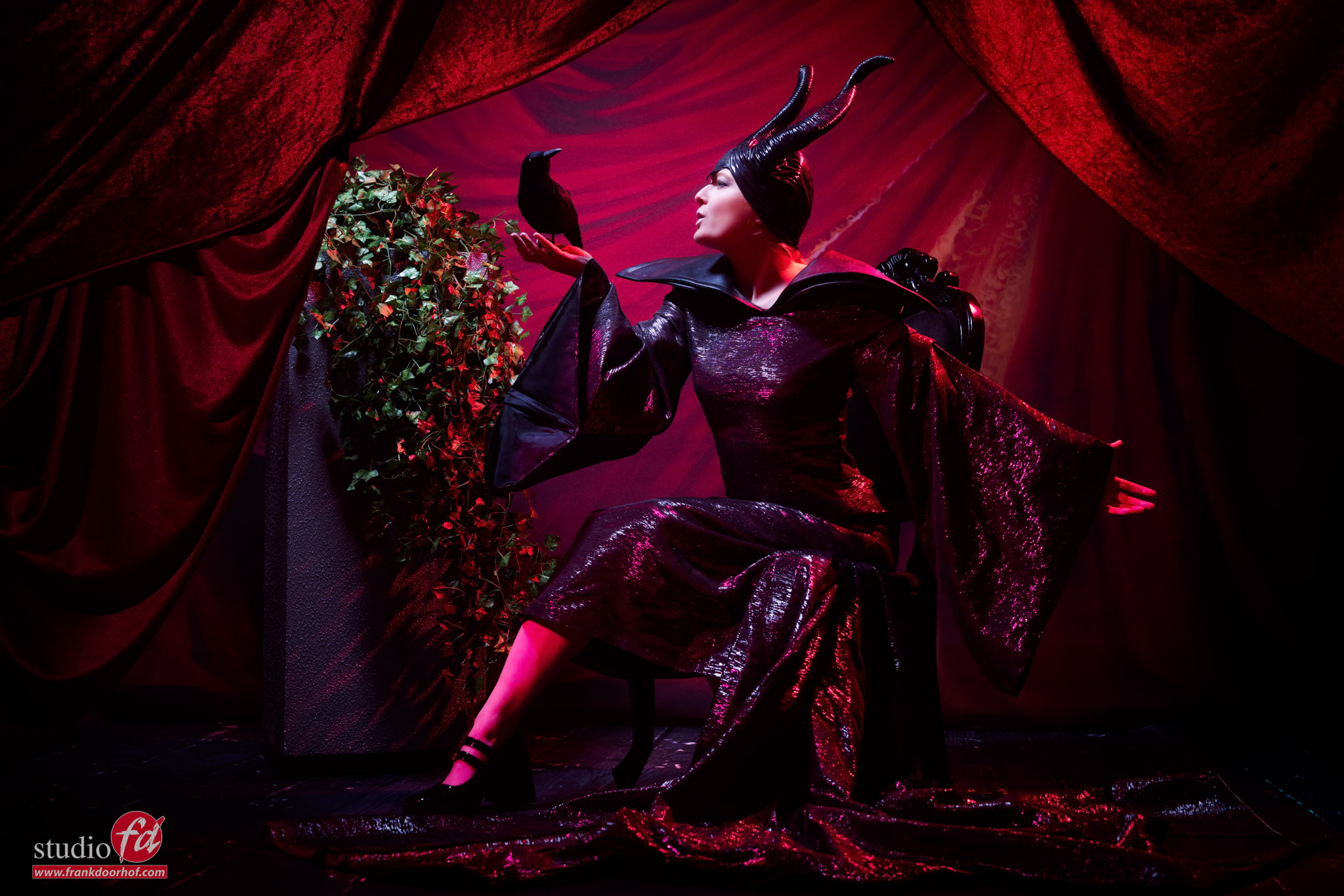
first result in the workshop cosplay

Although I absolutely love the images above.
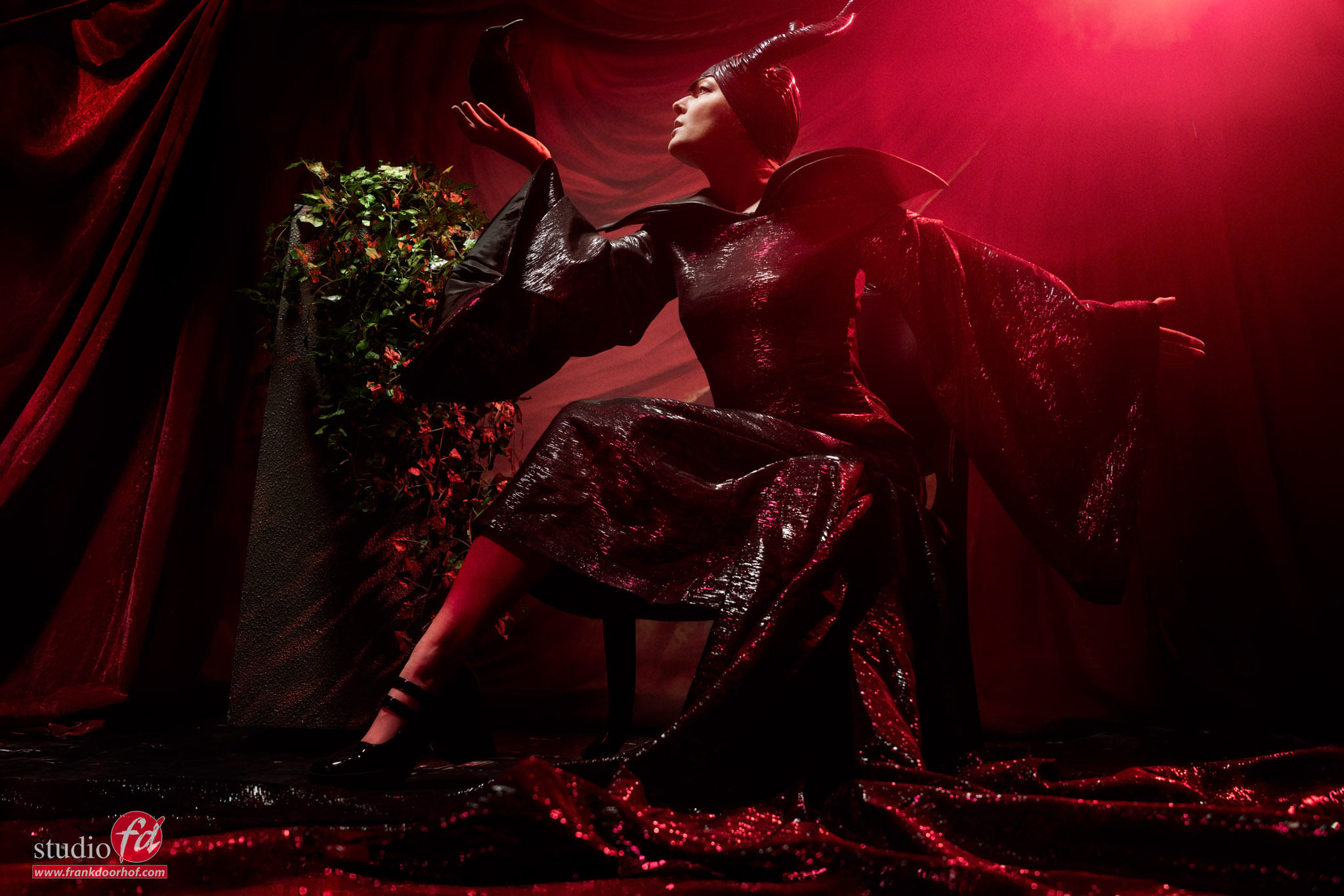
As soon as I start shooting from a lower angle….. I like it a lot more.
So always shoot from different angles.
workshop Cosplay

Final image of Maleficent, a powerful, iconic fairy from Disney’s Sleeping Beauty


Set 2, using a mirror

Reflections are always difficult.
And of course, we could get a model with glasses and explain that the angle of incidence is the angle of reflection, but it’s much more fun to create something a bit more difficult and cool.

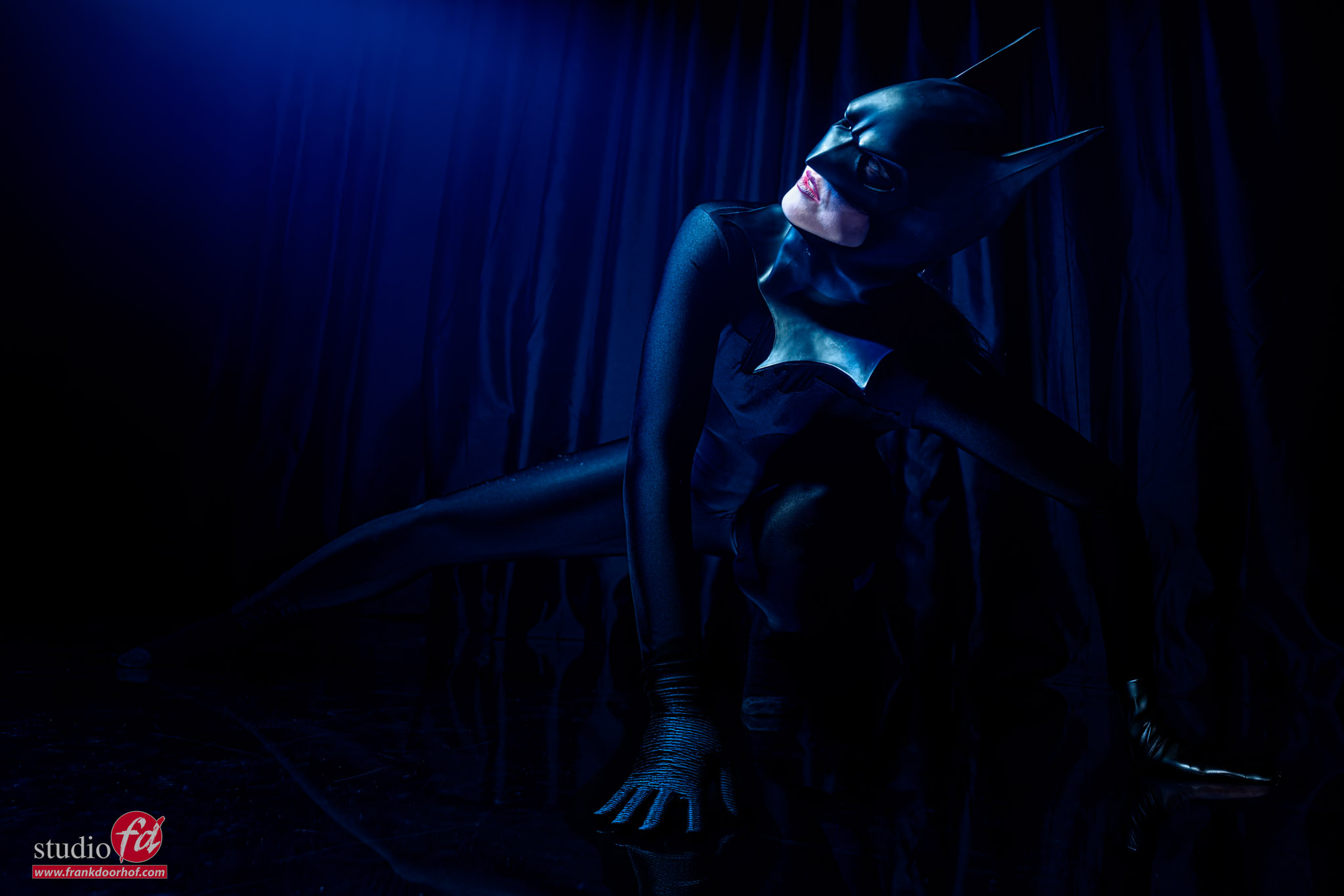
For this set in the workshop Cosplay, I’m using a plastic mirror on the floor and one strobe on our model, plus a blue gel as a fill-in light.
The trick is to make sure both strobes are out of the frame. But also that you don’t see the ceiling of the studio, but only the black background.
It’s a cool shot, but most of all, it’s a great way to learn how to control reflections and make them do what you want them to do instead of the other way around.

And indeed the mirror is very dark.
workshop Cosplay workshop cosplay

Lenses

Most of my images are shot with the Sony 24-70 F2.8 G-master.
A lens that I really like because you can go from wide angle to compression and use the full range of looks in your shoots without changing lenses.
But that doesn’t mean the lens is always on my camera 😀

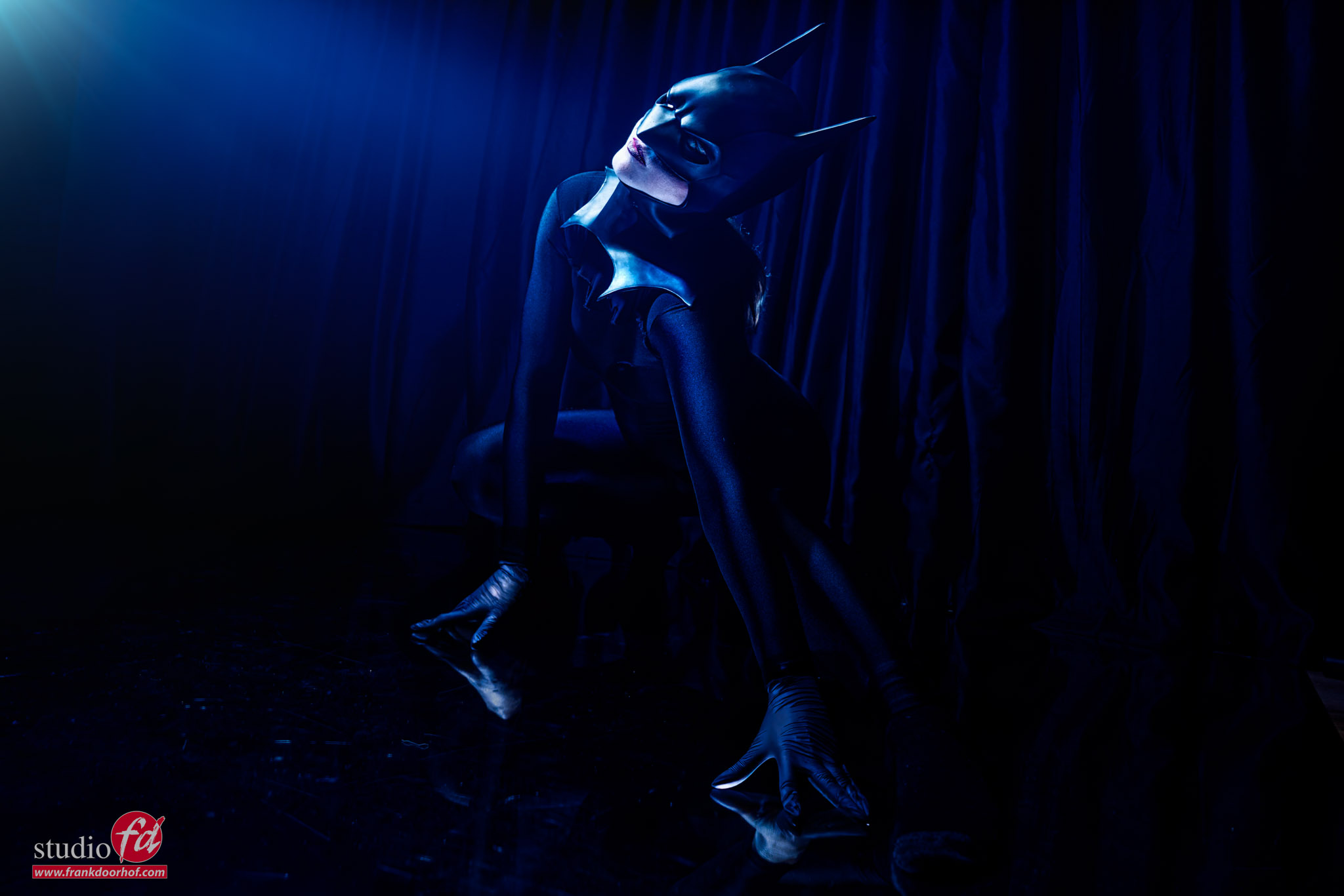
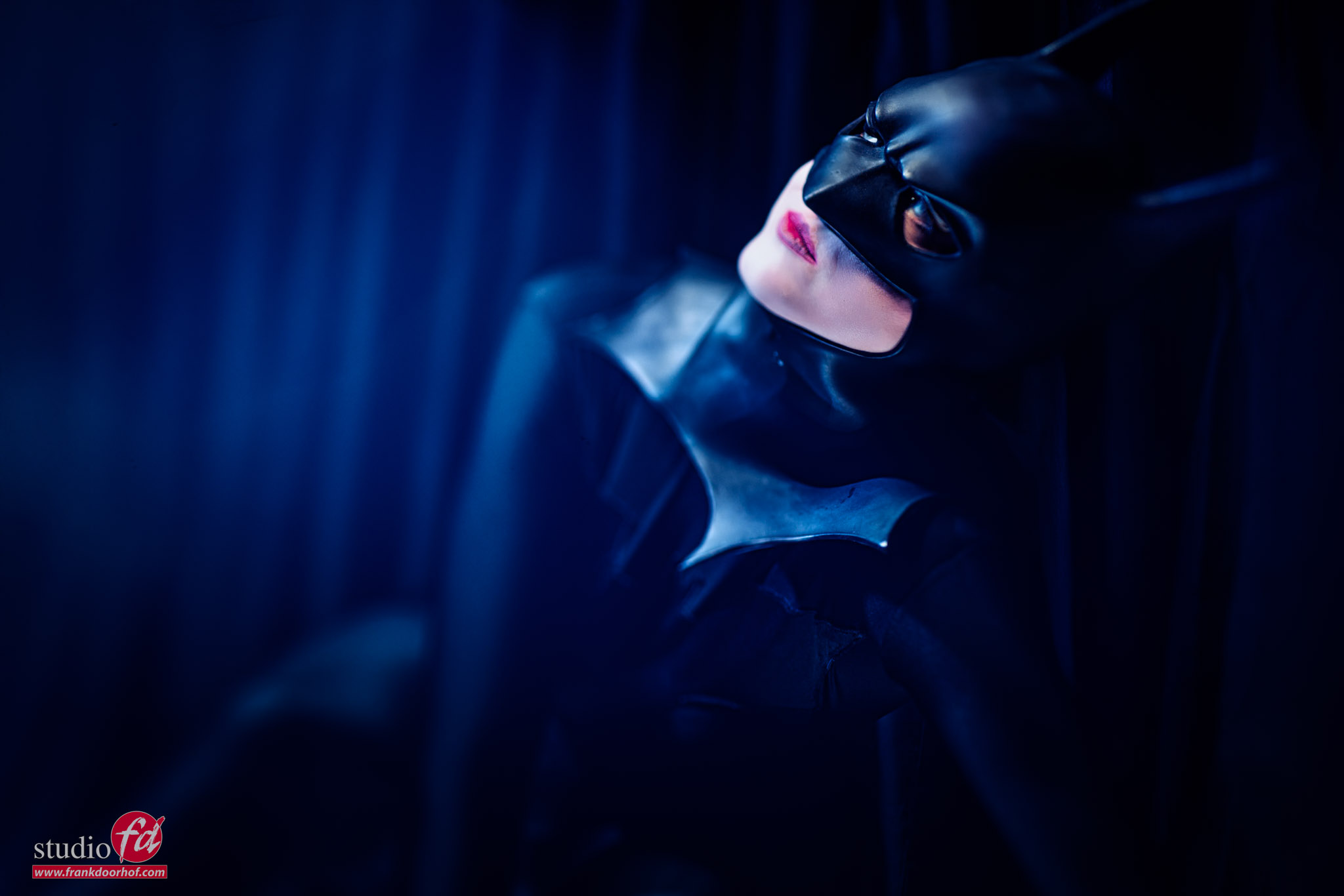
In the next image, I’m using one of my favorite creative lenses, an old LensBaby Composer with the 80mm edge lens.
You can create some funky focus effects with this lens, but it’s easy to overdo it.
workshop Cosplay

This was our Batman costume. Because the model had no matching shoes, she is just wearing black socks.

Set 3: The mix set

Another question that comes back a lot is “how to mix continuous lighting with strobes.”
So we decided to do the final set of the day with a chandelier and mix it with strobes.
Of course, I could have gone for a focused light source, which makes it slightly easier to get separation between the continuous light and strobes.
But it’s a workshop, and one of the attendees wanted to see what the effect would be with a very broad light source, like the Geekoto Lantern.

And that’s exactly what I used.
The main advantages of strobes like the Geekoto’s are that they can output a lot of light, use HSS, ETTL etc., but also that you can go really low.
And when mixing strobes with continuous lighting, this really helps.

mixing light sources: flash and “natural” light

Because the lantern is a very broad light source, I decided to place it on the front and side to create different looks on the background.
Although the lantern is open on the sides, you can still feather the lantern; you just have to do it slightly more extreme. But the results are stunning if you like this look. It’s very hard to work with smaller light sources.

The first thing you do with a set like this is turn off all the studio lights. And you can use a light meter to meter the chandelier. But it’s easier to set your camera up for “exposure compensation/setting effect”, and look at the LCD/Viewfinder and adjust the settings till you like the effect of the chandelier.
Because I’m using a very broad light source, I’m actually opting to keep the chandelier very dark, preventing blown-out lights, but still keeping the mood of the set.
As soon as you know the aperture and ISO (shutter speed is not important as long as you don’t break the X-sync (1/125)), you can use the lightmeter to set up your strobes.
It’s a super-fast process, and thanks to the live view emulations, it’s now easier than ever to get the lighting the way you want.

When you’re shooting, and you want more of the chandelier, just lower the shutter speed; if you want less, just raise the shutter speed.
I will often set everything up for 1/60. This way I can go 1 stop darker and 2 stops lighter.
You cannot change the ISO or Aperture, because that will have an impact on the strobe; the shutter speed only influences the continuous lighting.
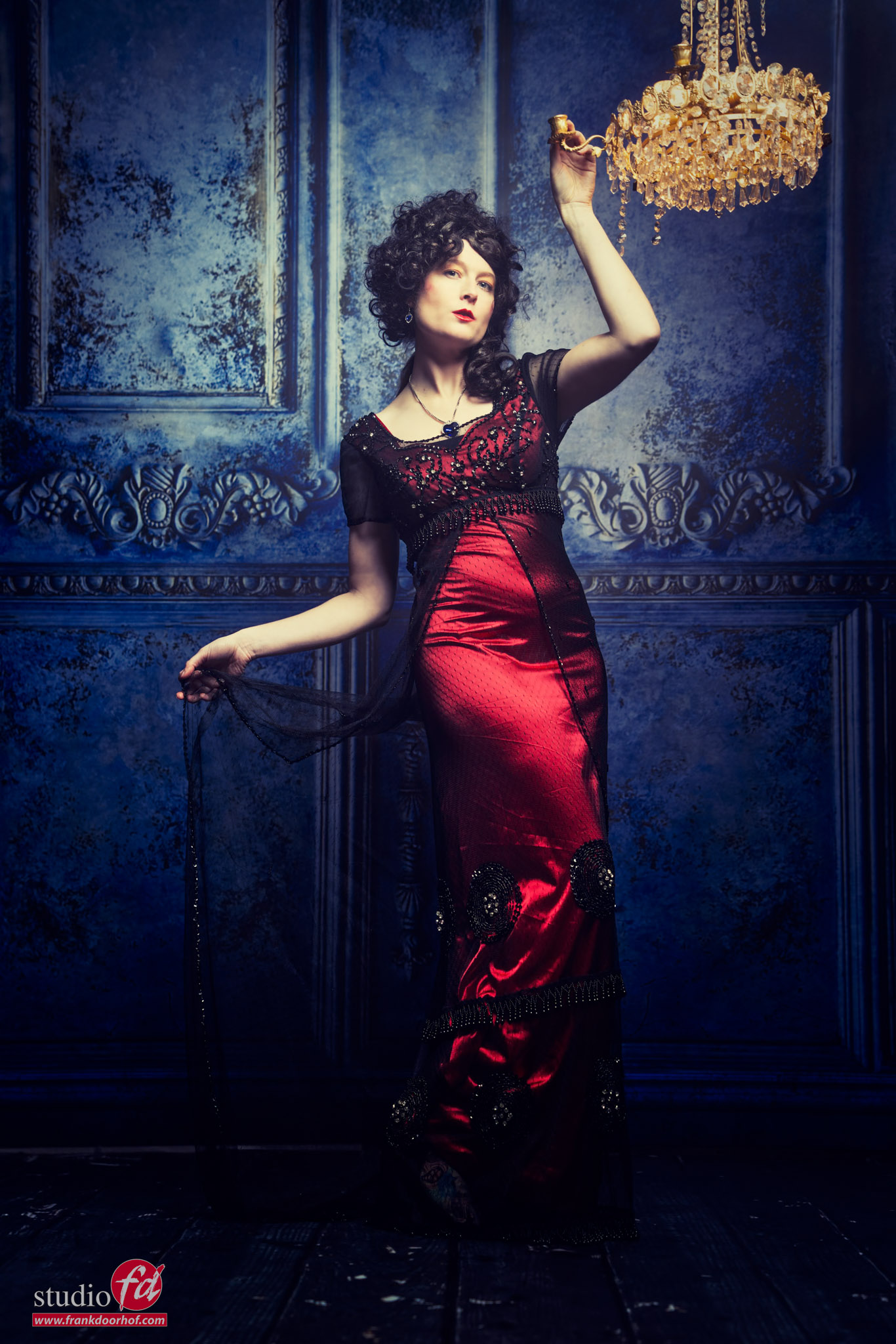
workshop cosplay

This is a replica of the Titanic Dress, with matching accessories like the heart earrings and necklace.
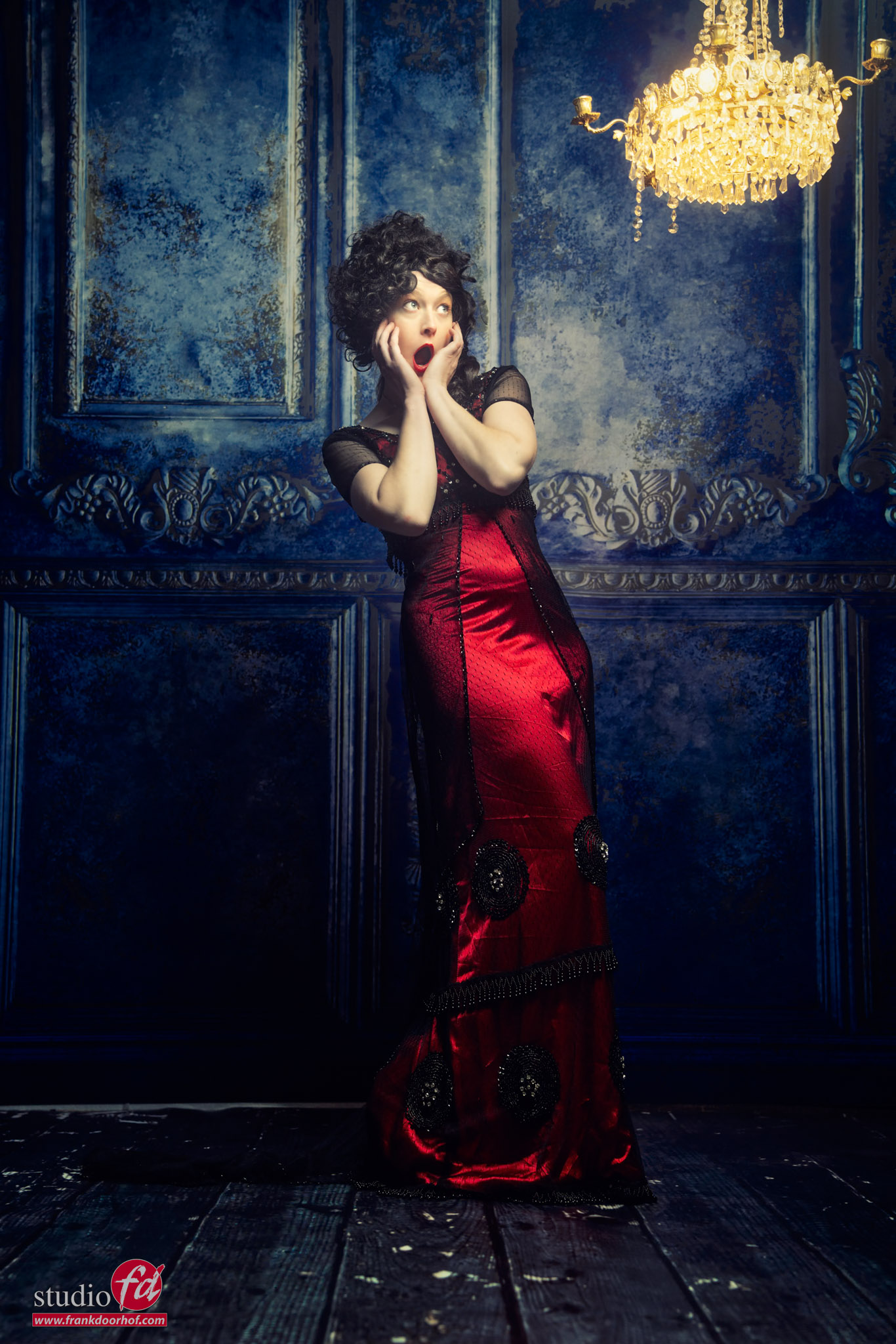
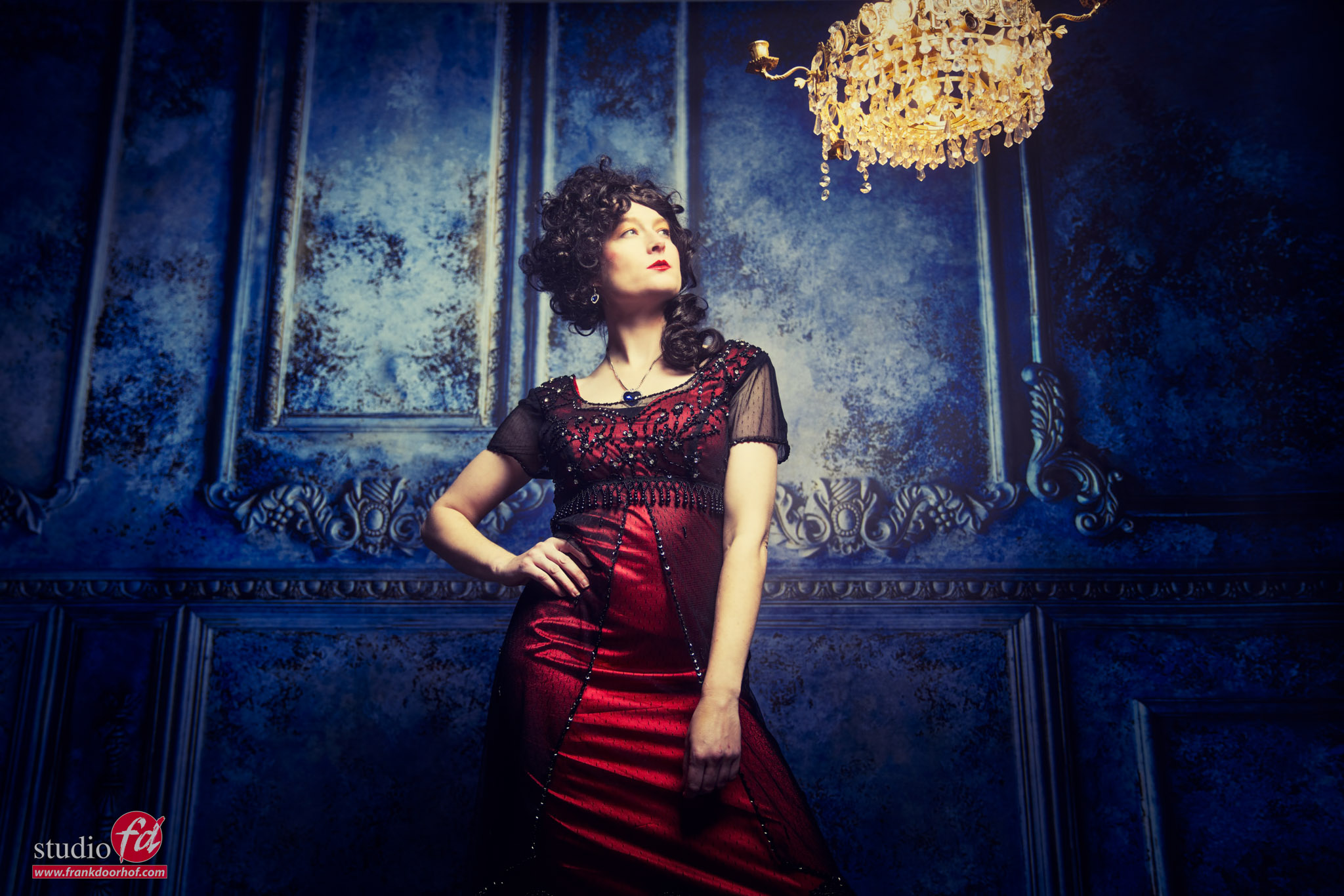
And of course, we also shot a few images without the strobes.
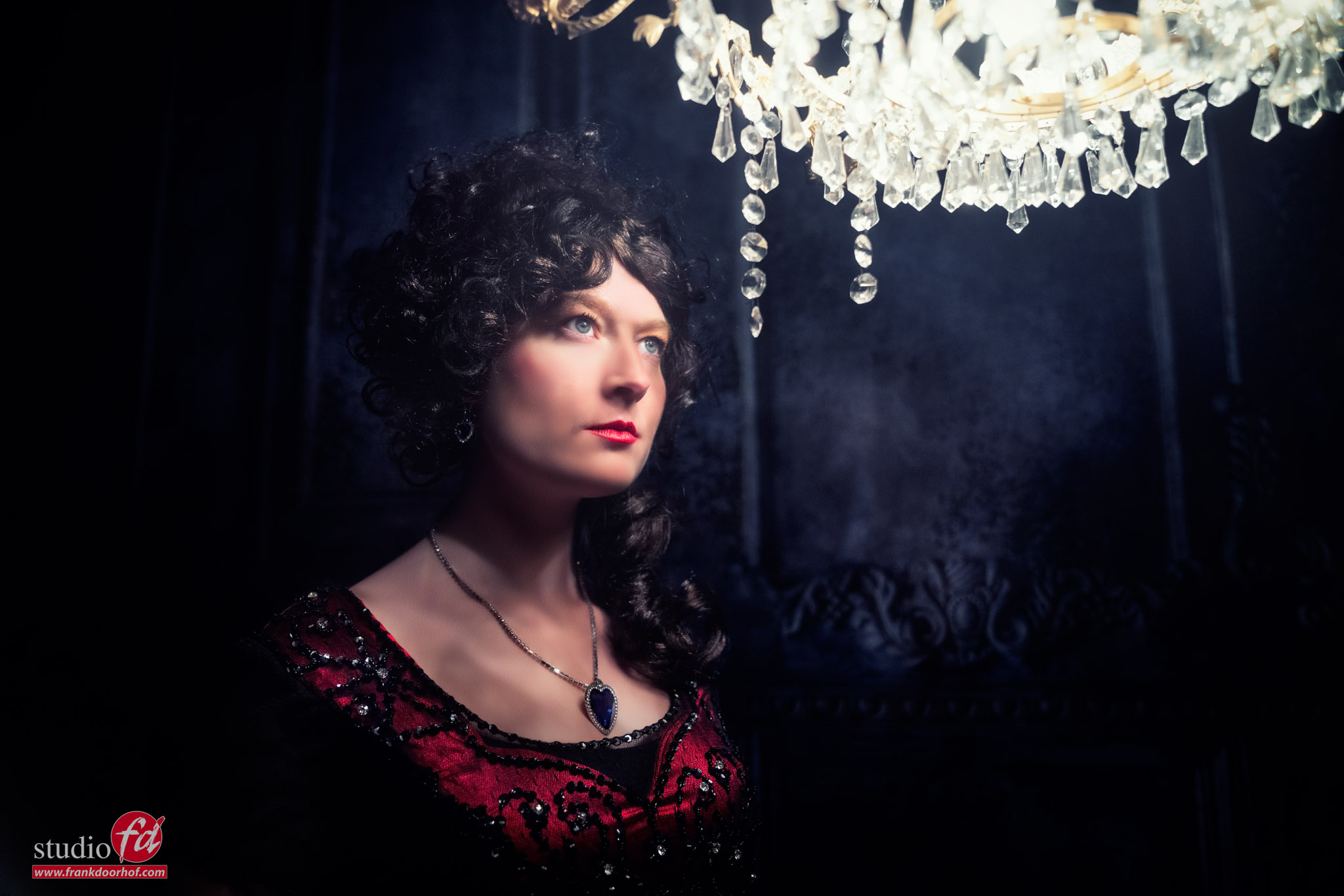
workshop Cosplay

Conclusion about the workshop Cosplay

The workshops are always different.
We start the workshops with a Q&A in which all the attendees can ask whatever they want. Some questions will be answered right away. But most will be incorporated into the workshop. This means the workshops are always a challenge for the whole team, including the attendees. And it also means we always have different sets and results. Meaning the workshops are always interesting but never the same.

If you also want to visit a workshop, visit fotografie-workshops.nl for the Dutch agenda and events.
If you’re not speaking Dutch, no problem, let us know a few weeks in advance, and we’ll change the workshop language to English.
Or you can, of course, opt for a full day 1:1 online workshops. We have several cameras set up, and you see the whole retouch process, plus after the workshop, you get the video and all the RAW files I shot. This is a great interactive learning tool you won’t find anywhere else.
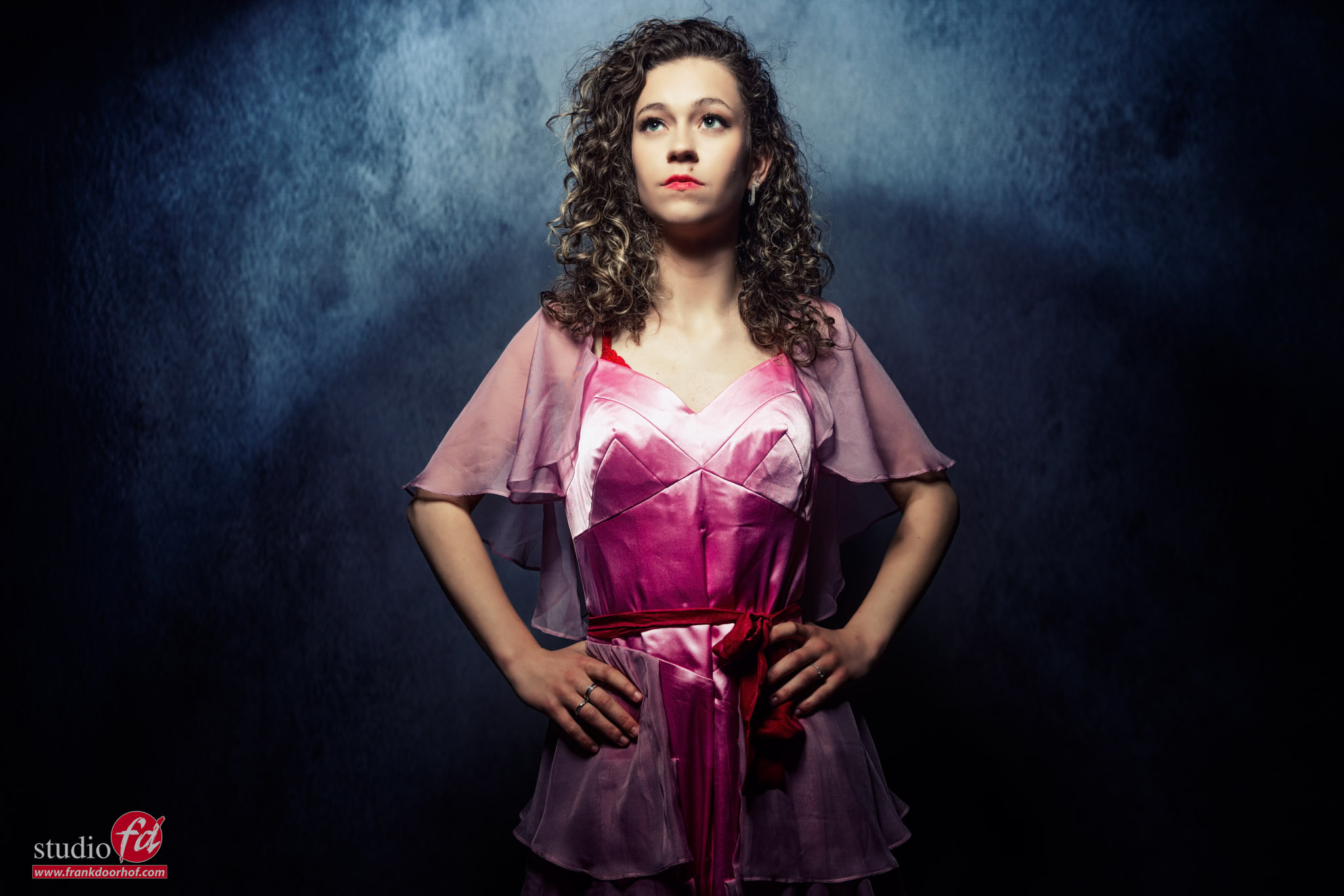
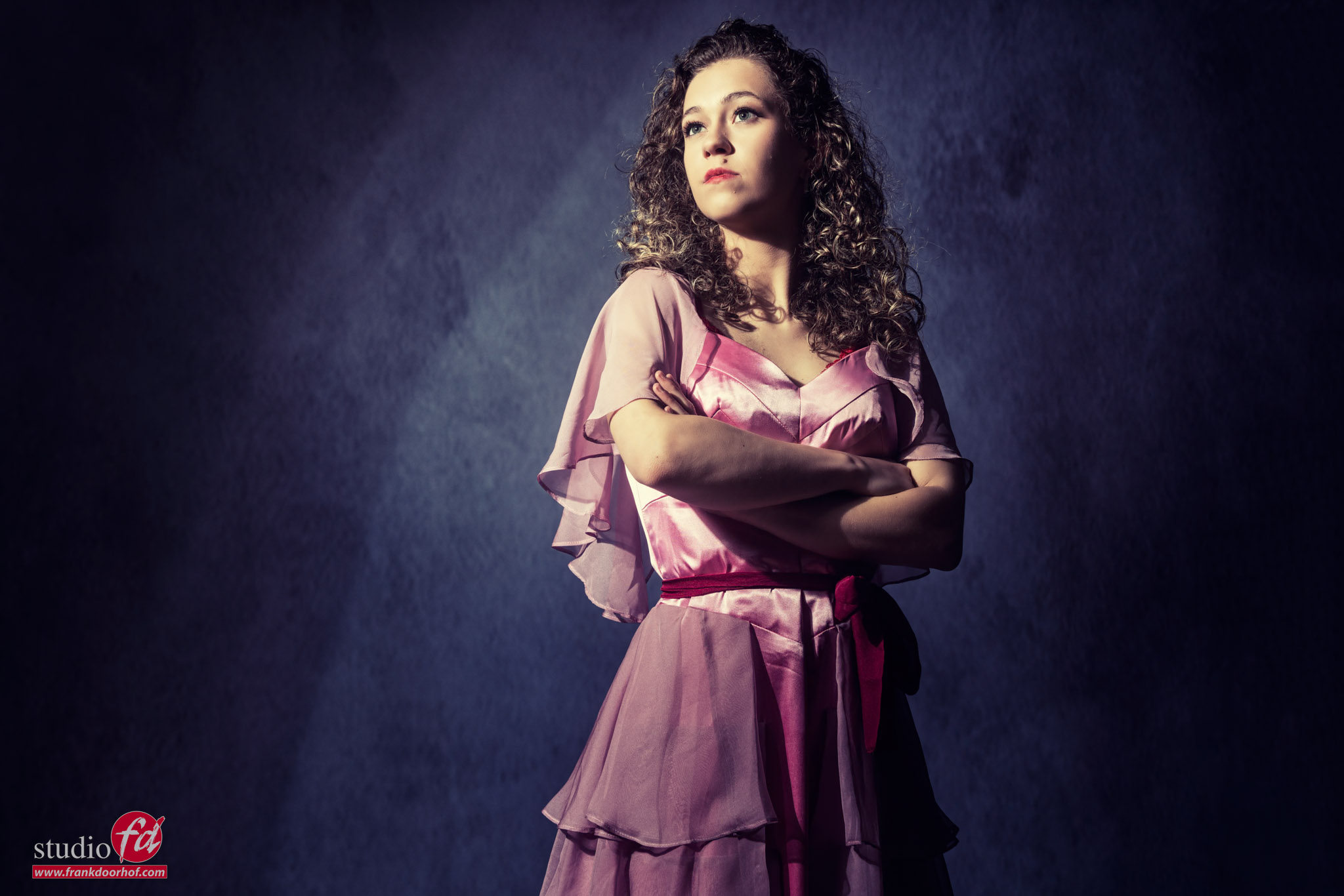
It’s a funny story

Sometimes it’s not what you expect

But that doesn’t always mean a bad thing.
Recently Geekoto released their new collapsable Beautydishes  
I’ve been shooting fashion/portraits for a long time and have worked with a lot of different beauty dishes, and this one is different.

For me a beauty dish is literally a dish in silver or white that gives a very harsh but nice light quality of light without hotspot due to the deflector that is placed in front of the flash tubes. It’s a very distinct look and to be honest the first time I saw the beauty dish from Geekoto it was not what I expected. But it ended up one of my favorite modifiers.

But of course I started to experiment and came to a totally different conclusion than “this is not a beauty dish”.
It’s actually a very interesting softbox.

First of all when you use the diffusion material you get a very nice evenly lit softbox without hotspot.
Use the grid and you will get a slightly darker center but it actually creates some really cool effects when you start to experiment a bit more.

The diffuser can be placed in two different positions which got me thinking.
What when we take off the diffusion material and use it like a beauty dish. Of course this doesn’t work because the deflector is still inside a softbox that focusses the light, compared to a shallow dish, but the effect is actually super cool.

By using the deflector and no diffusion material you get the “weird” lighting effect where the center is darker and the sides lighter.
by changing the position of the deflector you can change this effect.

But what about when placing the beauty dish next to the model and experiment with the placement of the deflector.
I think I never saw an effect like this without using flags or other kinds of tricks.
With the new Beautydish it’s super easy, and without a doubt a setup I’m going to be using a lot.

Don’t judge by name

One of the things I always try to do with new gear is to see in how many different ways it can be used.
My first impression was “not a beauty dish” but after these tests I can only say, this is one of the most versatile soft boxes on the market.

Place the diffuser and deflector for a super soft softbox.
Take out the deflector for a standard softbox
Use the grid to focus
Use it from the side and front with only the deflector for some cool lighting fall off effects.

And finally, how about using it without the diffuser, but with the deflector and the grid, indeed awesome effects on the background, but because the model is in the center, there is no shadow on the model due to the deflector. It’s so much fun to find so many uses for one light shaper.

You can get the Geekoto light shapers and strobes on our webshop.
If you have any questions, feel free to reach out, we always try to answer within 24 hours.

Workshops

Want to learn everything about light control?
Want to visit a workshop where it’s not just shooting a model with a fixed lighting setup, but see how the setup is build and adjusted to the taste of the group?
And of course learn how to work with poses, backgrounds, small sets, styling, retouching and a lot more…..

If this all sounds awesome, visit fotografie-workshops.nl and book your workshop.
If you don’t speak Dutch, no problem, let us know a few weeks in advance and we can switch the workshop to English.
Not possible to travel to The Netherlands?
We got you covered with our 1:1 online workshop.
We have a full streaming setup in our studio. 4 detail cameras and of course the retouching software so you can see every detail and of course ask questions during the day. Plus you get all the RAW files after the workshop.


The Platypod in action

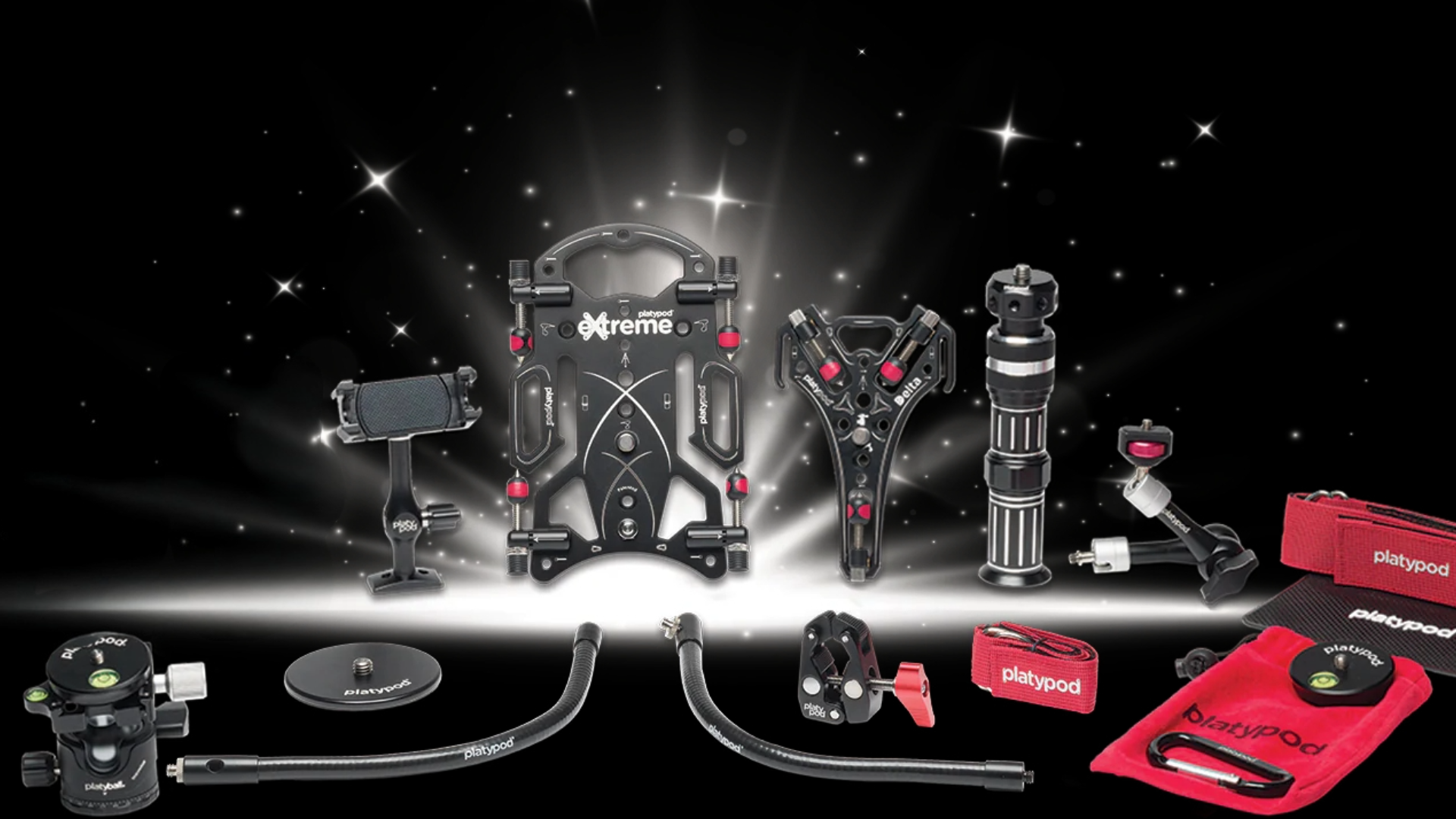
We love the Platypod lineup for many reasons

But without a doubt, one of my favorites is the Platypod Maggrip,  as a replacement for a tripod when shooting video.
Especially when shooting multicam or in tight situations, using a tripod can be problematic. The Platypod system is a great solution in these situations. Read more about the Platypod in action.

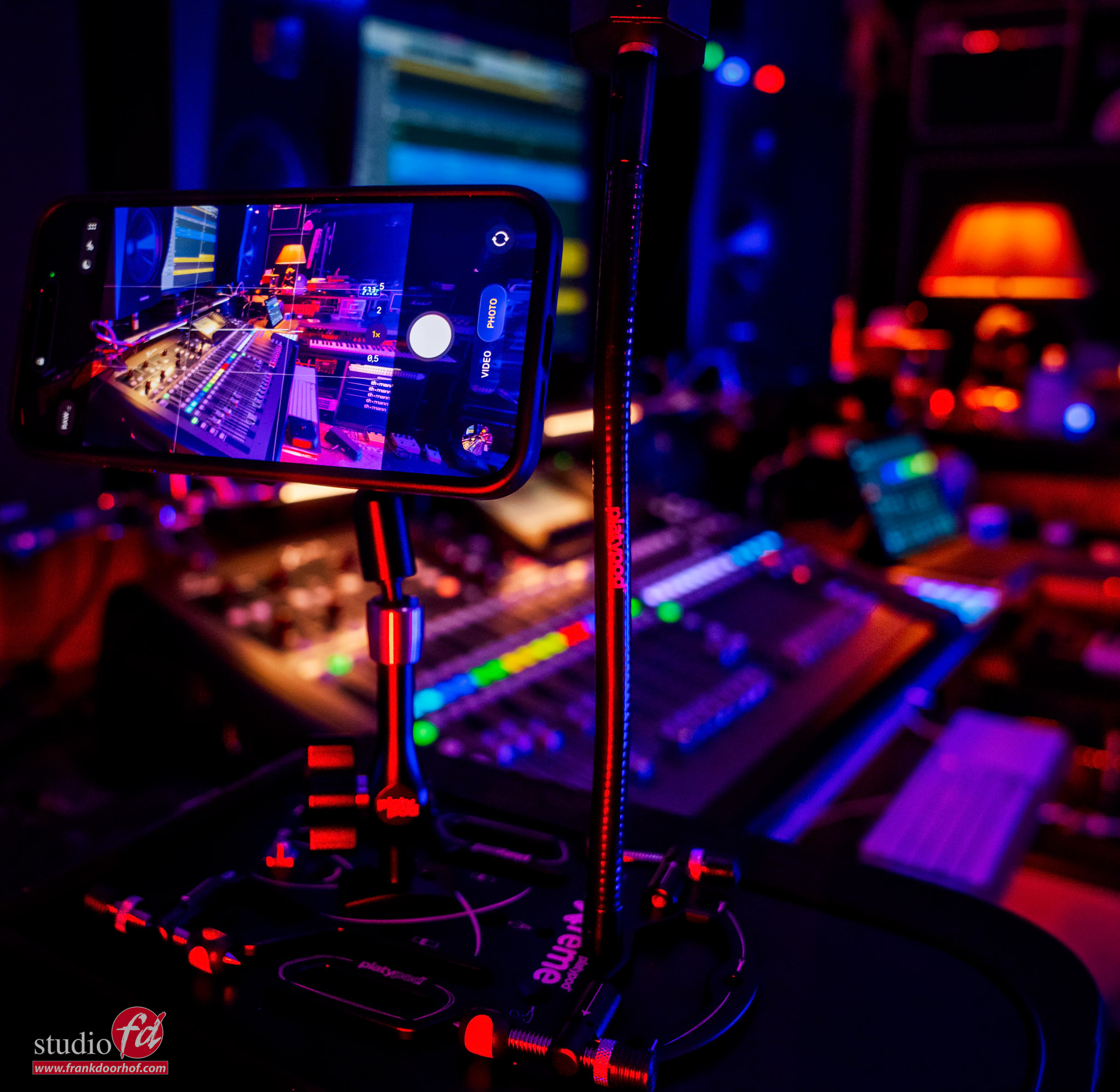
For an upcoming video, we are shooting some material with iPhones using the Platypod Maggrip to place my iPhone easily in interesting positions. Due to the small ball head, I can adjust the angle of the iPhone to make sure I get the angle I need.
Recently, Platypod released the Platypod Mag Deluxe Set which also makes it possible to charge your iPhone during filming, so you never run out of power during the vital moments.

Filming and charging my iPhone


That’s the cool thing about the Platypod system: it’s a fully modular system, so you can add almost everything to the Platypod base plate. When filming, for example, we use small LED lights via the extra mounting arms
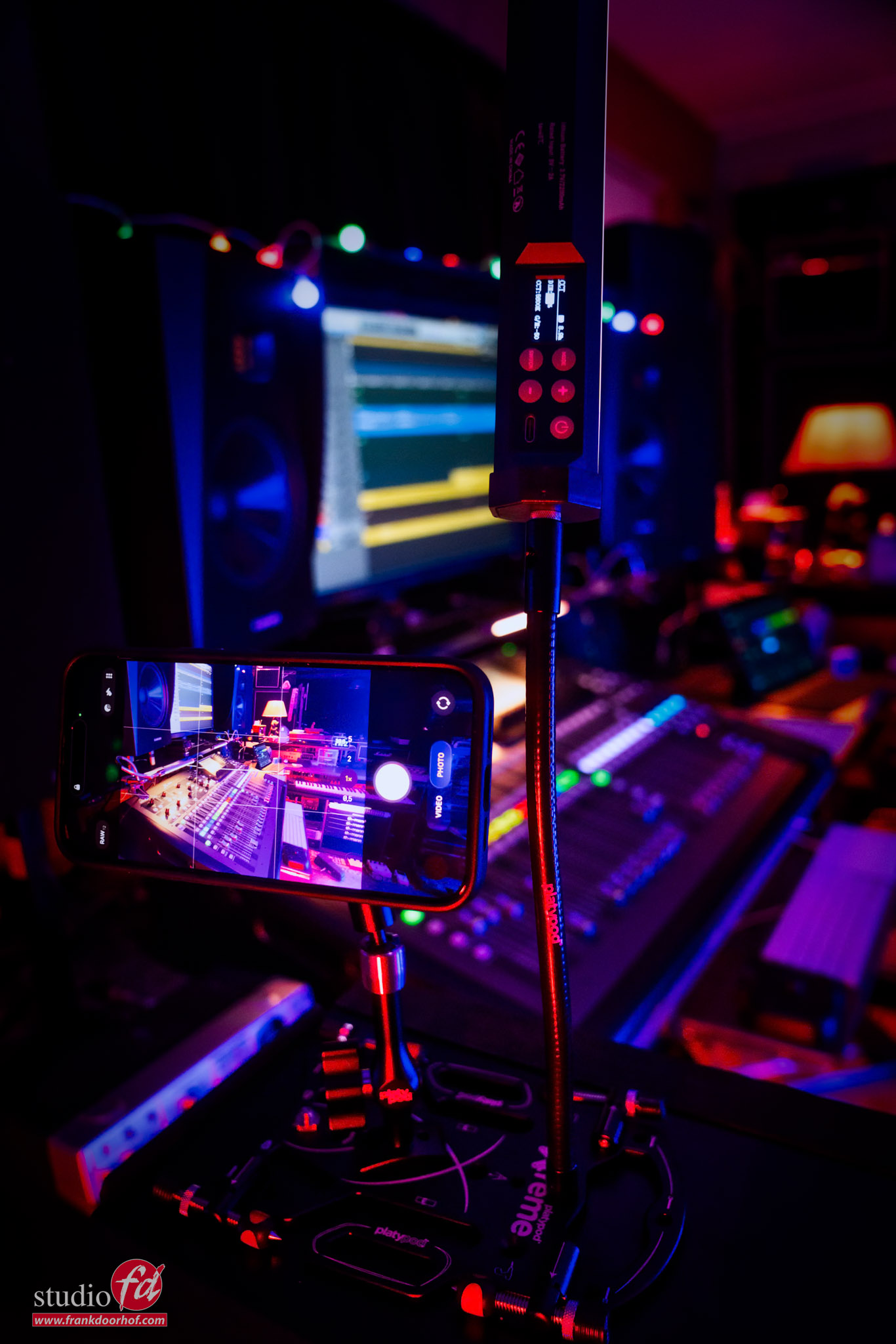
But as you can see in the behind-the-scenes images, you can also easily mount a Nanlite PavoTube.

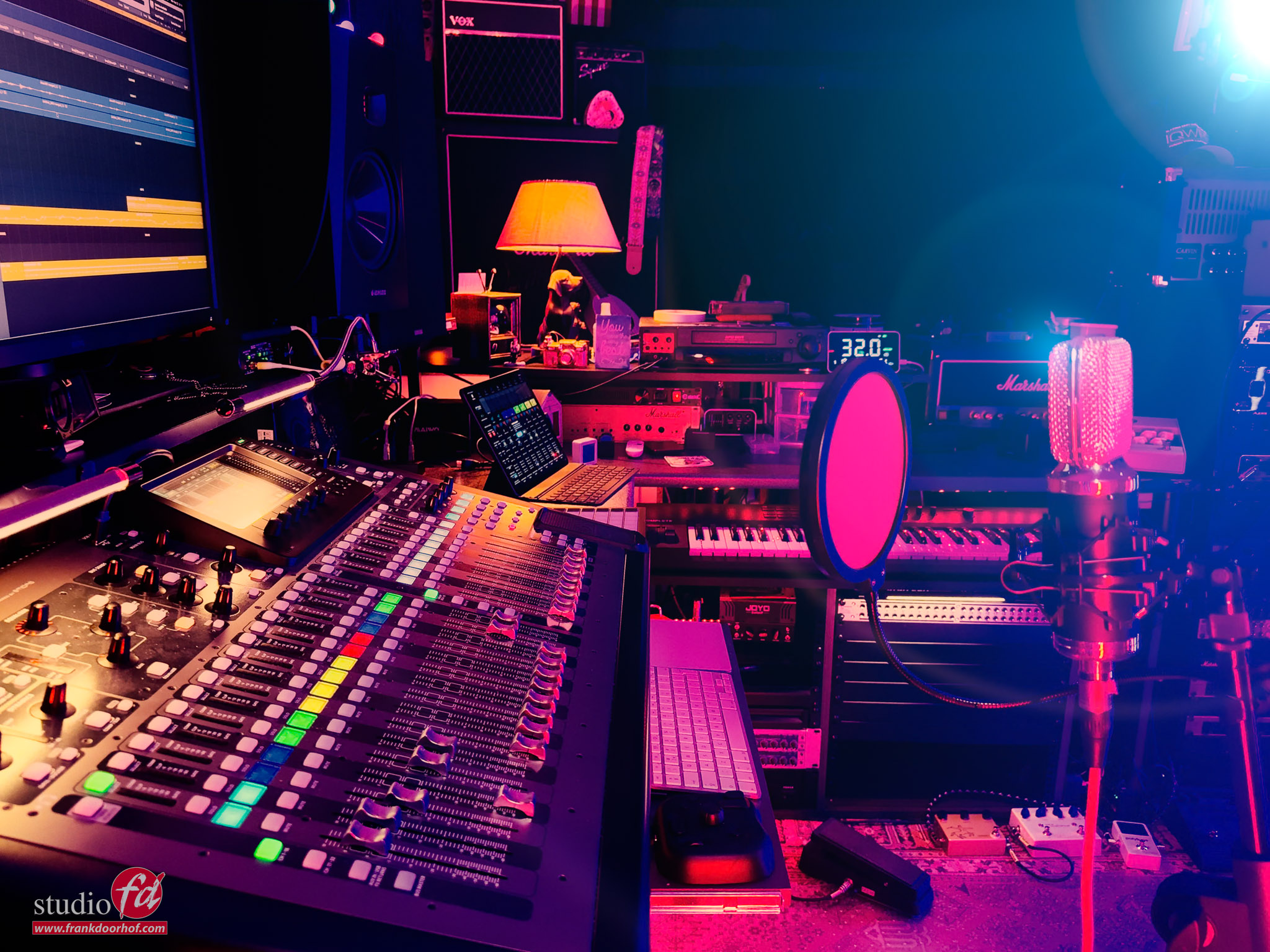
The angle the iPhone sees.

And the setup.

In this case, I’m using the Platypod with a Nanlite PavoTube connected on the Gooseneck.
In other words, it doesn’t have to be small lights, which makes the system very flexible to use.

platypod in action

Platypod in action. I use the Maggrip on the Extreme base, which also holds a Gooseneck for the Pavotube

Also want to add Platypod to your bag?
Check www.frankdoorhof.com/shop for the gear I use, including, of course, Platypod


Workshops

Want to learn everything about light control?
Want to visit a workshop where it’s not just shooting a model with a fixed lighting setup, but see how the setup is build and adjusted to the taste of the group?
And of course learn how to work with poses, backgrounds, small sets, styling, retouching and a lot more…..

If this all sounds awesome, visit fotografie-workshops.nl and book your workshop.
If you don’t speak Dutch, no problem, let us know a few weeks in advance and we can switch the workshop to English.
Not possible to travel to The Netherlands?
We got you covered with our 1:1 online workshop.
We have a full streaming setup in our studio. 4 detail cameras and of course the retouching software so you can see every detail and of course ask questions during the day. Plus you get all the RAW files after the workshop.


What does color really do in photography?

What does color really do in photography?

We often talk about color, but images show it better. During the workshop, I always try to incorporate the ideas of the attendees into the sets.
Even if I think it won’t work, because seeing is believing and is the best way to learn. And in all honesty, sometimes my conclusion is also “yes, that works great”
So always experiment, it’s the best way to learn and get some creative results. This blog is about what color really does in photography.

Today, we focus on using some different colors in the same setup.

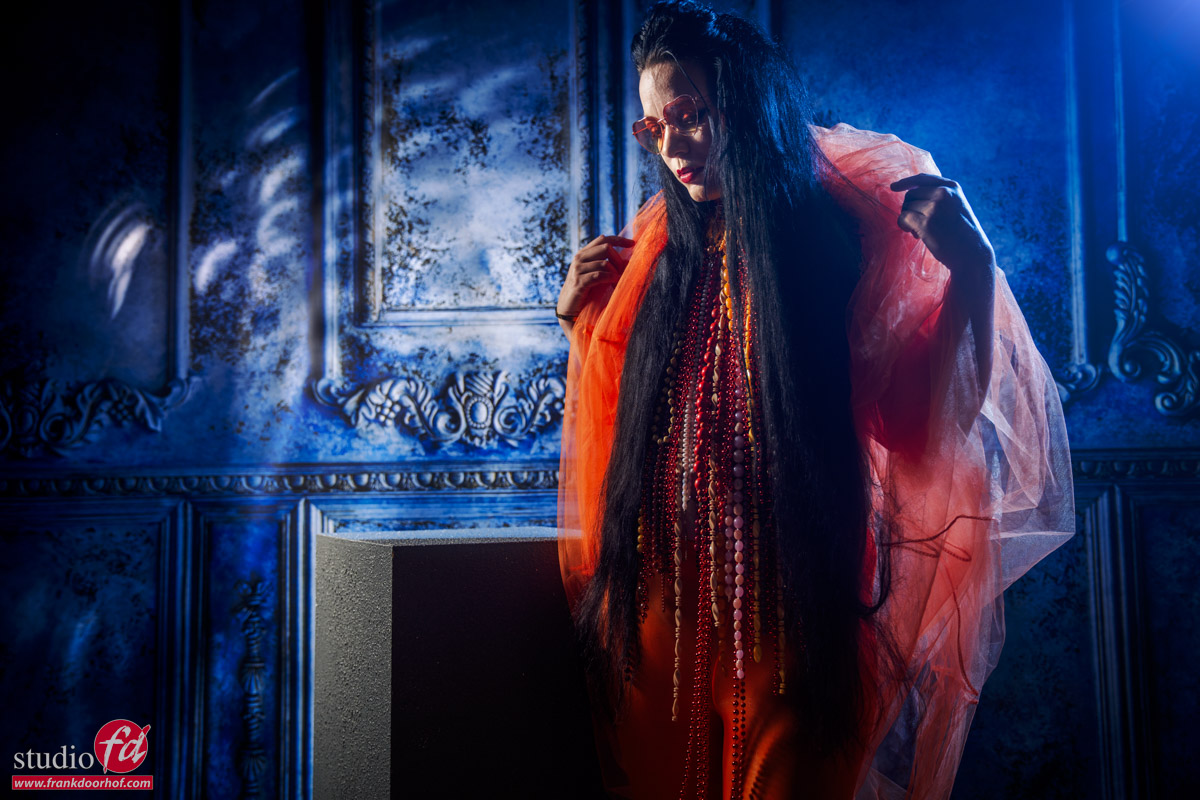
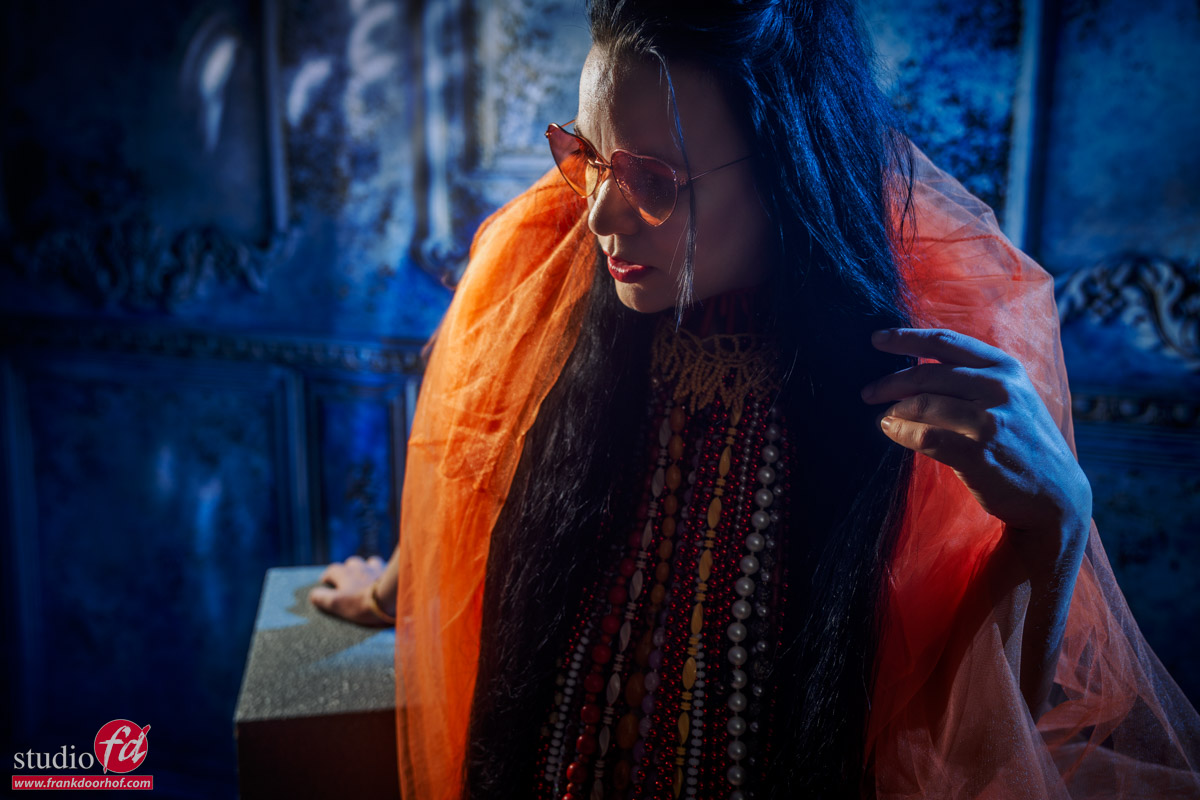
These were shot during one of the sets with our model Nadine.

Let’s first take a look at the first start image.

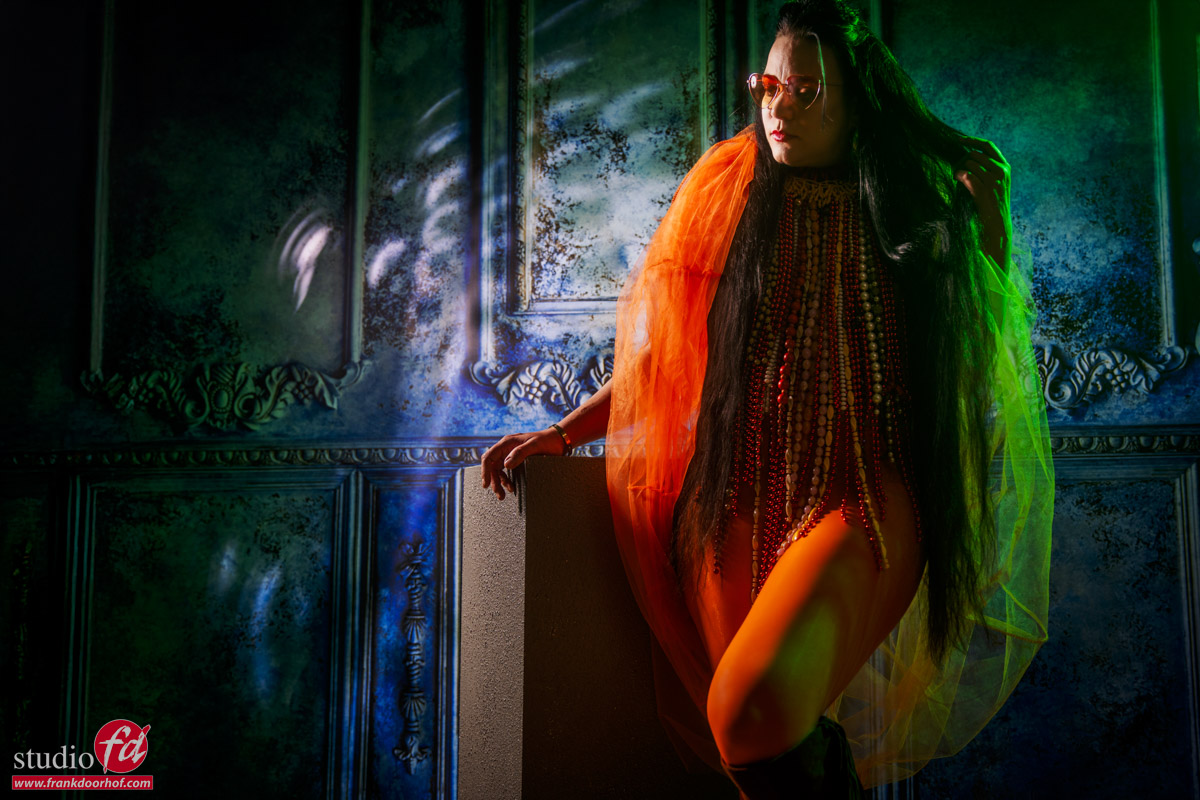
In this image, I’m using our new Geekoto Beautydish without the diffusion material but with the grid; this way, I get some interesting effects on the background and model.
As an accent light, I’m using the Geekoto GT200 with the Rogue magnetic system and a blue gel

I love this effect with our background. The blue color nicely blends together and the effect on the orange gives me a nice contrast.

what does color really do in photography?

So what would happen if we changed the blue for green?

Personally, I hardly use green in my sets. For me, Blue and Red are colors that have a very strong emotional link. Also, red and blue nicely blends together with most other colors, where green can be a very dominant “attention point”.

So let’s try this.

what does color really do in photography?

Is it really ugly?
Not really, but for me it takes away the feel I had with the blue.
Now, do remember that this can change depending on where in the world you live; there are cultures where colors will evoke totally different feelings. So when you do commercial work in different regions, it might be great to check this beforehand 😉 This blog is about what color really does in photography, so let’s go back to blue but a bit more.


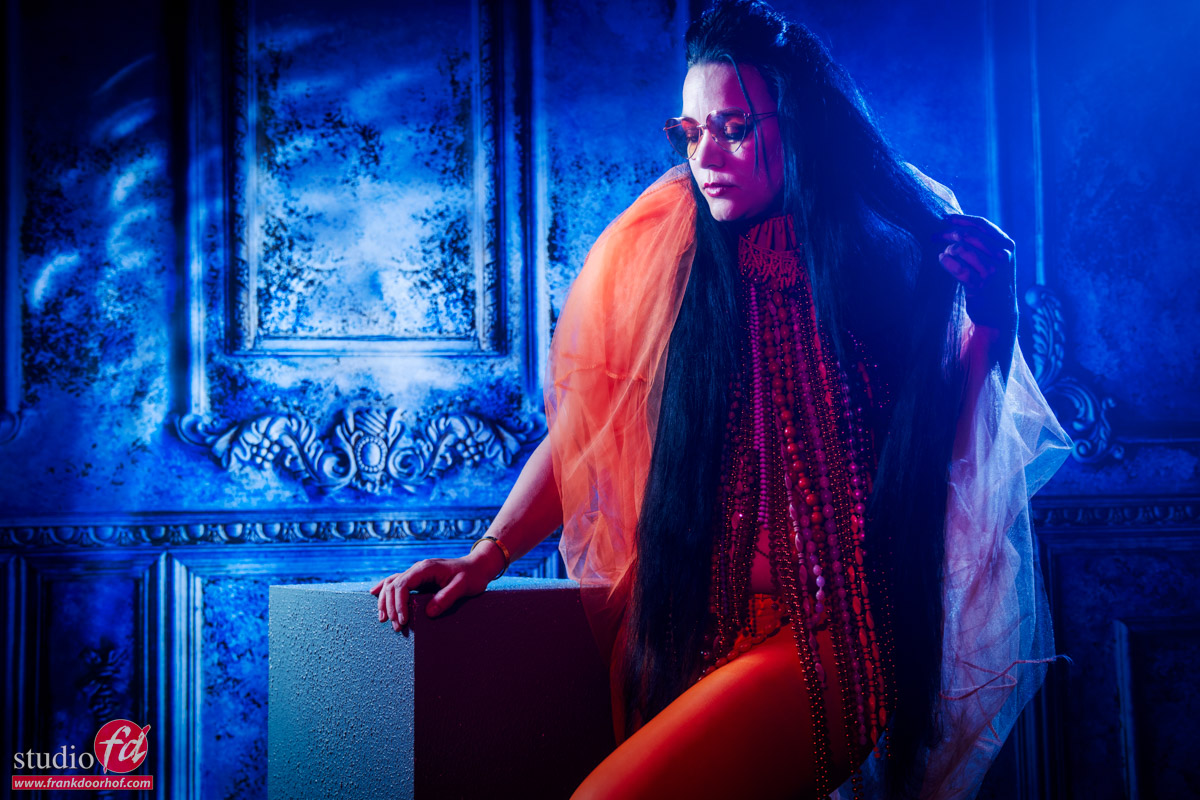
For some sets, it might be “a lot”. But for this kind of setup, I think it actually works very well. It’s a totally different look than the more subtle blue.
A quick in-between tip. If you are afraid to blow out details in bright clothing/materials? Make sure to feather your light away from the subject but aimed at the camera. This way, the camera will get the full power output, and your subject is hit by the side of the light, which is nice and soft but also a lot lower in output.

Anyway, now that we have seen blue…how about red ?

what does color really do in photography?

You probably already spotted it.
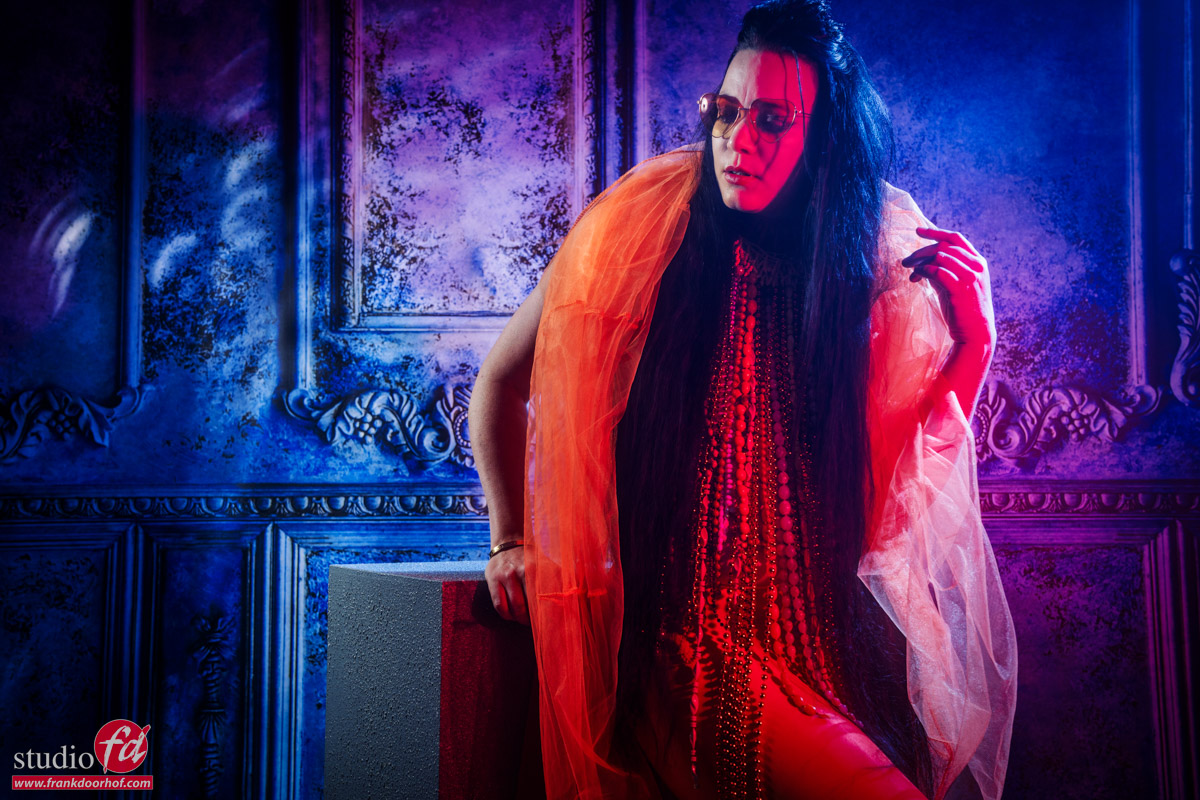
We are still using the blue gel, but I also added a red gel to the set.
For me, this shot is one of my favorite shots; it’s way over the top, but in this setting, I think the blue and red blend together really nicely.

Conclusion about what color really does in photography

Color evokes emotion and can really change the mood of a shot or even destroy it.
For me, I try to follow the 60-30-10 rule a “Little bit”,  meaning 60% of a set is the main color, 30% is something in the same family, and 10% is a strong accent color. This is a technique that has been used in films for ages. And although it’s not a golden rule, it will create stunning effects. The combination of the red material and the blue background already set the mood. By adding green, I’m actually adding a third element in a set where two elements were already competing with each other.

Shooting tethered can help a lot in visualizing the effects more clearly.


Also, read this blog about Prince, the look-alike photoshoot


Or this video about getting a witch right in camera, with leds and strobes 


Workshops

Want to learn everything about light control?
Want to visit a workshop where it’s not just shooting a model with a fixed lighting setup, but see how the setup is build and adjusted to the taste of the group?
And of course learn how to work with poses, backgrounds, small sets, styling, retouching and a lot more…..

If this all sounds awesome, visit fotografie-workshops.nl and book your workshop.
If you don’t speak Dutch, no problem, let us know a few weeks in advance and we can switch the workshop to English.
Not possible to travel to The Netherlands?
We got you covered with our 1:1 online workshop.
We have a full streaming setup in our studio. 4 detail cameras and of course the retouching software so you can see every detail and of course ask questions during the day. Plus you get all the RAW files after the workshop.