Tag Archive for: studio

Just a chandelier

Sometimes you need a lot, and sometimes not

Having an extra background system in your studio is great.
You can use it to hang fabrics from and create more depth in your set, but you can also use it hang a chandelier from.

During the workshop “alternative lighting” I’m not using strobes.
All the shots have to be done with continuous lighting, and although I do use our Nanlite led strips as fill or mainlight in some setups, the idea is to use light sources that are not designed for photography. Like a chandelier.

In this setup I’m using a great background from ClickBackdrops
But the lighting you see is just the chandelier. The trick is have the right distance.
You don’t want the chandelier to blow out too much (you can always use the “highlights” slider in Lightroom for some adjustments of course), but you also want a nice spread of the model/set.

Placing the light closer means it will fall off more quickly, moving the light further away will mean it spreads out more over the set.
Because I wanted something special, we placed the light close to the model, and I asked Felisa to lay on the floor for…. well extra “drama”.

Angle of the shot

One of the things I always explain during the workshops is the use of angles.
Not only the angle under which you shoot but also the lens.
When you use a longer lens, it will compress the scene, when you use a wider lens it will exaggerate the perspective.
This is one of the reasons I love the 24-70 f2.8 Sony G-master, it can give me a wide angle and compression effect.
Something I’m using here.

First let’s take a look at the shot straight on.
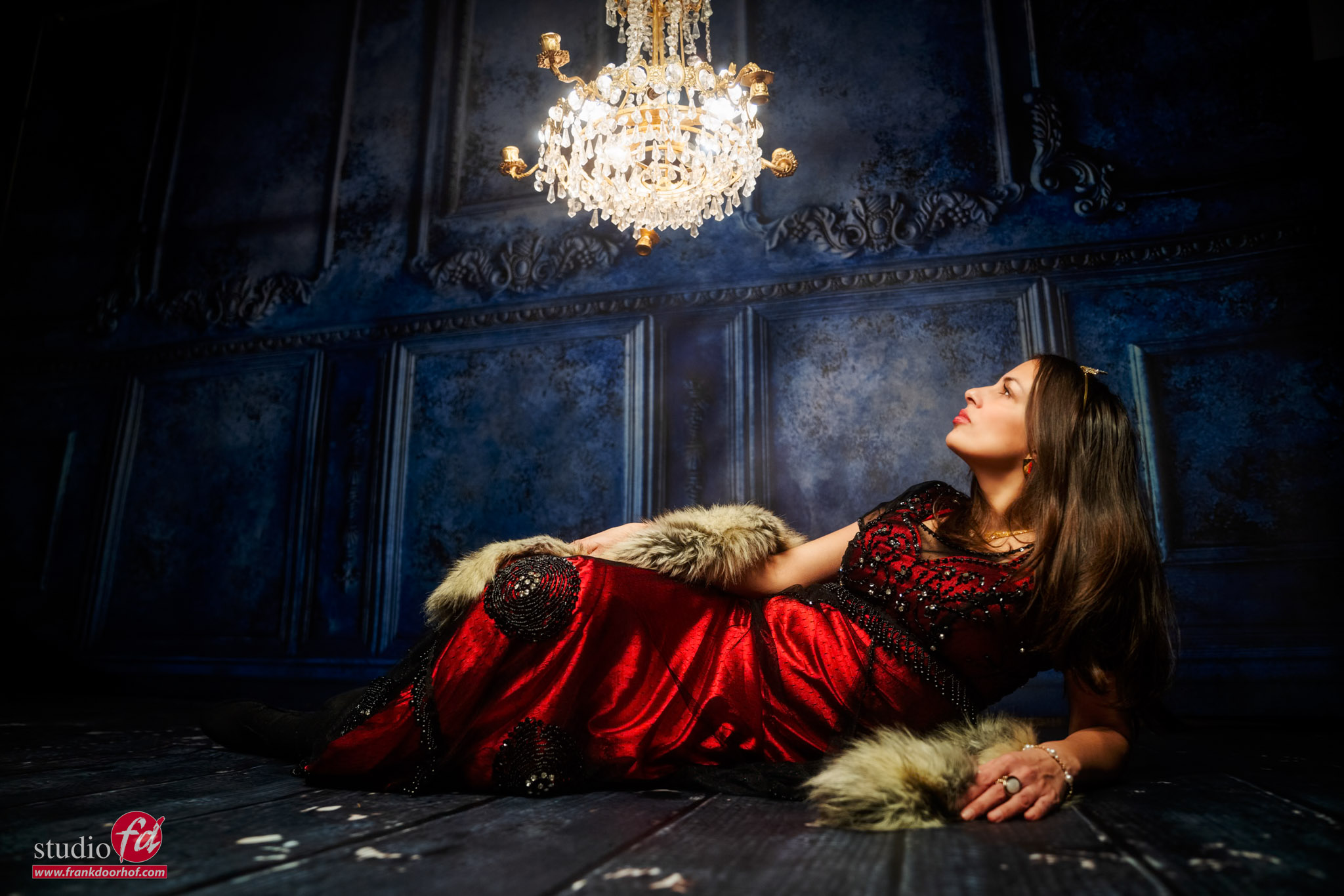
Nothing wrong with this one.
Love the way Felise poses, and the light spreads out just enough over the set.

But let’s experiment a bit with a different pose, where the model reaches out for the chandelier.
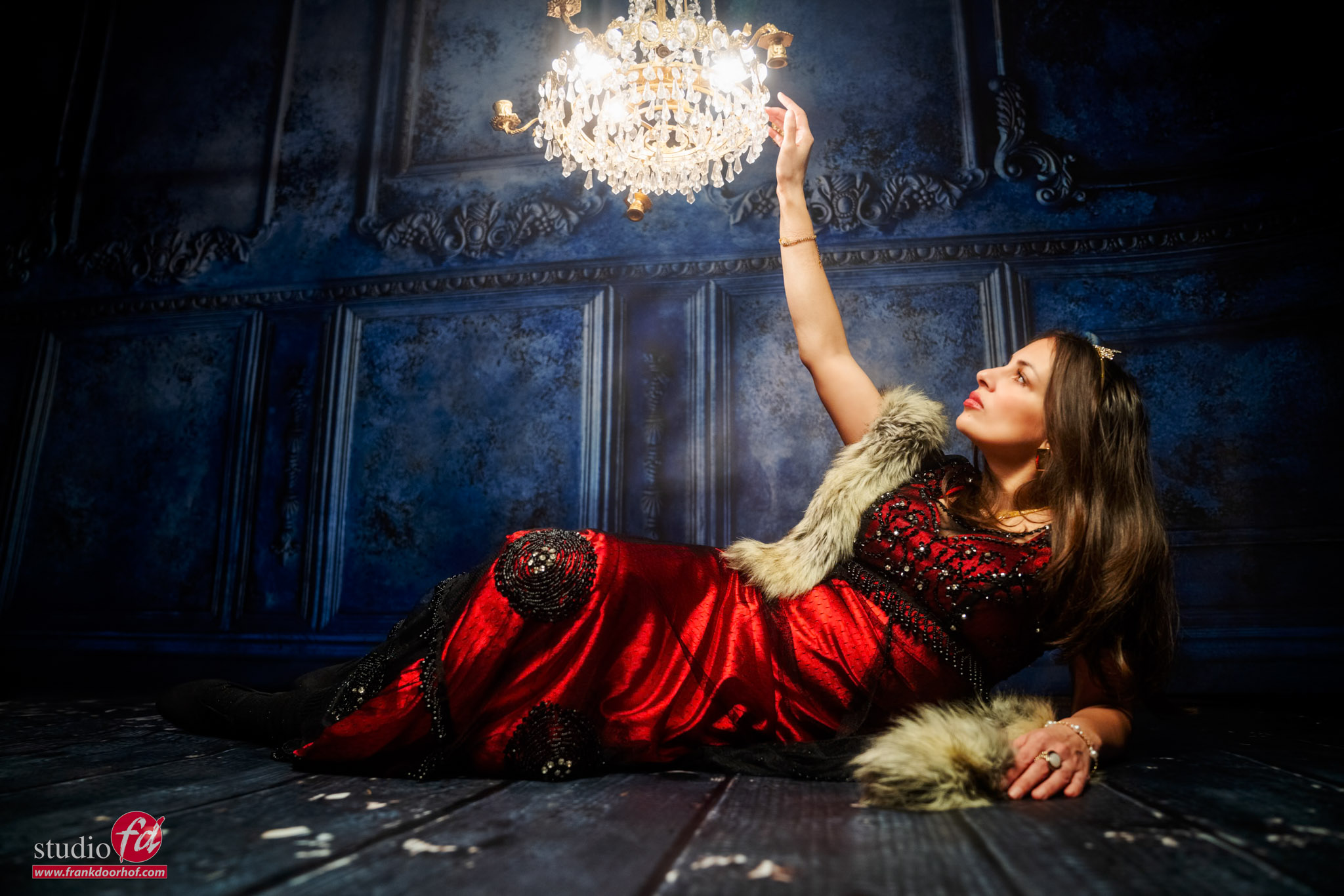
Personally I like this one a bit more.
But it’s still pretty “flat”.
So let’s move a bit too the side and use a slighty wider angle.
In the next shot I did add a small bit off the background because when you shoot under an angle the background was just a bit too short.
Luckily now a days in Photoshop or even Lightroom this is no problem anymore.
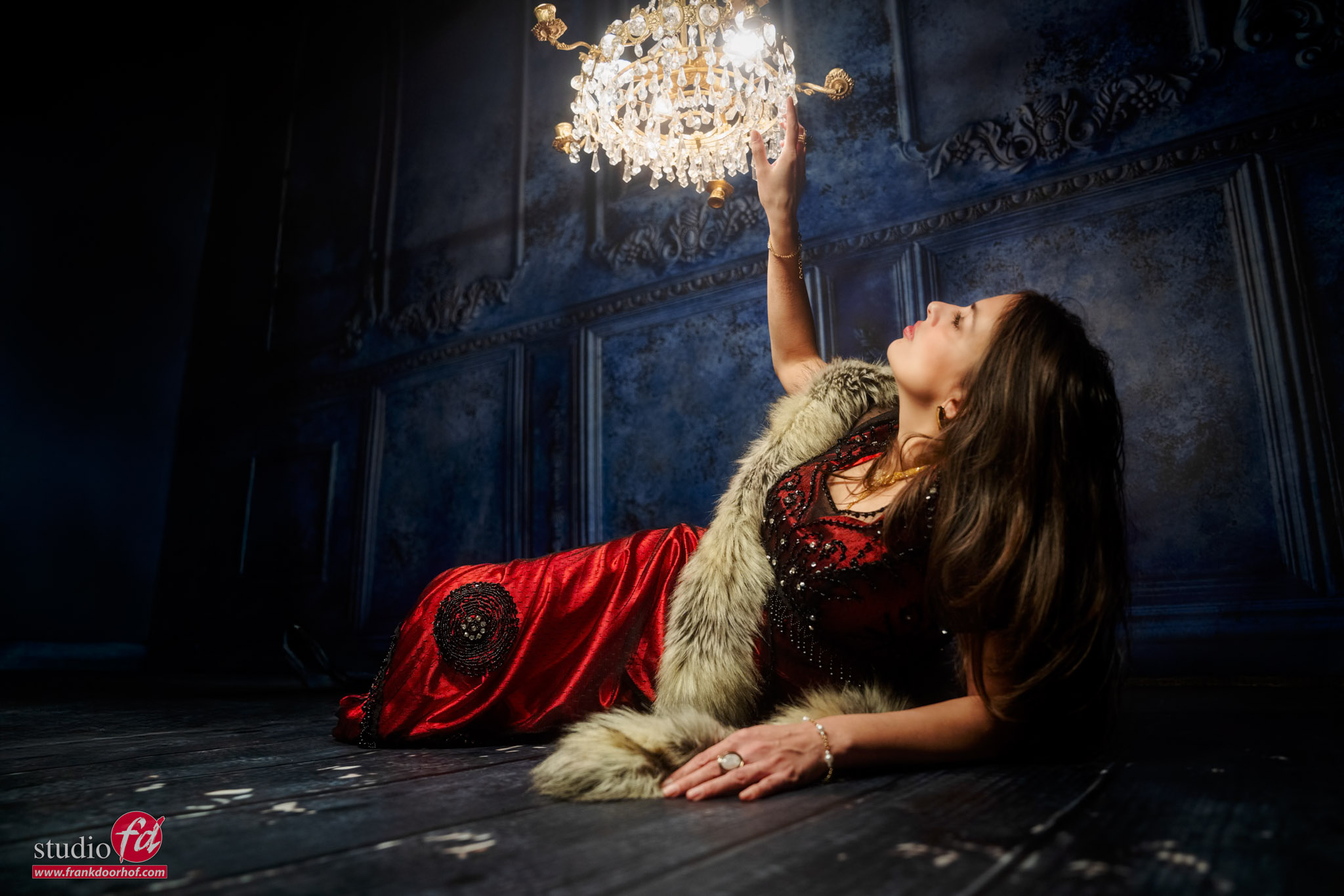
Perspective is “everything”

Besides shooting it from a slightly different angle, with a wider angle I also moved the camera slightly more down.
This gives you more of the chandelier, and for me it draws the viewer into the frame much more than the images shot straight from the front.

I think that with a lot of photoshoots we are happy when we see the results and they are great, like the first images.
It took me a few shoots before I started to experiment with different positions and loved the control you have over the contrast, but being able to combine it with a more wide angle shot is opening a lot of creative options. Especially when working with small sets.

Workshops

Want to learn everything about light control?
Want to visit a workshop where it’s not just shooting a model with a fixed lighting setup, but see how the setup is build and adjusted to the taste of the group?
And of course learn how to work with poses, backgrounds, small sets, styling, retouching and a lot more…..

If this all sounds awesome, visit fotografie-workshops.nl and book your workshop.
If you don’t speak Dutch, no problem, let us know a few weeks in advance and we can switch the workshop to English.
Not possible to travel to The Netherlands?
We got you covered with our 1:1 online workshop.
We have a full streaming setup in our studio. 4 detail cameras and of course the retouching software so you can see every detail and of course ask questions during the day. Plus you get all the RAW files after the workshop.
 

Loads of jeans

A workshop with Nadine is like a box of chocolates….

You never know what you’re going to get.
And this time Nadine decided it was time for jeans, loads of jeans!
And of course that doesn’t mean normal jeans….. nope, it needs to be extreme.

For me, the challenge is always to find something that will fit the clothing and, of course, get some cool portfolio shots.

In the new workshops, we work a lot more with special effects like smoke and gels.
Of course, you can do funky stuff with AI. But being able to do it in camera/on set is so much cooler and also much more educational. Plus, when you understand how/why it works, you can actually create it much better in AI….. mmm sounds a bit double.

Anyway, let’s take a look at the first shot.

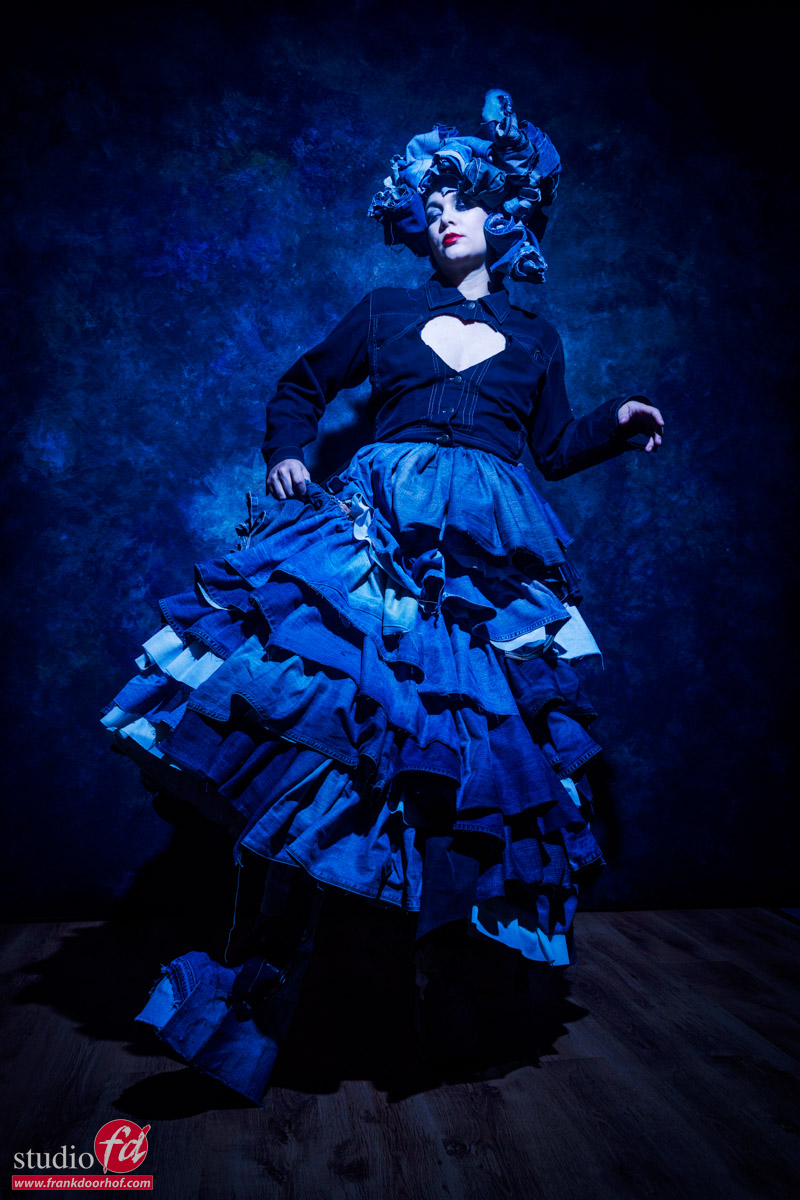
Loads of Jeans

A skirt made of jeans, and a headpiece made of jeans. Look carefully, and you’ll see the boots are also made from (glued on) jeans

Because this workshop was themed (loads of) jeans, we decided to use blue light on our model.

You can add a second strobe without a gel and balance this with the blue light. I would personally use a very focused light source, like a snoot, or for example, the Quicky that will really make sure you only light your model and don’t destroy the color saturation. (Remember, Luminance is a part of your color, and when you lower the luminance, the colors look more intense, so focused light keeps spill light away from the colors, keeping them nicely saturated)

But when we start with just blue, you probably already know more is coming.

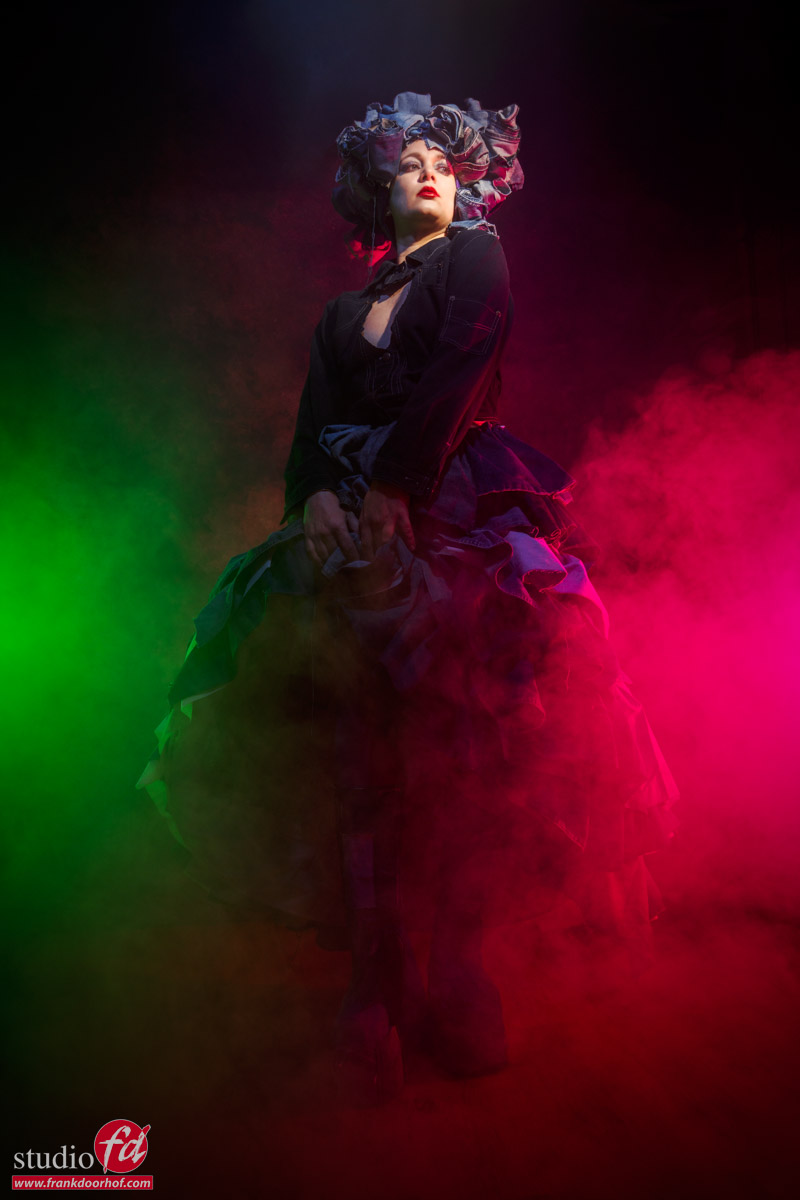
So let’s add some smoke and, a red, and green gel.
Due to the darker blue, the contrast between the green and red really works well in this set.
I did change the light on Nadine’s face to pure white.

loads of jeans

The smoke really glues everything together. But for me personally, shooting these kinds of images in the portrait mode always feels a bit constrained.
So let’s try the same in landscape mode.

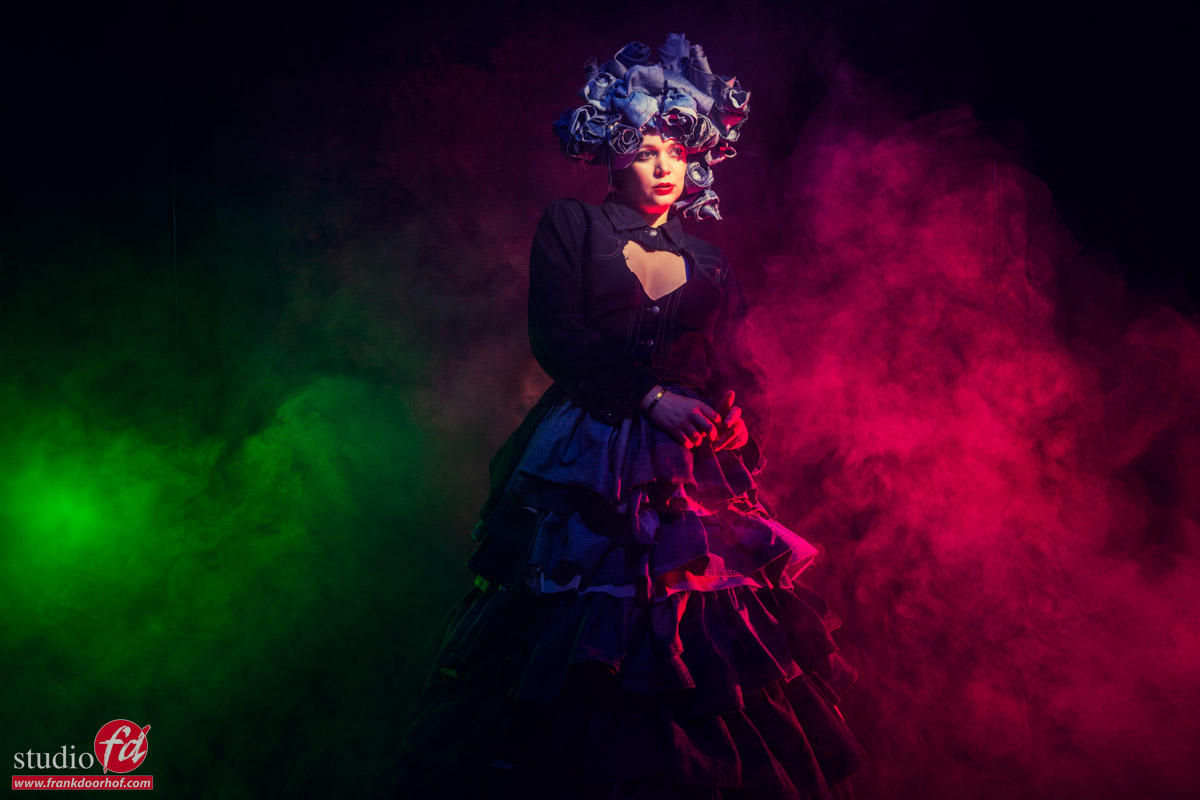
loads of jeans

For me, this works a lot better and gives me also more room to work with the smoke and composition.
Of course, this is always a very personal opinion. So, when you’re shooting for yourself, always experiment with what you like. And remember that sometimes on the set you can be convinced that portrait mode worked. But when sitting down after dinner, it might be that you prefer the landscape versions.

When working for a client, my experience is that if my client demands portrait mode, I will shoot 70% in portrait mode and 30% in landscape. Sometimes I will get a remark they don’t need that, but…. in more than one case, I get a call a few weeks later if “by accident” I still have some of those images because they want to change the advert or use it for something else. You might think “I just crop,” but in most cases, you won’t have that option composition-wise or you simply need more resolution.

So always experiment with both orientations.
And of course add smoke and gels 😀

Read my other blog about Prince, a look-alike photoshoot

Check out the video of this setup 

Workshops

Want to learn everything about light control?
Want to visit a workshop where it’s not just shooting a model with a fixed lighting setup, but see how the setup is build and adjusted to the taste of the group?
And of course learn how to work with poses, backgrounds, small sets, styling, retouching and a lot more…..

If this all sounds awesome, visit fotografie-workshops.nl and book your workshop.
If you don’t speak Dutch, no problem, let us know a few weeks in advance and we can switch the workshop to English.
Not possible to travel to The Netherlands?
We got you covered with our 1:1 online workshop.
We have a full streaming setup in our studio. 4 detail cameras and of course the retouching software so you can see every detail and of course ask questions during the day. Plus you get all the RAW files after the workshop.
 

Those lines but how

Who didn’t struggle with this one…

I know I did, and during the workshops I’ve heard the question over and over “how do you get those really cool sharp shadow lines on your model?”

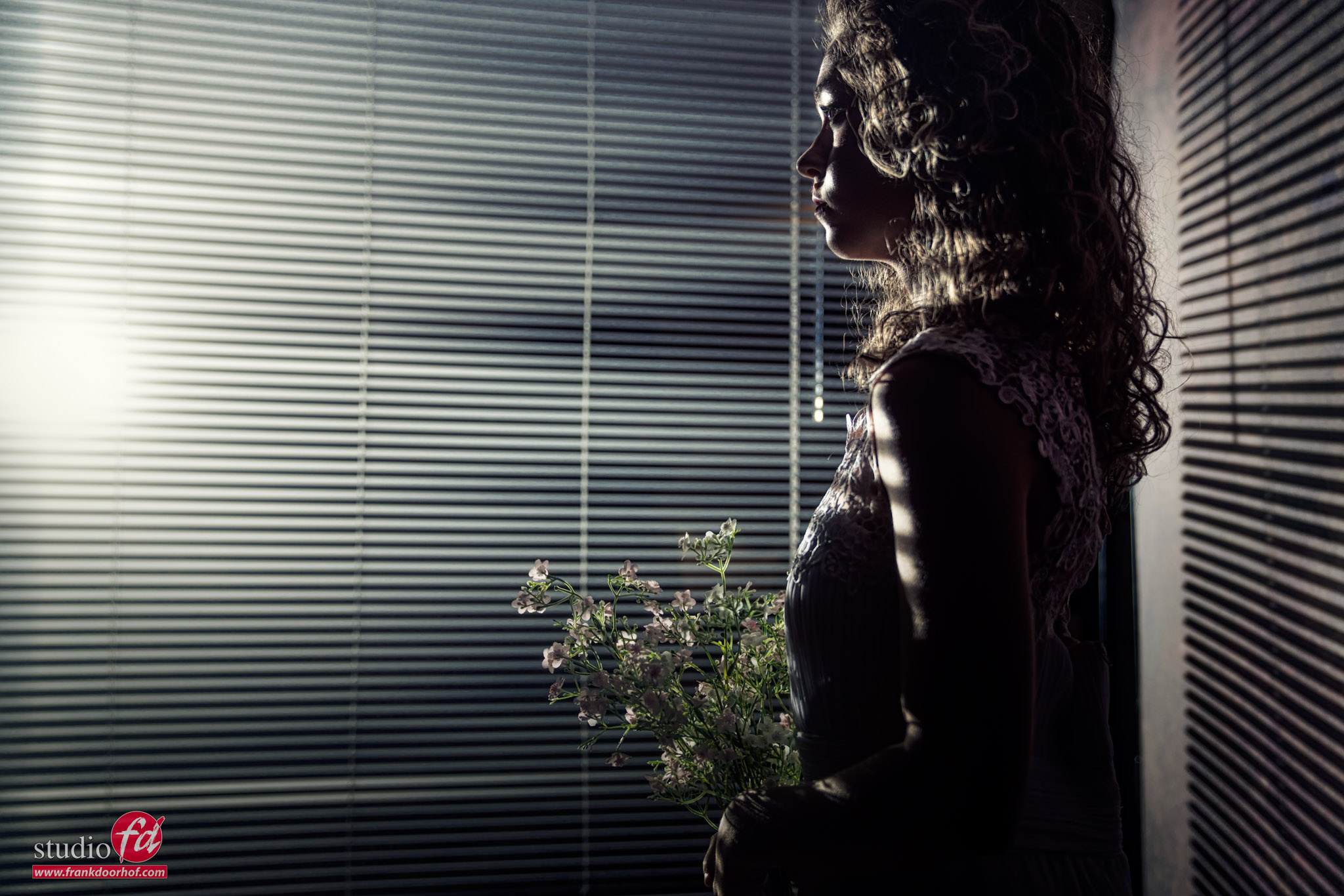
Somehow I always immediately think about the old detective movies, where someone was looking through Venetian blinds and you can see the shadows on the face. So when I started with modelphotography I of course got some Venetian blinds to create the best images you have ever seen… only to fail miserably.

A softbox definitely was not the way too go, I knew that.
So my first experiment was with an open reflector and grid aimed at the venetian blinds and te results were…. well pretty disappointing.
Of course I wanted to know what I did wrong and found out that all the “power” was in just one simple move.

Literally move your light.
When you want really harsh shadows, think about the sun, it’s far away and gives you huge shadows, add clouds in the sky and the shadows are softer. This is why we often refer to clouds as “the big softbox in the sky”.
The harsh light I got but the problem was that the shadows were hardly seen on the model, unless she was really close to the Venetian blinds and the light against the wall, which in that period meant 2-3 mtrs. All the images I saw in books with diagrams gave me that setup, but the results were nothing like it.

The trick is distance, which at time was my problem.
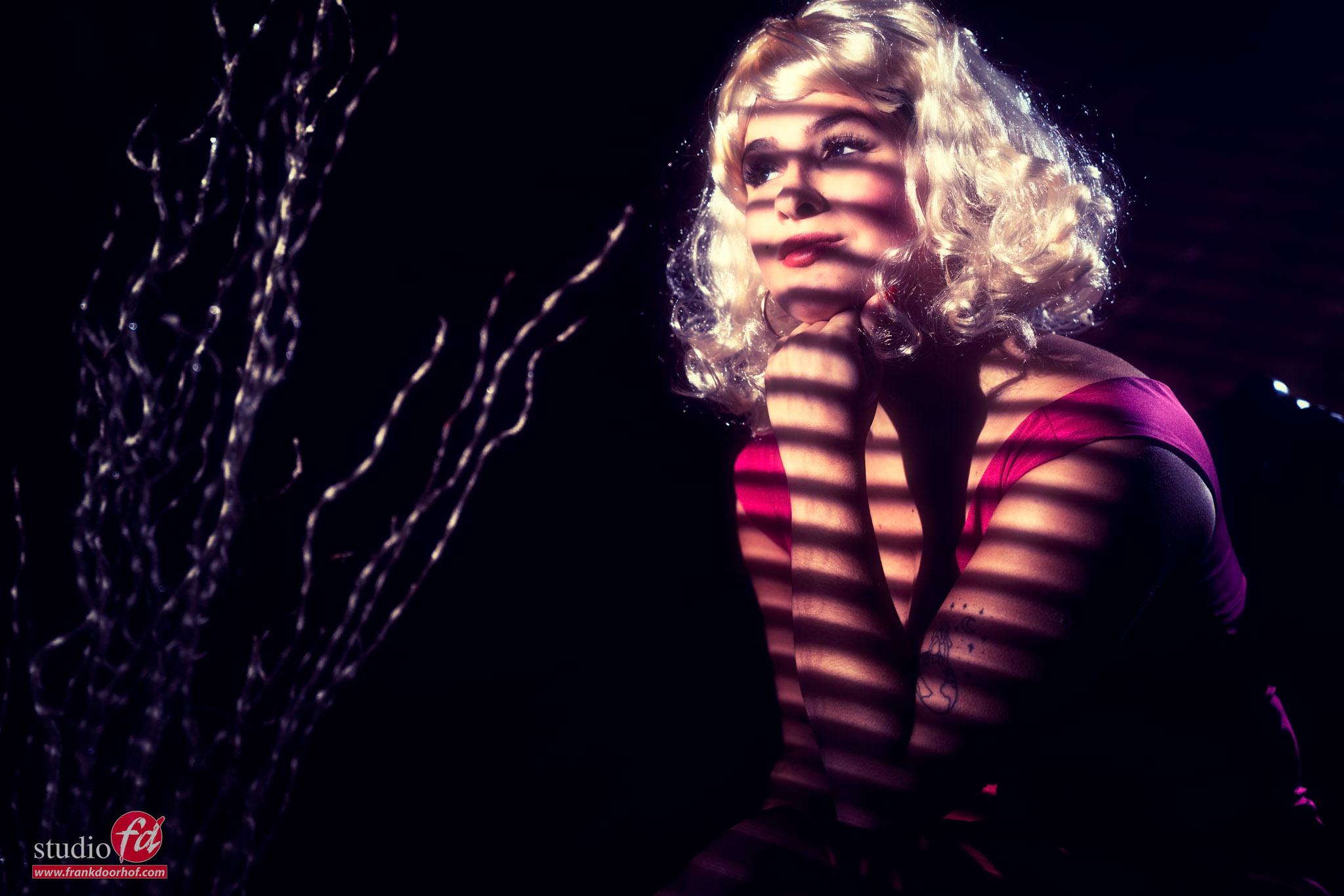
When you move your light further away from the Venetian blinds the shadows will become harsher, but also reach further, meaning the model doesn’t have to stand against the Venetian blinds, but can actually move in the set, as long as you have space.

The problem is of course focussing your light.
Meaning you need to make sure that the light doesn’t spill over your whole set, but only where you want it.
Luckily for that we have several light shapers.
If you use reflectors you can add grids which makes sure the light beam becomes much more focussed, and depending on the depth of the grid you can make the light beam smaller or wider.

of course you can also use a snoot, I personally love the Rogue snoot on a GT200, which makes it possible to not only project a round lightshape (with the included diffusion panel) but also a vertical light pattern, if you leave the difussion panel out (the GT200 is a rectangular strobe vs the GT250 which is round), and you can adjust the beam of light by collapsing the snoot in 4 different settings.

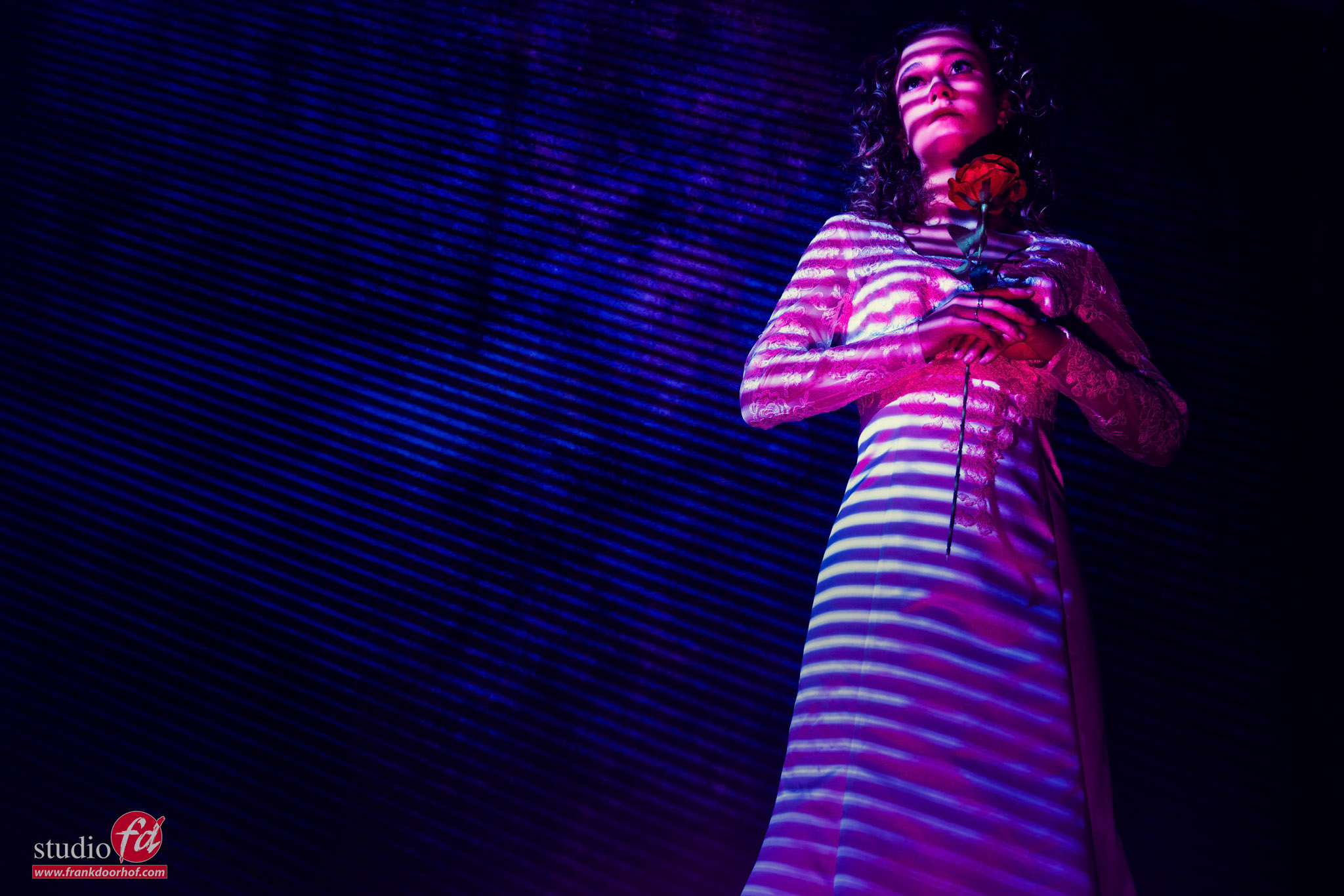
Let’s take a look at a result with the model close to the blinds.

As you can see that with enough distance you can also see the lines on the background.
Which means we can also use them in a set, and if you like the shadows to be less harsh…. just move the light closer to the blinds. You have 100% control.

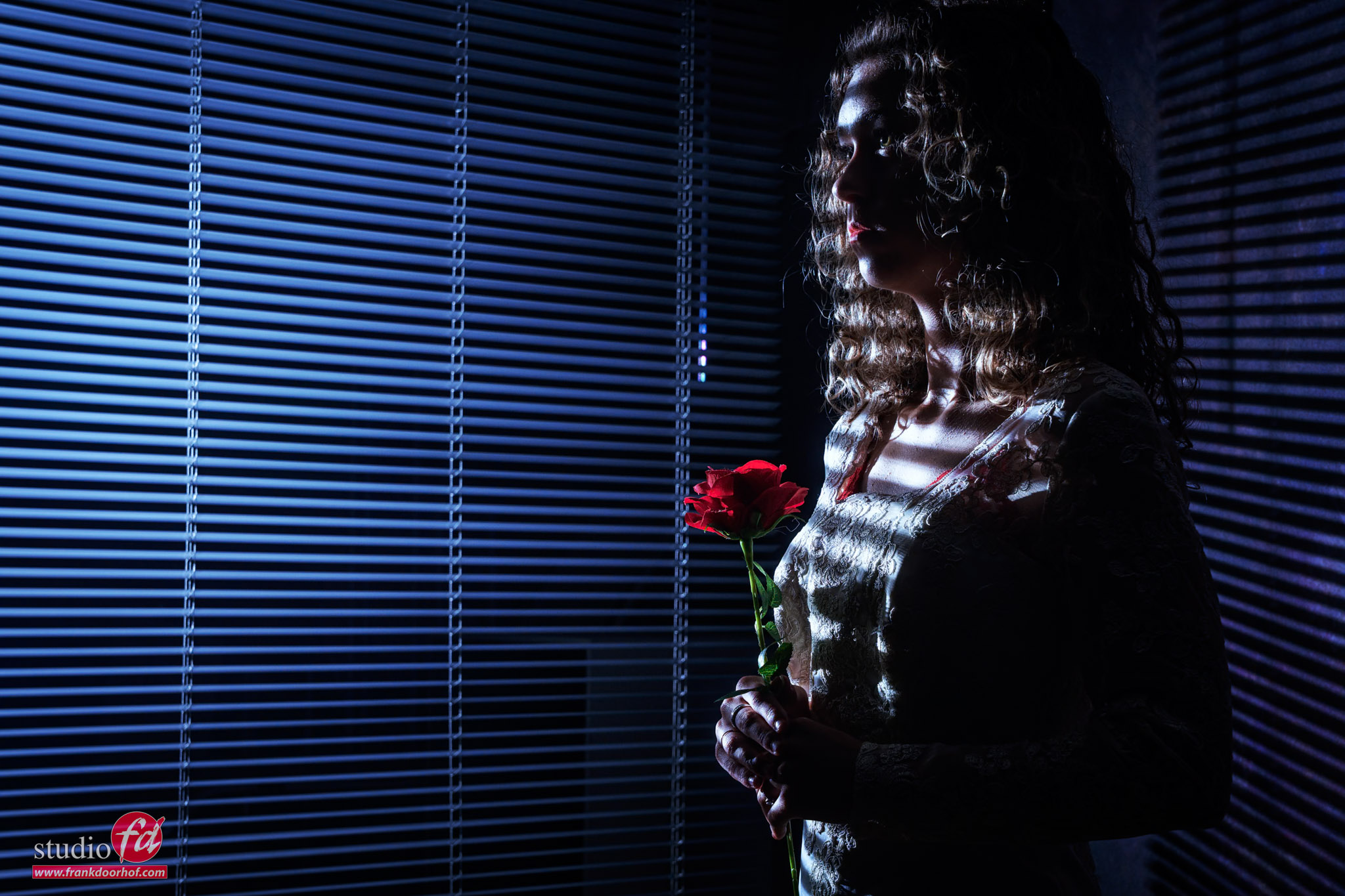
And if you like it more moody and dark, just change the angle and exposure.
And maybe add a slight blue color, which always helps with getting a more moody dark feel.

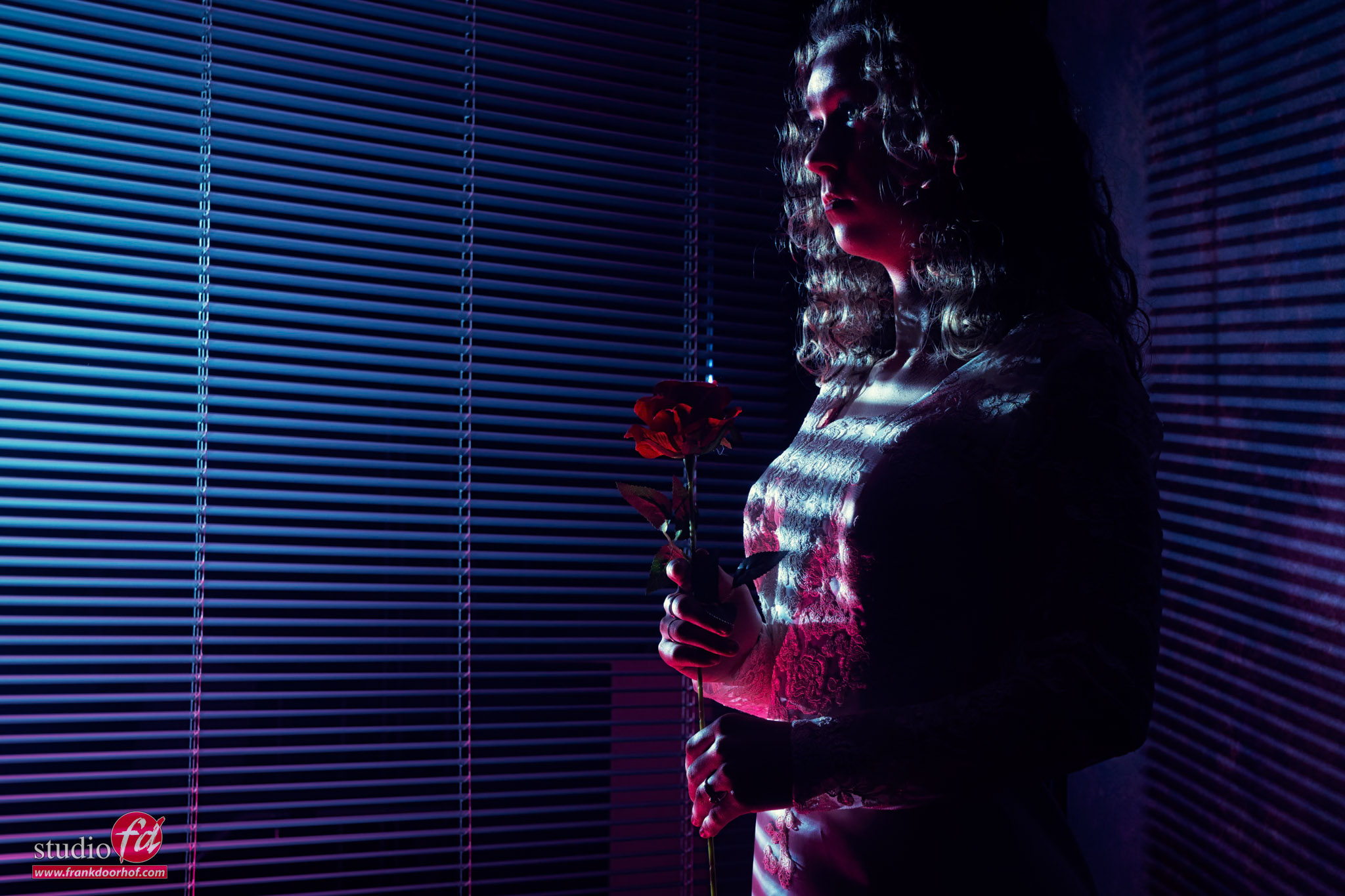
And finally, you can of course always add a small fill in light.
In this case I’m using a Geekoto GT200 with the Rogue Magnetic dome and a red gel to give a nice fill in light that both hits the model but also leaves a nice gradient on the Venetian blinds.

Because I need the strobe to be low on the floor I’m using a platypod to hold the strobe.
The platypod system is a great solution to replace tripods and place strobes in ‘impossible” (super) “creative” locations.

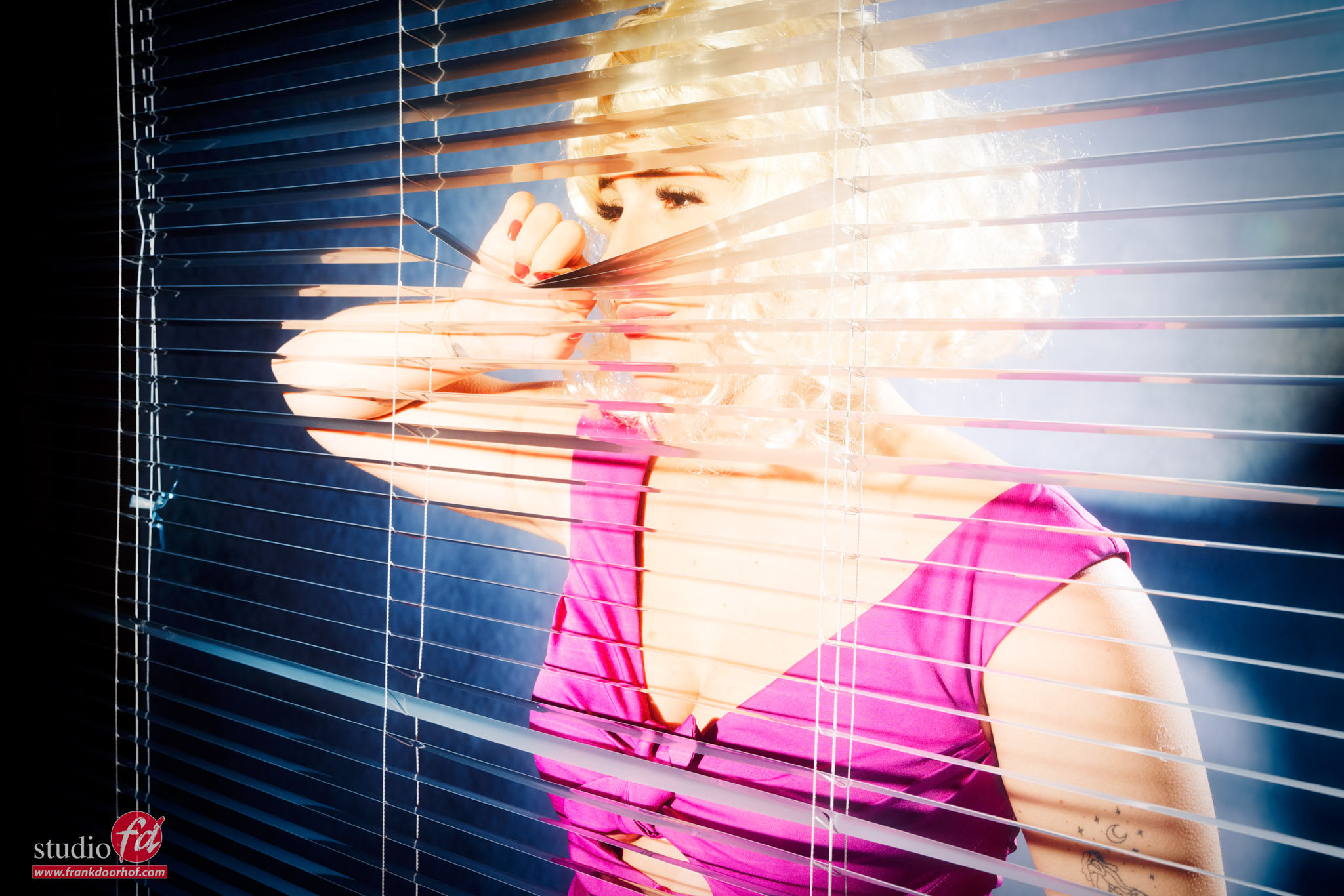
And of course you can also shoot the Venetian blinds from the other side and use the reflections to create a totally different look.
This is one of the things I always try to show in the workshops, moving around is one of the most powerful lighting tricks you can use and it can give you a lot more final results from the same setup.

Alternatives

Of course there are other ways to get shadows like this, and even more creative ones.
Venetian blinds are pretty cheap, but if you want to go all out with shadow effects I highly recommend the Lindsay Adler optical snoot from Westcott. It’s a gobo projector that is able to project patterns on your subject, and thanks to the lens you can focus the sharpness of the shadows, It’s one of my absolute favorite light shapers for creative light use.

Want to visit one of the workshops?
visit fotografie-workshops.nl for the agenda and more info.
Not speaking Dutch? No problem.
Let us know a few weeks in advance and we will switch the workshop to English.
And if The Netherlands is too far away, we have a full setup for (1:1) online workshops, with different camera angles, and of course screen sharing so you can see all the images coming in, and follow the retouch process. Plus you get all the RAW files I shoot during the day.

If you have any questions, feel free to reach out.

VIDEO : Control your shadows

Shadows are awesome

But how do you control them to create something cool?

One of the most important lighting techniques is understanding light falloff and how edge transfer works. I
n the video, Frank explains how to create harsh shadows on the wall using Venetian blinds, as well as how to open up the shadows with some color.

Want to learn everything about light control?
Want to visit a workshop where it’s not just shooting a model with a fixed lighting setup, but see how the setup is build and adjusted to the taste of the group?
And of course learn how to work with poses, backgrounds, small sets, styling, retouching and a lot more…..

If this all sounds awesome, visit fotografie-workshops.nl and book your workshop.
If you don’t speak Dutch, no problem, let us know a few weeks in advance and we can switch the workshop to English.
Not possible to travel to The Netherlands?
We got you covered with our 1:1 online workshop.
We have a full streaming setup in our studio. 4 detail cameras and of course the retouching software so you can see every detail and of course ask questions during the day. Plus you get all the RAW files after the workshop.