The new season starts and it’s different
We all know the saying “when you don’t succeed, start teaching”
And in all honesty it seems to be true, but it also destroys the reputation of real workshops.
I’ve been teaching workshops for over 15 years and hear all the stories about what I call “shooting zoo’s”
“workshops” where a group of photographers “jump” on a model and starts shooting with a light setup.
Hardly any explanation, and hardly time for in depth questions.
In my opinion these “workshops” have a place but should not (and never) be called workshops.
What is a workshop
For me, a workshop should be an event where you not only learn about the subject you’re interested in, but also get hands-on and have all the time for questions you like to ask. This means that I always start my workshops with a Q&A.
“What do you want to learn today?”
All the workshops have a theme, but within the Q&A I’m actually starting to build the workshop.
For me it’s a great challenge, and also a great reward due to the fact I always end up with new kind of photos and techniques.
For the attendees it means you get a 100% tailor made workshop for that group, and your question will always be answered.
But the most important thing is
The techniques should be repeatable
For me it doesn’t make sense to teach a workshop with 10 10K strobes and 5K soft boxes and a “professional” model (which doesn’t mean our models are not professional) so I try to work with mostly starting models, or models we started with :D.
gear wise I’m using brands that are affordable and flexible.
In other words, if you follow a workshop, you can create similar images pretty quickly yourself.
And more importantly you understand the techniques behind them, so even if you don’t need an exact copy, you have the knowledge to solve problems or setup creative light setups fast and easy. Which will make you very popular with your clients and models.
Let’s take a look at some of the images of the workshop with Lisa.
As mentioned all workshops are different, but here you get a slight idea of our “basis” workshop.
Set 1
Set 1 was all about angles, and reflections.
A reflective pants, and of course shadow play all make it a setup where we can discuss several topic.
I’ll write a different blogpost about some of these setups with a mode elaborate explanation, today it’s just to give you a quick idea of a workshop.
We started really simple with this shoot, and build it up to the final image.
You get all the information about angles, and why sometimes you might thing you got it, but it’s actually not even the start 😀
First image
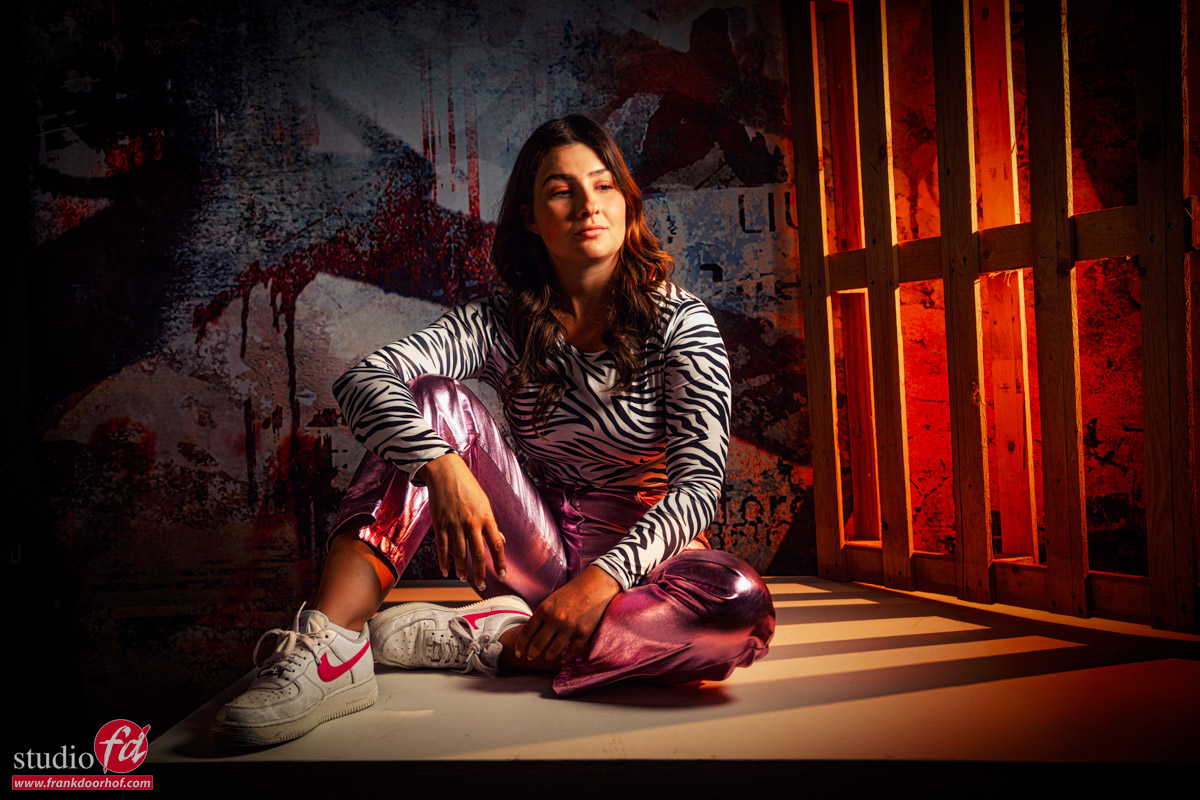
not bad, but after a few minutes we ended up with this one
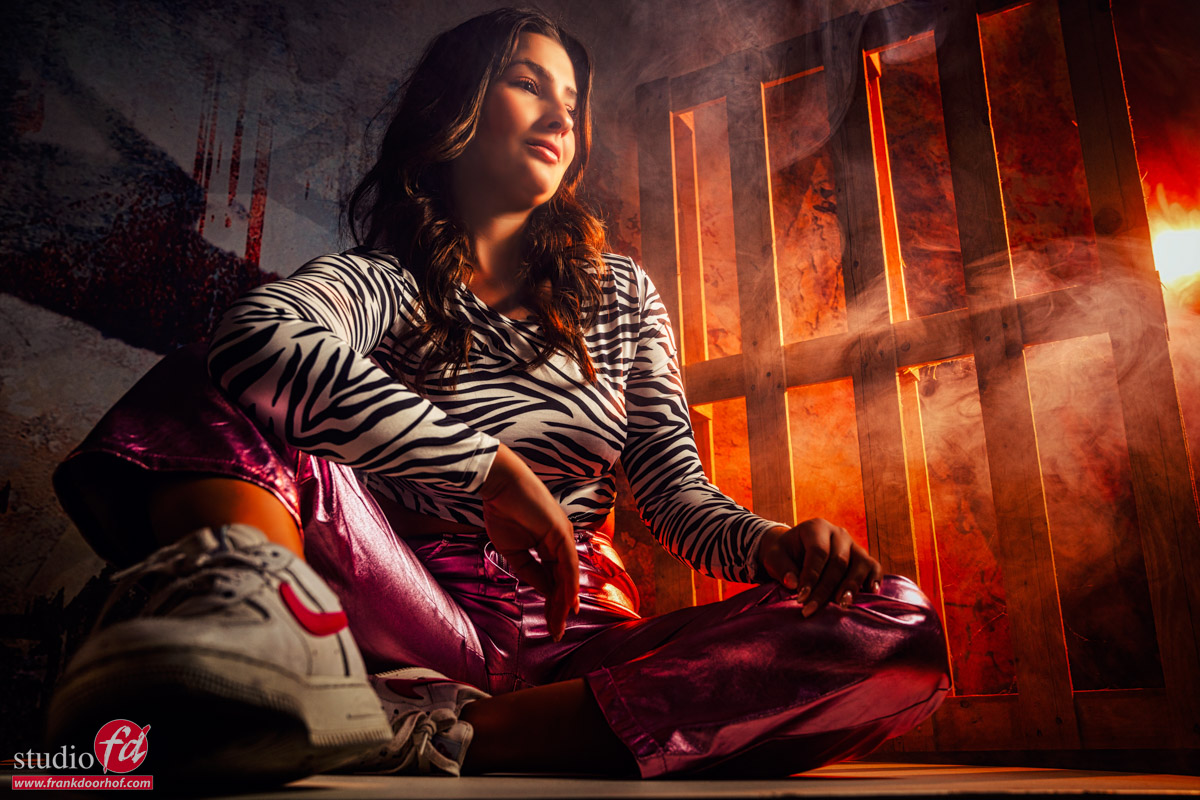
Much more engaging, and interesting.
We added some smoke, different angle, wide angle lens, and of course some nice light creeping through.
Every change is explained in detail, and if in between one of the attendees has an idea, we as a group talk about it and try it out.
My initial idea was for example a blue gel, but we ended up with a Rogue Tangerine colored gel.
Set 2
Although it was Lisa’s first workshop, we did not held back.
For the second set I’m using Nanlite PavoTubes for the led lights.
And a Geekoto GT250 with 2 Rogue grids to aim the light.
The advantages of hybrid strobes is that you can lower the output a lot, meaning it’s a breeze to combine them with the leds.
We started with this image
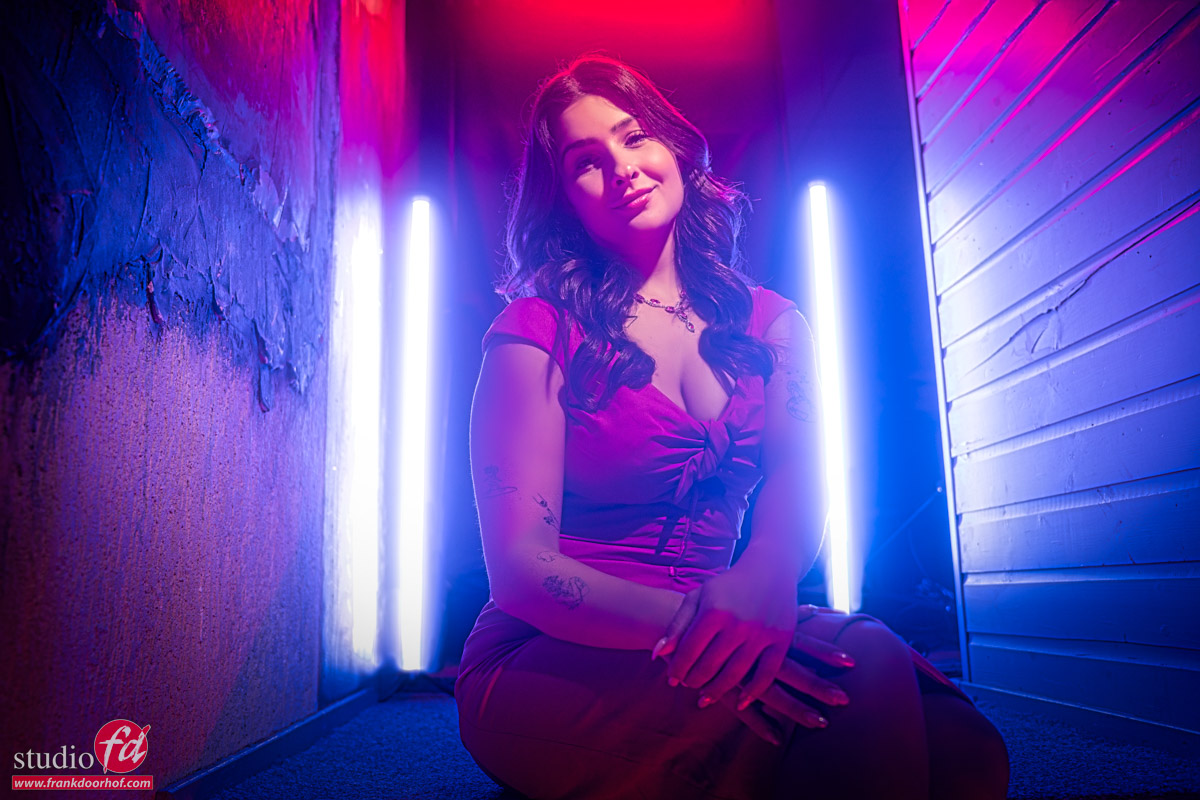
Nothing wrong with it, but what if you start to move around the model and use the lights as accents, or just leave them out completely.
They still work of course but for a totally different vibe.
So we played around a bit and… added some smoke.
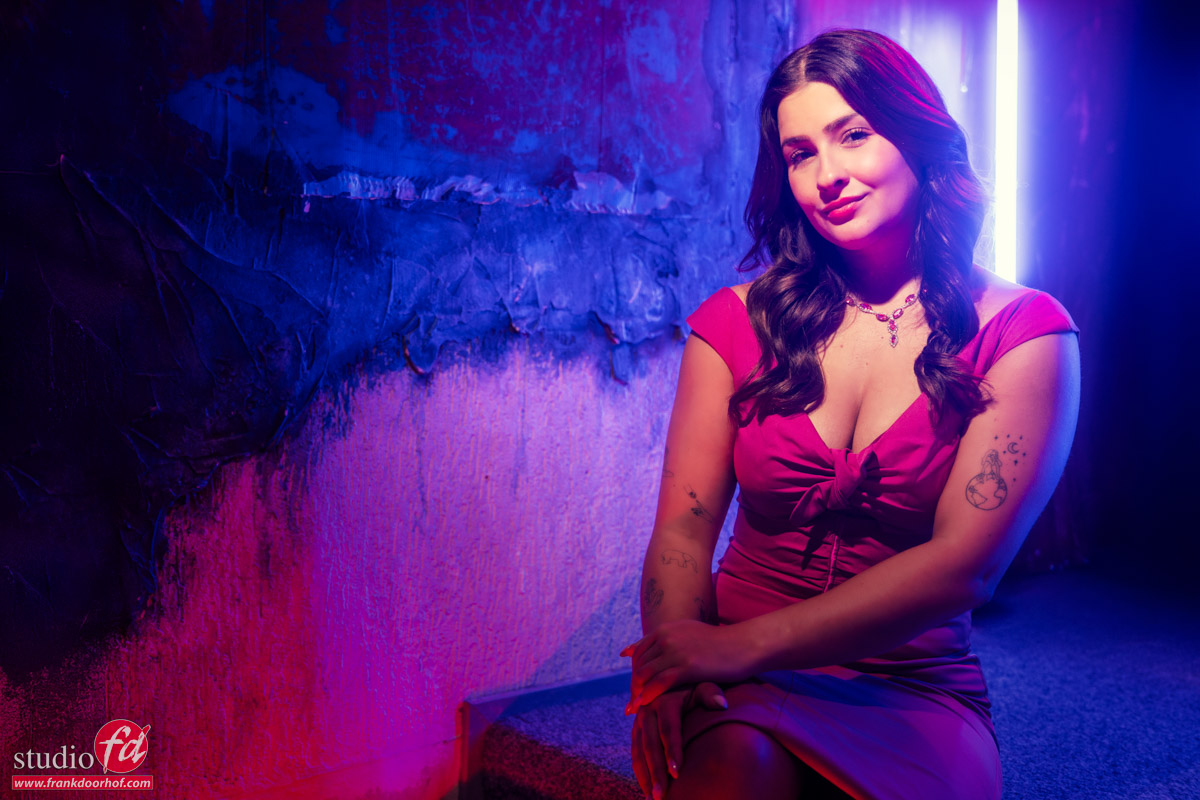
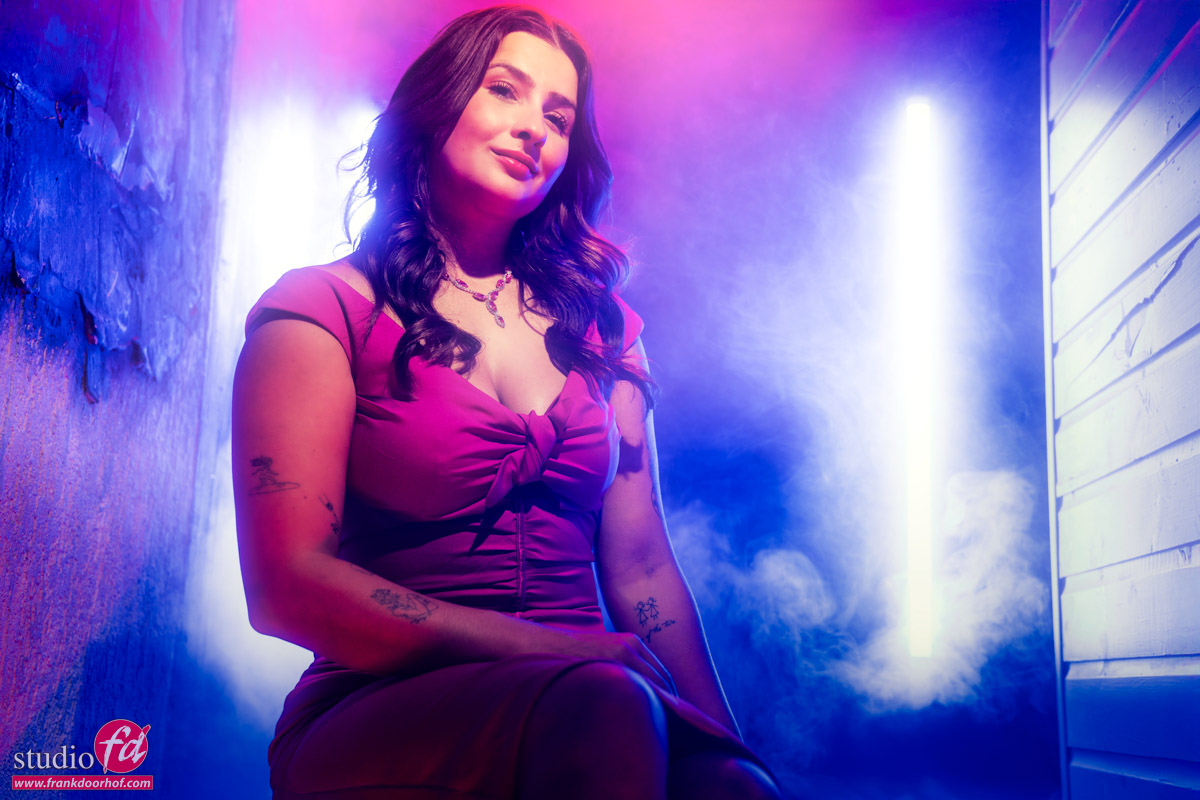
Of course also here all the techniques like dragging the shutter, mixing colors and playing with smoke and angles are discussed.
Set 3
If you think that was it, wrong.
We do a lot more.
For set 3 we opted for a nice red dress and a mirror frame.
In this set it was all about angles, and distortion of the wide angle, but also about freezing motion and how to make sure motion does what you need.
But also about what angle you shoot from for which effect.
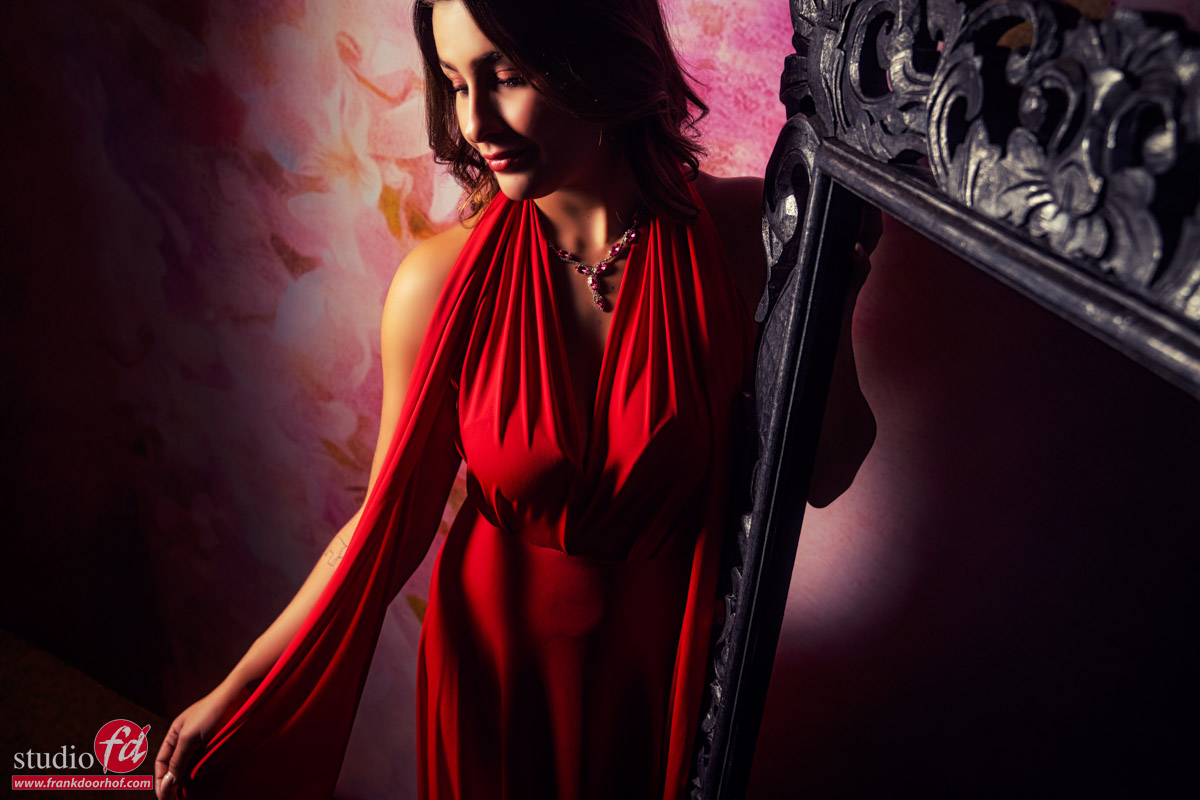
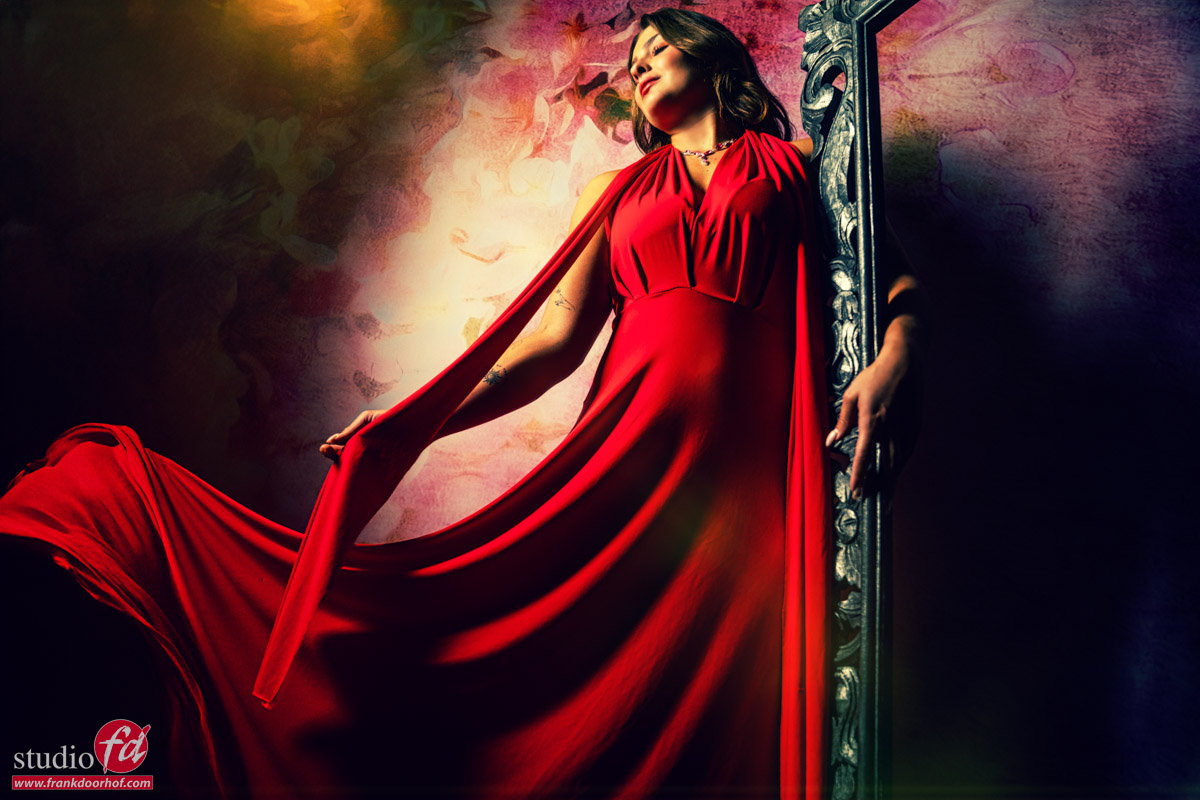
Set 4
In the final set we have two challenges.
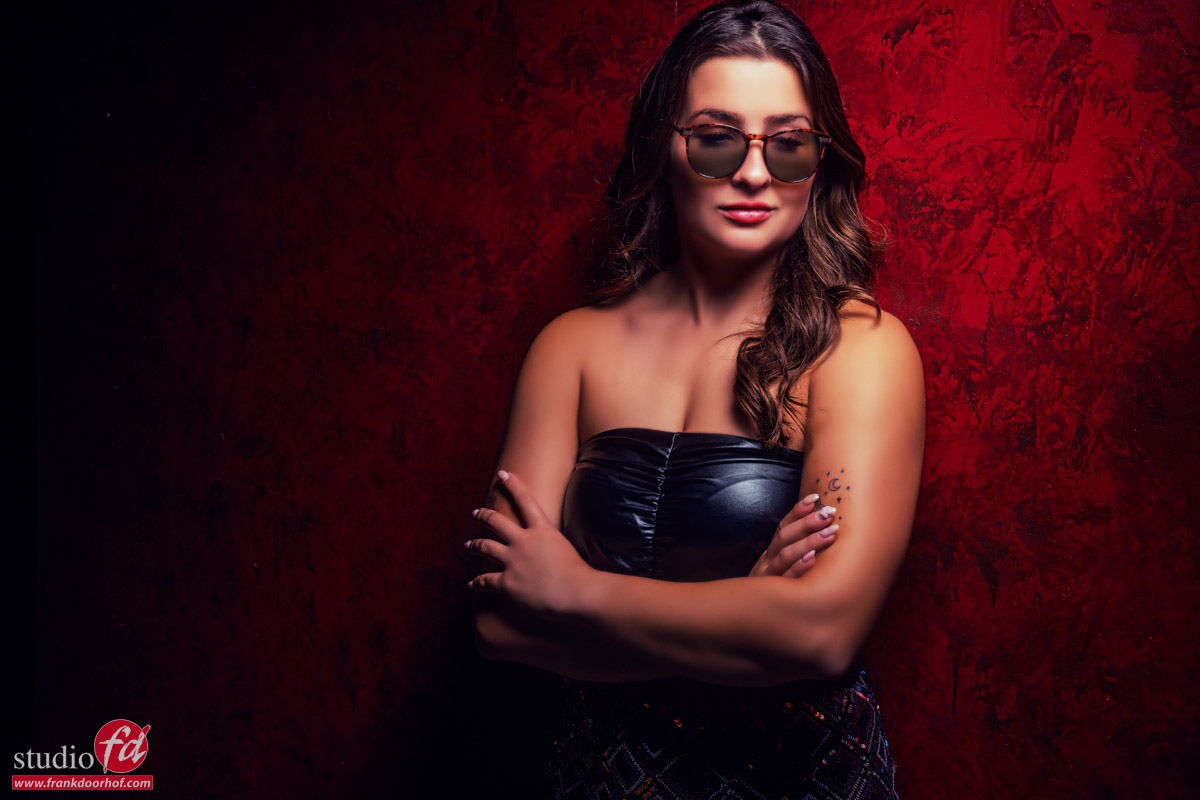
One of the questions was about “reflective areas” like glasses.
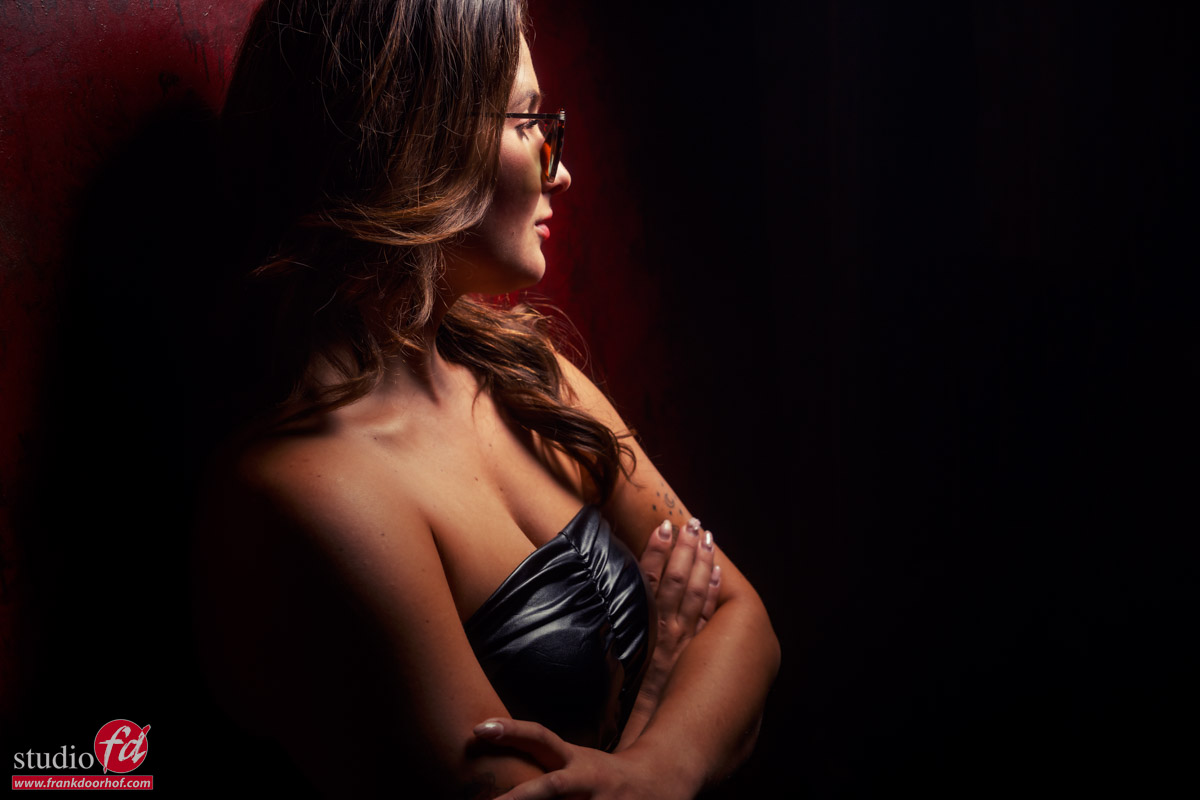
For the final set I thought it would be an extra challenge to use our original red background (the same as the signature ClickBackDrops version).
The problem with this background is that they used the wrong paint, making it very reflective.
At first we wanted to repaint it, but it’s also a great challenge, so I kept it, and today I used it again 😀
The background reflects the strobes almost always, so choosing the right angle is essential, add to this some very reflective sunglasses where we wanted the light behind to light the eyes, but not give reflection, and you have a real challenge. (or is it)
I’m using a Geekoto GT400 here with our Quicky softbox with grid.
This way I’m steering my light and prevent spill light, and because of the size and design of the softbox I can create very nice lighting setups without too much effort.
Conclusion
Maybe I’m old fashioned but I strongly believe that if someone pays money for a workshop they should get a real workshop.
Hands-on experience, but also being able to ask anything they like.
So if you want to visit one of the workshops, check fotografie-workshops.nl for the new agenda
Although the workshops are in Dutch, if you let us know a few weeks in advance we can switch them to English.
And if the Netherlands is too far away, think about a 1:1 online workshop.
During the online workshops we work with 4 different camera angles and a direct view on my desktop so everything can be followed in detail, plus we have a direct connection for questions and chit-chat.
Do remember that every workshop is different depending on the group and the theme, but they are always filled with education about technique, creativity, working with models/clients and a lot more.
Hope you enjoyed this overview of a scratch of the surface of what we do during a workshop.

 The system