Demand for storage is growing. Is the Synology BeeStation the perfect external drive?
As creatives, we love to create. It doesn’t matter if it’s video, photos, artpieces or the music we create.
All these files need a place to be, and very soon, you are running out of space on the main drive.
And because it’s never a good idea to store your data on the main drive. It’s easy to end up with a closet filled with USB drives. This is not only a problem when you use a system like Lightroom, but also when you want to create a proper backup strategy. This blog is about the Synology BeeStation.
Storage
As you probably know, before we started the studio, Annewiek and I ran a computer company. And there are, of course, plenty of people who don’t need a lot of storage.
If you work on some documents, surf the web, and read the paper, you probably are more than happy with the internal hard drive.
However, in today’s world, most people use smartphones and shoot loads of images and videos. The problem with digital is that if something is gone, in most cases, it’s really gone. You will be shocked at how many people have thousands of photos on their phone but don’t make backups. Meaning if they lose their phone, everything is gone.
Dataloss
If there is one thing that freaks me out, it’s dataloss. During the 20+ years in the computer company, we have experienced real dramas with people losing every single piece of family history. Simply because they saved all their photos and videos on the internal hard drive. And there is one thing very sure about hard drives.
There is a day they WILL fail; this day can be today, or tomorrow, or in 10 years.
And it will ALWAYS happen when you are not ready for it.
So if you care for your data, always make sure you create at least one backup on an external device or in the cloud, even if you never run out of space.
With smartphones, this is pretty easy; both Apple and Android have solutions that you can use for “almost free”.
But, if you want to backup a lot of data, there are several solutions on the market. Today we are taking a look at the BeeStation from Synology.
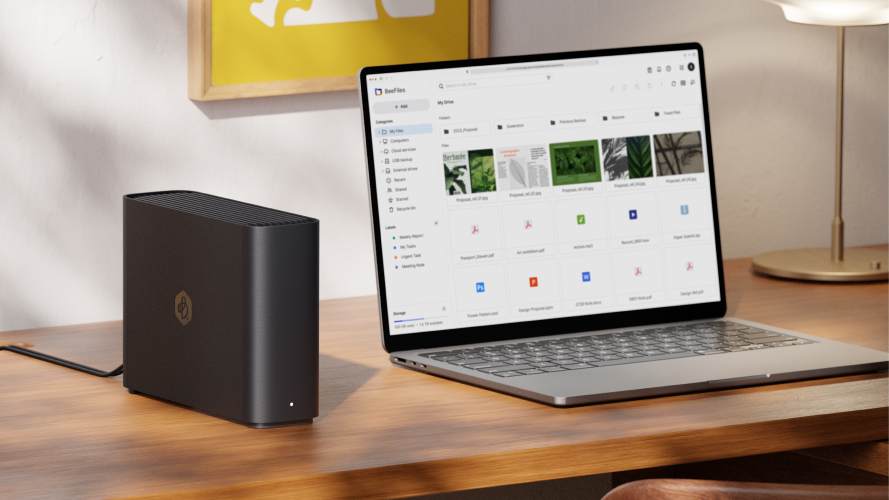
The Synology BeeStation vs NAS
You probably know the name Synology from their NAS systems.
I’ve been using Synology myself for as long as I can remember, and also in the computer company we often advised Synology due to their durability and support.
Let me start by explaining the difference between the BeeStation and a NAS.
Both the BeeStation and a NAS are connected to your network and the outside world. They are designed to be run 24/7. However, there is a large difference between the two. The BeeStation runs with one hard drive where a NAS always runs with several hard drives.
NAS for backup
With a NAS, the data is usually stored spread out over several drives. This means that if one drive fails, you don’t have to panic. Take out the drive, put in a new one, and let the NAS rebuild. Also, when you run out of space, just add a new drive (that is larger than what you replace), and your NAS will add it to the storage pool. A NAS is the perfect backup solution.
In our studio, for example, we use two 8-drive Synology NASes.
In the Synology OS, there are several options to create backups; in our case, we chose to have a mirror setup.
The system automatically starts up at a certain time. The main NAS is mirrored to the backupNAS and when it’s done, they shut down. A pretty foolproof solution as soon as it’s set up. You can even have the system email you when there is a problem.
Clean your NAS
Do make sure you check your NAS ever once in a while, make sure it is off the floor so dust is less of a problem. And make sure that you occasionally clean the NAS, also on the inside/Fans to make sure the dust doesn’t shorten the lifetime.
As you probably guessed, on a NAS, your data is pretty safe; if a drive fails, there is no problem. Howeve,r if several drives fail at the same time, or the NAS dies itself you will still have dataloss in most cases. So, also when you use a NAS, never use it as your only backup. I know it sounds expensive, but always ask yourself, “If I lose all my data, how much would it be worth to have it back?” I can almost guarantee it’s a lot more than an extra drive/NAS/cloud storage.
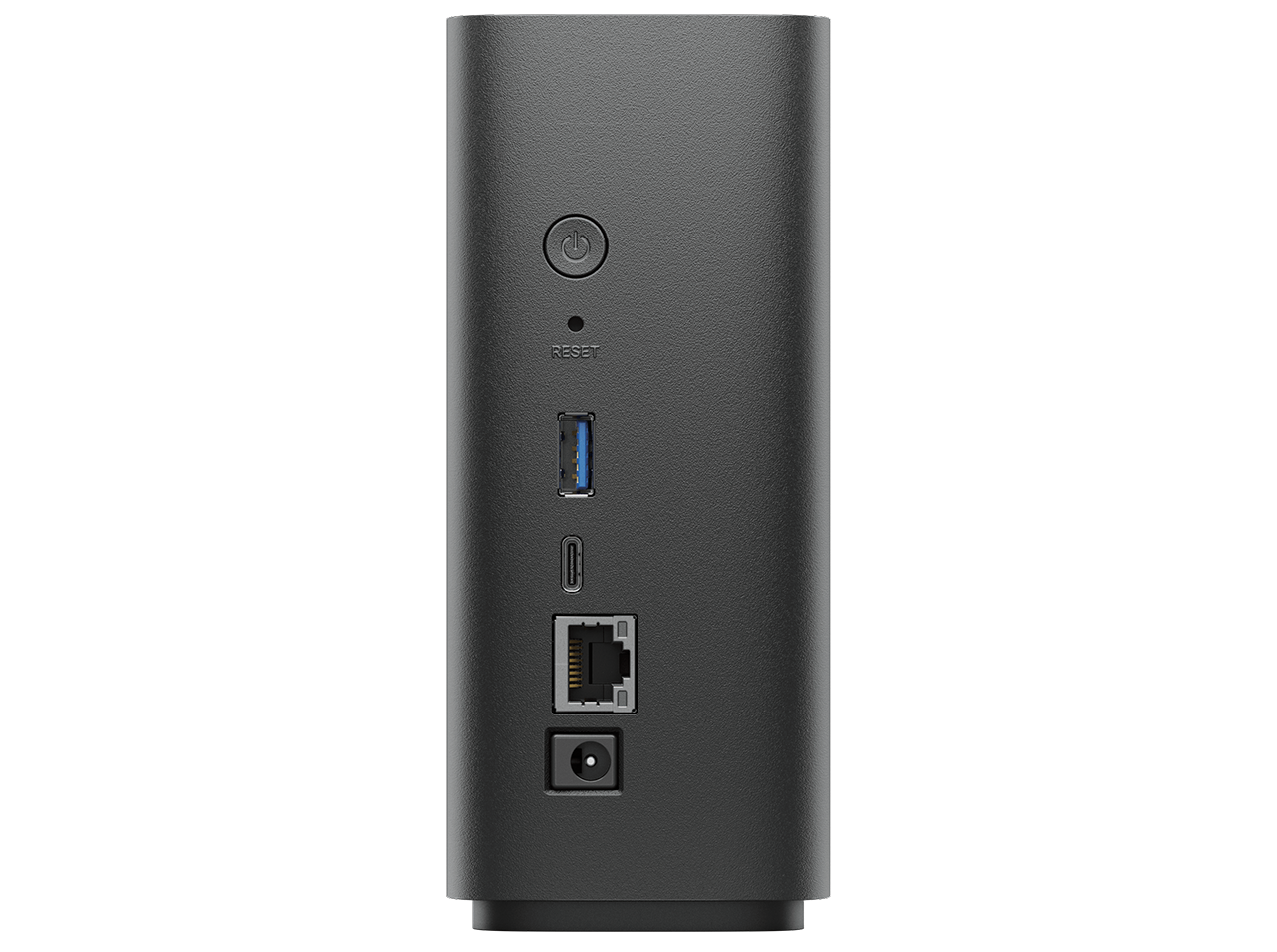
The Synology BeeStation
When I saw the first announcements of the BeeStation it immediately caught my attention.
In fact, I believe this is the perfect device for a lot of groups, due to its many features and super simple OS.
Let’s take a look at some of the ways you can use your BeeStation, and how we use it.
Backup from Phones and Time Machine
Annewiek and I both have iPhones, iPads, and MacBooks.
If there is one thing that Apple really nailed, it’s making backups.
For our MacBook,s we use TimeMachine which you can use with an external drive or a NAS system.
Annewiek and I have both created a TimeMachine backup on the BeeStation.
This means that as soon as we start our day, the Mac is synced with TimeMachine without having to connect an external drive. This not only reduces the chance of “forgetting” to create a backup, but it also means we have a lot more points to go back to due to the continuous backup process.
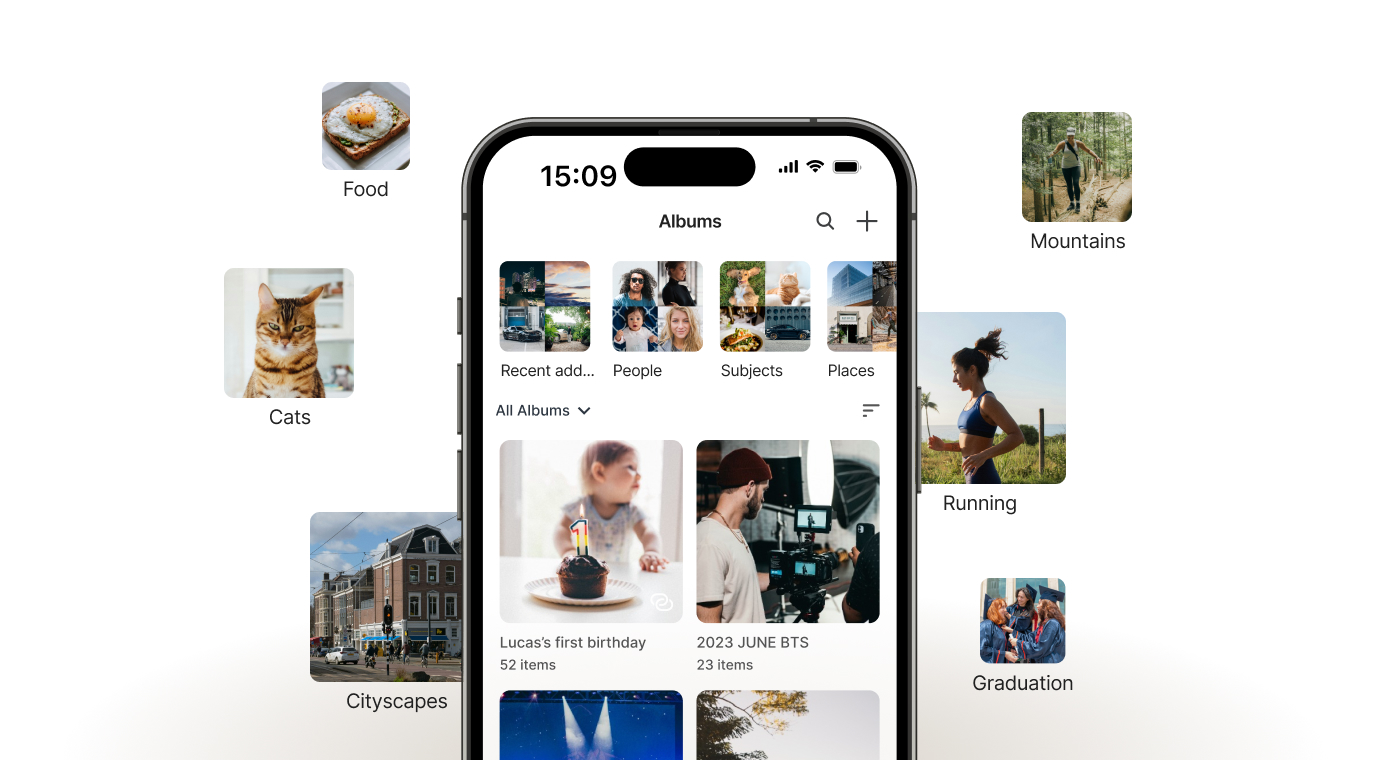
For photos made on our phones/iPads, we use the Photos app.
The app is installed on the phones and BeeStation, which means that as soon as we shoot images or video, they can be uploaded to the BeeStation.
Sharing memories or work
The Photos app is not only for backup.
In fact, in the last few years, the app has grown into a full ecosystem for photos/videos.
First of all, you can of course create your own albums or use the AI functions, which work pretty well, to be honest.
But you can also choose to share different albums with different people.
For example, when we travel, we love to keep our parents and friends updated. With the Photos app, it’s very easy to create albums where we back up everything from our phones and select the images we want to share with that group. It’s a fun way to keep the family updated.
And of course, you can also use the Photosapp for assignments, share ideas like moodboards, or use it as your portfolio.It’s a lot more powerful than most people think.
Backups on the Synology BeeStation
Besides Photos and TimeMachine, you can also use the Synology BeeStation’s own sync system to back up files or whole drives.
I’m actually using the BeeStation sync for my external 4TB SSD drive, which I have connected to my MacBookPro. If your OS doesn’t support TimeMachine the BeeStation sync is a really nice alternative; it’s been running very smoothly so far.
Each Synology BeeStation device includes one 3-year Acronis True Image Essentials license for one computer, if you want yet another backup solution.
I think we can say that Synology got you covered with backups.
But there is more
Using the Synology BeeStation in your Home Theater
We live in an age where we can experience movies in a real cinema-like experience.
So the demand for ways to watch and store our movies has also grown over the years.
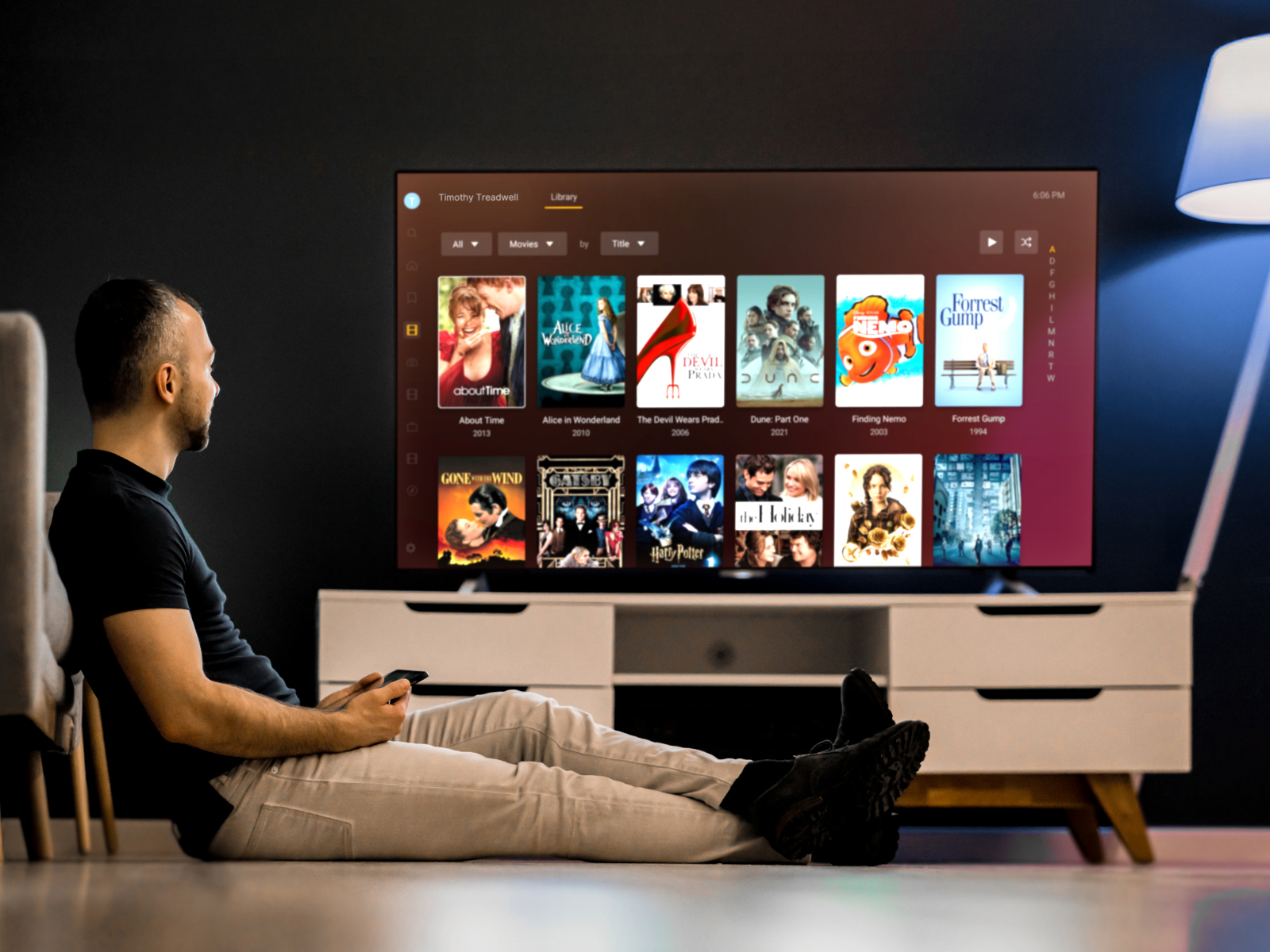
You can, of course, stream your entertainment via online services like Netflix. But often we have collected loads of DVDs, BDs, and “downloads”, and because that material is often not available online, it would be great if there was a solution to browse your catalog, read about the movie, and start the movie.
Loads of people have digitized their DVDs and BDs and use PLEX to browse, access information about the movies, and start playback.
The Synology BeeStation supports PLEX integration, which makes it a great centre for your Home Theater.
Personal Cloud storage
There was a time when the term “cloud” or “cloud storage” had the same magical effect as AI today.
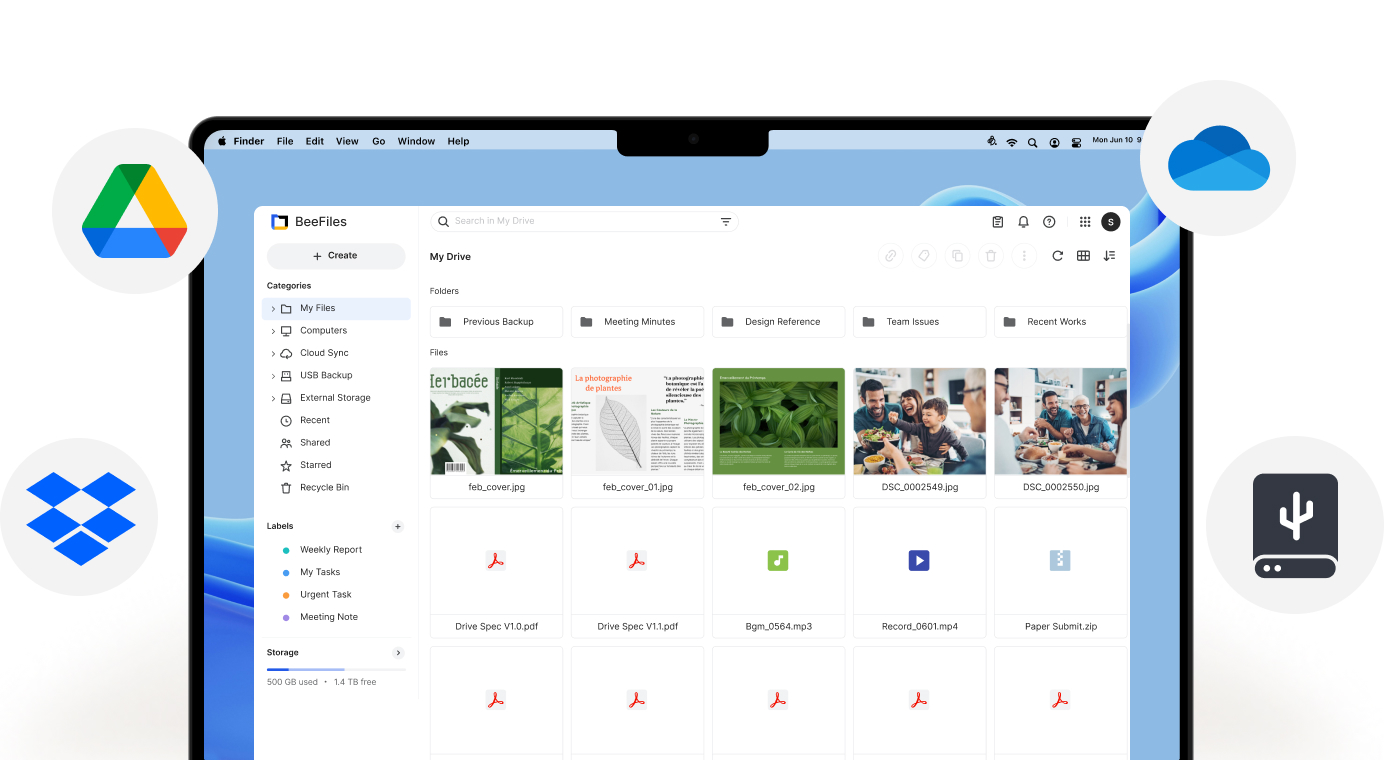
But with solutions like the BeeStation, having your own personal “unlimited” cloud storage is no problem anymore. With the BeeFiles app, you can always access your files, upload, and share.
Seeing the situation in the world today, I think it’s wise to use a personal cloud instead of an online cloud service for data you would normally store on OneDrive, GoogleDrive or Dropbox. BeeFiles is a great alternative that I can highly recommend.
The Operating System itself
I’m one of those nerds who can work out software and gear without needing a manual in most cases. But don’t let me fix your car. But we also know people who are the opposite, or think about our parents/grandparents, who probably also shoot a lot of images and videos on their phones.
Giving them a NAS can be problematic; the setup can be complicated, and there are often too many features and procedures to keep everything working perfectly, and if it goes wrong…. long story short… enter the Synology BeeStation.
The OS is super simple.
Setup is almost 100% automatic, and after tha,t it’s a matter of simple screens with clear instructions.
If you make a mistake, it’s really 100% your own fault. I can vouch for that because I made a mistake, because I literally overthought the system.
After turning off my brain and starting agai,n it all worked flawlessly, to prove how foolproof the setup is.
Back up your Synology BeeStation
You can use the USB connection on the back of the BeeStation to copy files from an external drive to the BeeStation for a faster backup. Especially with a lot of smaller files, a first-time backup via the USB connections saves a lot of time vs over the network.
However, I would highly recommend buying a proper external drive with the same capacity as the Synology BeeStation and using that as a backup drive for the BeeStation. This way, you have a pretty good backup strategy.
Is it all positive?
Yes, pretty much.
During my review, I’ve used the Synology BeeStation extensively and found it to be very similar in usage compared to the professional Synology NAS units I’ve been using.
Due to the simple setup procedure, I think it’s the perfect device for people who want something that is simple to set up and maintain but doesn’t really limit them in use cases.
Yes, for creators!
But also for creators that demand speed and being able to share and access their data all over the world, but also want to make sure the data the images they shoot on location are safely backupped. What I didn’t mention yet is that the Synology BeeStation is a great performer when it comes to speed. Synology really did their best here to create a device that will fit a really broad range of people from 5-105 I dare to say.
The Synology BeeStation is available in 4TB and 8TB versions.
When you use it for several TimeMachines and backups of photos I would highly recommend getting the 8TB version.
Read a Dutch interview about Synology in Shoot.be
Check this video from 2021 about the use of a Nas
In this blog I show an easy local way to backup
https://sy.to/pk2jp (one of the Synology partners)


 The system