About technique and more.

Don’t do this but in this case do exactly that

Backlighting the right way

When I started with model photography I remember that the first time I used a backlit model I was over the moon with the results.
“Wow it looks like an aura”…. and indeed it did. And maybe it was in my advantage that we didn’t have 65MP cameras at that moment, because there are some things that you can better not do.

And one of those is backlighting your model from the back.
Now you might wonder..”Frank you promised us more about smoke”.
Indeed, so continue reading and it will all be clear.

Normal backlighting

When I use “backlighting” at the moment I mostly use two striplights from the back creating accents on the model.
In fact I don’t call it backlighting but accent lighting, because in essence the light is not coming from the back anymore.

So why no strobe behind the model?
Let’s take a look at an example.

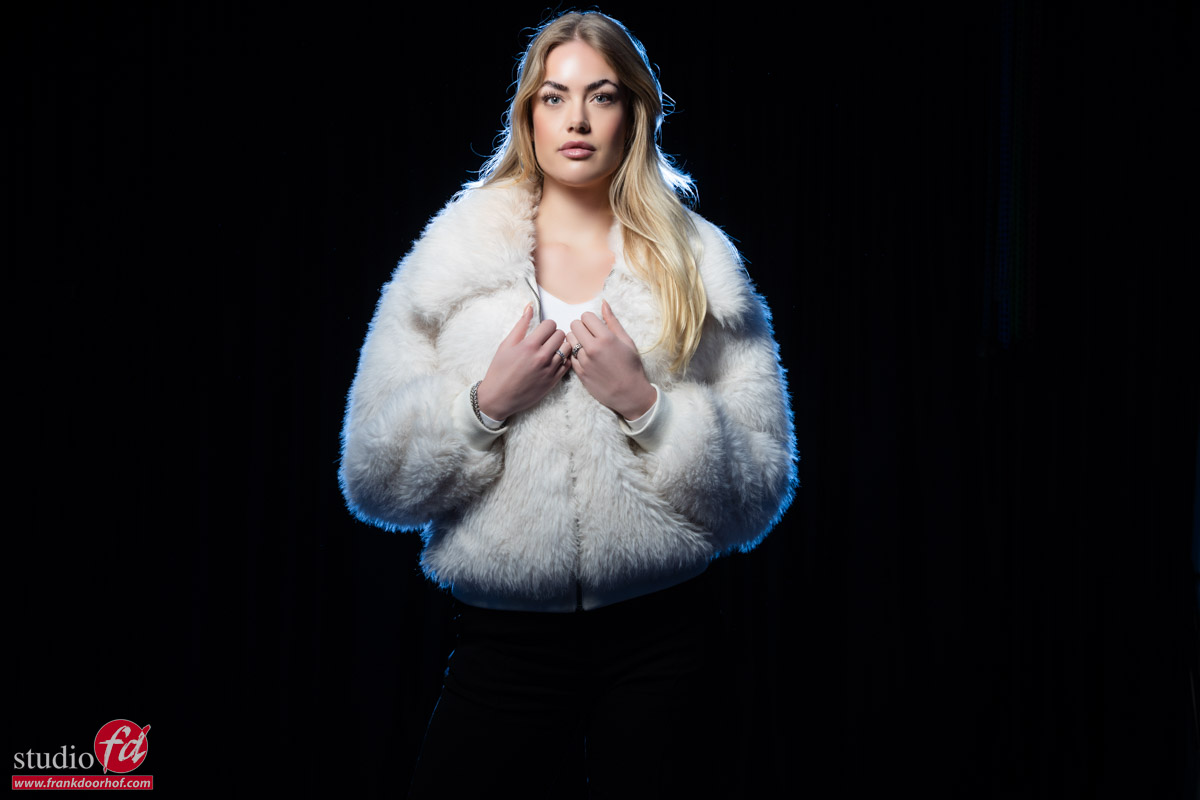
Here is our model Isabelle against a black backdrop.
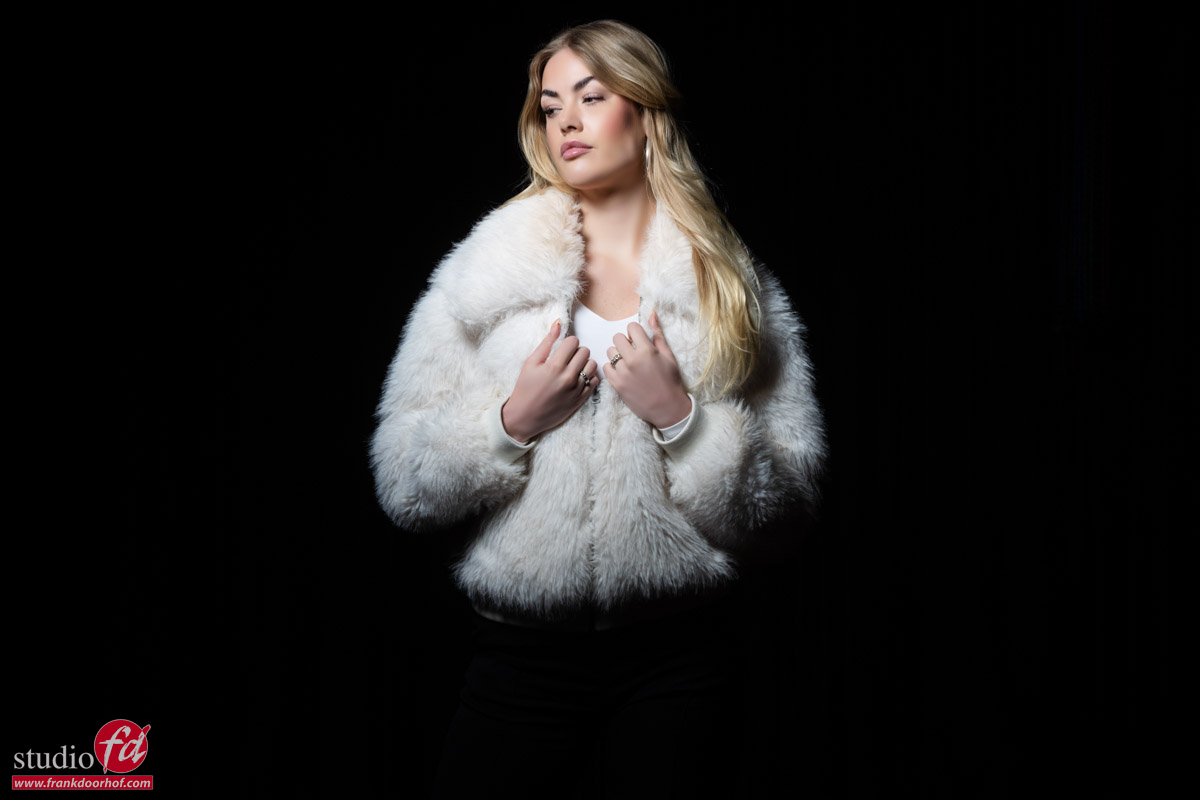
To be honest there is nothing wrong with this shot lighting wise.
But let’s say we bought two strobes, so we have to use them, right :D?

In the next image I’m using a strobe behind my model with a blue gel.
It’s placed directly behind my model, just I did when I started out.
The only difference is that the strobe I’m using here has a slightly less spread in the light, but I placed it further back to create the same effect.
Well there we go.
I remember I was really happy with this result when I started out.
But when you zoom in, you can see the dust in the studio, the hairs almost look artificial and also the accents doesn’t really “wrap around” my model.
In short, it’s not my favorite way of lighting.
Later on I did try to solve this by hanging a small softbox with loads of extra diffusion material on the ceiling of the studio aimed at the model from the back. This worked great as a hair light, but when I started using the one or two strips from side the effects became a lot better.

But as mentioned before.. it’s not about a standard lighting situation.
We are in the middle of a series on smoke.
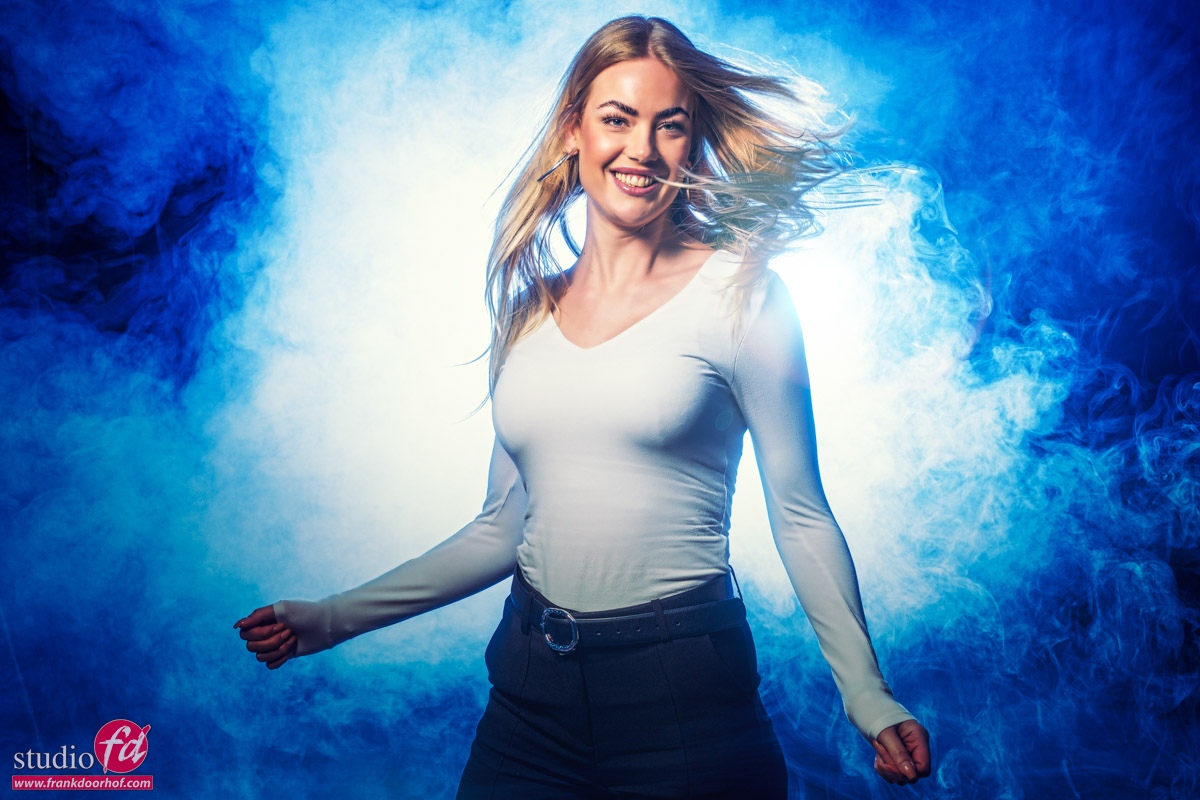
And as mentioned in Part I, smoke works also as a diffuser. So that means that although I don’t see a lot of my strobe at the moment, that will change completely when I start adding the smoke. In fact this will create an effect we can’t achieve with lights on the side.

So in this case we have to use a setup that will “not work” in normal setups but is great for smoke.
So we can’t do anything with this without smoke?

If you know me, you will know that there is always an alternative way to use a setup.
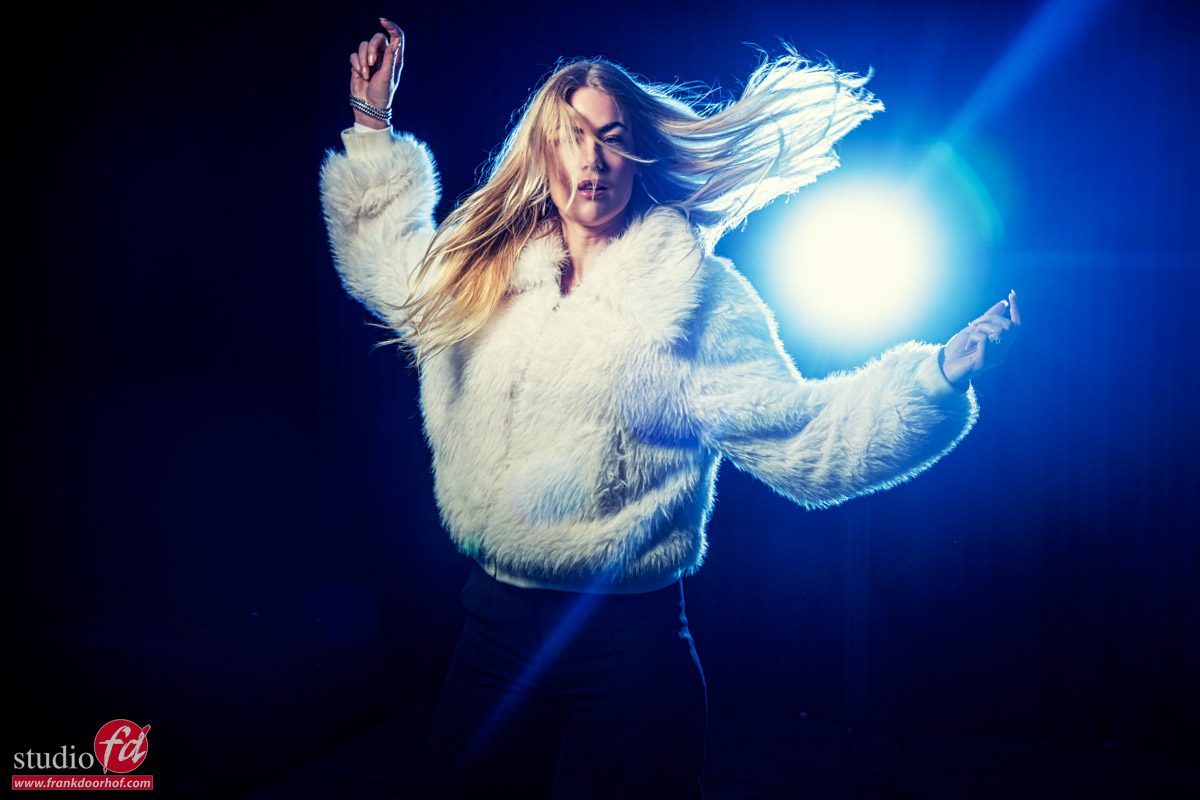
So what about not blocking the light, but let the model move around and have the light blast straight into the camera creating some cool lens flare effects and accent lighting on your model.

If you place the strobe almost next to the model, the model will be lit by the softer sides of the light and you can put the strobe on full power for very nice and full lens flares.
In this case we used it as it was, just to show an option during the workshop.
Next time we will start to glue the set together with smoke.
So make sure to check back for the next episode in our smoke in the studio series.

Workshops about (mixing) lights

Want to learn everything about light control?
Want to visit a workshop where it’s not just shooting a model with a fixed lighting setup, but see how the setup is built and adjusted to the taste of the group?
And of course learn how to work with poses, backgrounds, small sets, styling, retouching, and a lot more…..

If this all sounds awesome, visit fotografie-workshops.nl and book your workshop.
If you don’t speak Dutch, no problem, let us know a few weeks in advance, and we can switch the workshop to English.
Not possible to travel to the Netherlands?
We got you covered with our 1:1 online workshop.
We have a full streaming setup in our studio. 4 detail cameras and of course the retouching software, so you can see every detail and of course ask questions during the day. Plus, you get all the RAW files after the workshop.
If you want to use smoke you have to check out this

Smoke in the studio is always fun

So today, part I in a series on smoke, or some people call it mist.
I’ve been using smoke almost immediately when I started with model photography in my own “studio”.
Somehow, smoke is magic during a photo shoot.
I often joke that if the model is “so-so” or the set is awful, just pump in some smoke, and you have a killer shot. Of course, it’s not that easy, although in essence it does work that way, smoke is a real mood maker.

Let’s first talk about the smoke itself

In our studio, we use two different kinds of machines.
For the whole set, I’m using two smoke machines with a water-based solution.
I highly recommend using water-based solutions if you are using the smoke with electronics in the same room.

For local smoke, I’m using two handheld smoke machines.
These are “oil-based” and will leave a small residue on materials where the smoke is concentrated.
A big advantage of these machines is that you can use different accessories, and for example, can create a dry ice effect with more like mist, literally sticking to the floor.

I’m using two machines for the following reasons.

For the water-based machines, it’s a matter of being able to work faster. The water-based machines often cool down during a shoot and need to warm up again. When you have two, you can in most cases use the second one when the first one is warming up. Two machines also help to build up the smoke more evenly. One can take care of the back while the other gives a few puffs on the front.

With the smaller machines, it’s simply a matter of having more smoke.

smoke on the background
And finally, let’s talk about the fluid

When you buy smoke fluid, you can probably choose the thickness.
In our studio, we use a medium thickness.
For studio work, this works best for us. When we want thick plumes, we use more smoke; for a haze, it’s a matter of using a little bit of smoke and just waiting. At one point, just like freezing motion, you learn exactly how the machines work and how the smoke reacts.

How to light smoke?

Lighting it can be tricky.

In a lot of cases, you might think that your lighting is too dark on the bottom of the frame, so you add some extra lights to open up the shadows, only to find out that when you start adding smoke, there is way too much light on the bottom. What is going on?

Smoke acts like a diffuser, reflector and a mood maker.
Meaning if you add smoke to a scene, a lot of things will change.
The first thing you have to take into account is that smoke will act the same way as a fog bank when you drive in your car.
Meaning when you place your light straight on your model, the chance you will see a big white glow instead of your model is almost 100%.
So when you place your main light, it works best if you place it under a slight to extreme angle. Don’t worry about a shadow side; we will solve that later on.

Also, the distance of your light can make a huge difference.

The first thing that changes with the distance is, of course, the light fall off, but also the area the light hits. With smoke, however, it’s more about the closer the light is to your subject, the less chance of too much smoke accumulating, creating an ugly white blob in the corner.

If you use a lot of smoke on the opposite side of the light (we often push the smoke towards the accent light), you will be surprised how much light is bounced back on the shadow side of your model. It’s like millions of small reflectors bouncing the light back (which in fact happens).

smoke and some movement

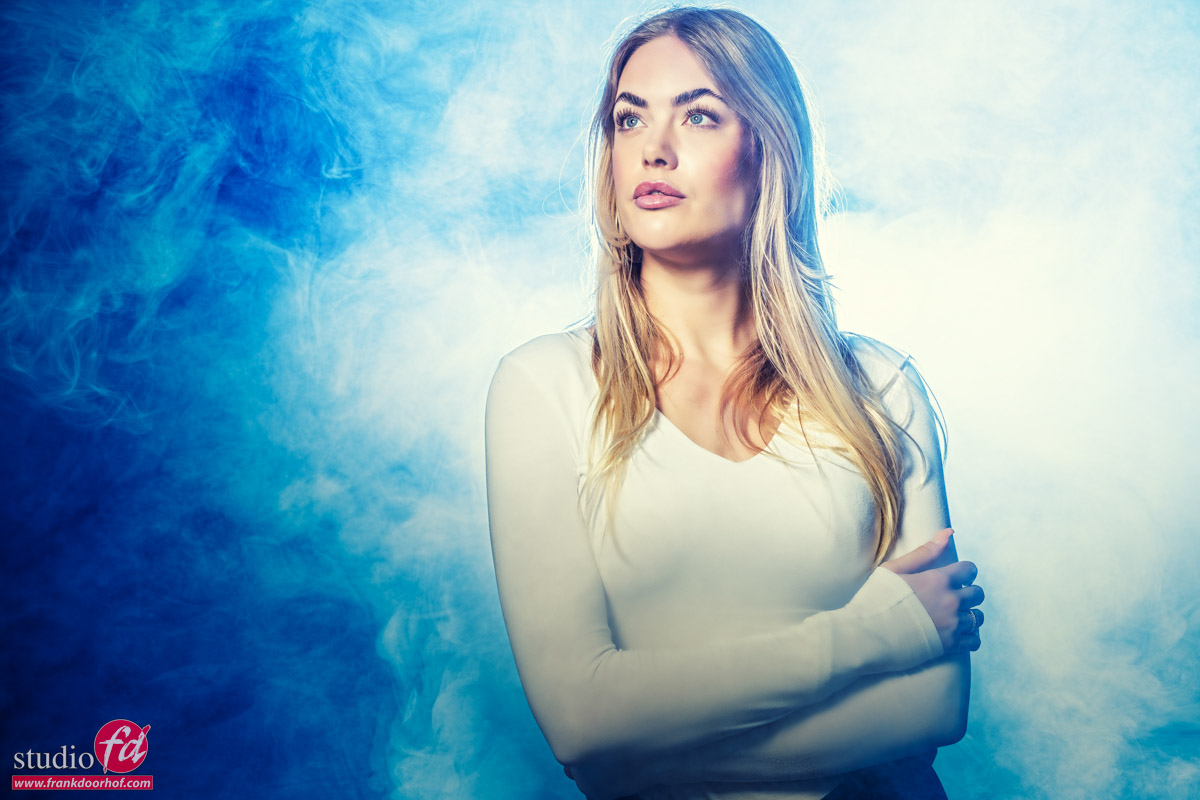
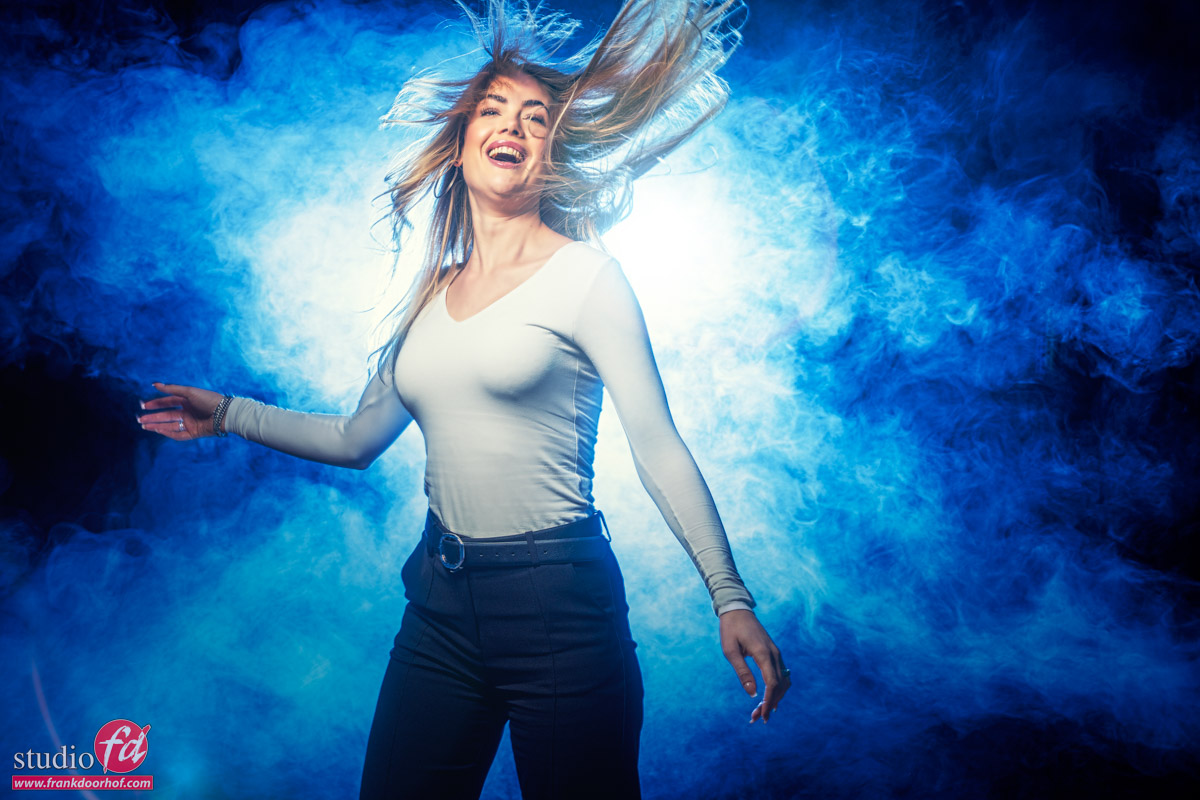
As you can see here, I’m using a blue gel in the background aimed at the back of my model (Isabelle). Due to the smoke and the limited “field of view” of the strobe, I’m getting a beautiful lighting effect behind my model. Add some motion and ….. done 😀

Or is it not that easy… well, yes and no.
For the answer, come back for the next blog post in our smoke series.

Workshops

Want to learn everything about light control?
Want to visit a workshop where it’s not just shooting a model with a fixed lighting setup, but see how the setup is built and adjusted to the taste of the group?
And of course learn how to work with poses, backgrounds, small sets, styling, retouching, and a lot more…..

If this all sounds awesome, visit fotografie-workshops.nl and book your workshop.
If you don’t speak Dutch, no problem, let us know a few weeks in advance, and we can switch the workshop to English.
Not possible to travel to the Netherlands?
We got you covered with our 1:1 online workshop.
We have a full streaming setup in our studio. 4 detail cameras and of course the retouching software, so you can see every detail and of course ask questions during the day. Plus, you get all the RAW files after the workshop.


Plexiglas is great for backdrops

Do you hate wrinkles in the floor?

With most photographic backgrounds, you risk wrinkles on the floor.
Models walk around, and if you want the floor to be 100% wrinkle-free, you can, of course, opt for vinyl or ProFabric, but when you use materials like ProFold or other softer materials, we have a solution for you.
And the cool extra benefit… it gives a great reflection on the floor, especially with seamless paper; it can be a great way to spice up a shot. In fact, for perfect white backgrounds, I find plexiglass vital to get a natural effect and cool reflection.

Today, I show you how we use it on our ProFold background material

Mixing colored lights with strobes

Mixing light sources can be loads of fun

I’ve talked about it many times on the blog, but today we are adding one detail that will give you a lot more control over the look of the set. Today, it’s about mixing colored lights with strobes.

Workshop: mixing light

During the workshops, I always try to put in as many techniques as possible in the sets.
Which also means I sometimes have to create a problem to solve.

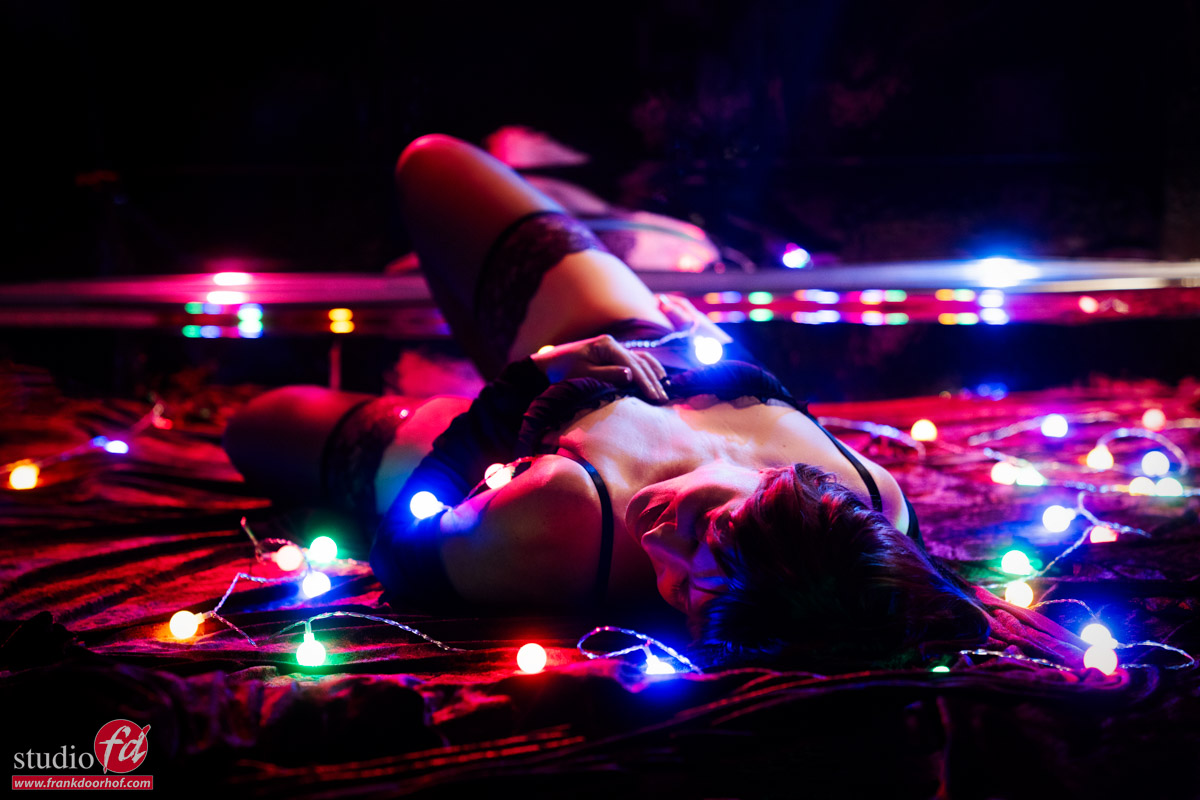
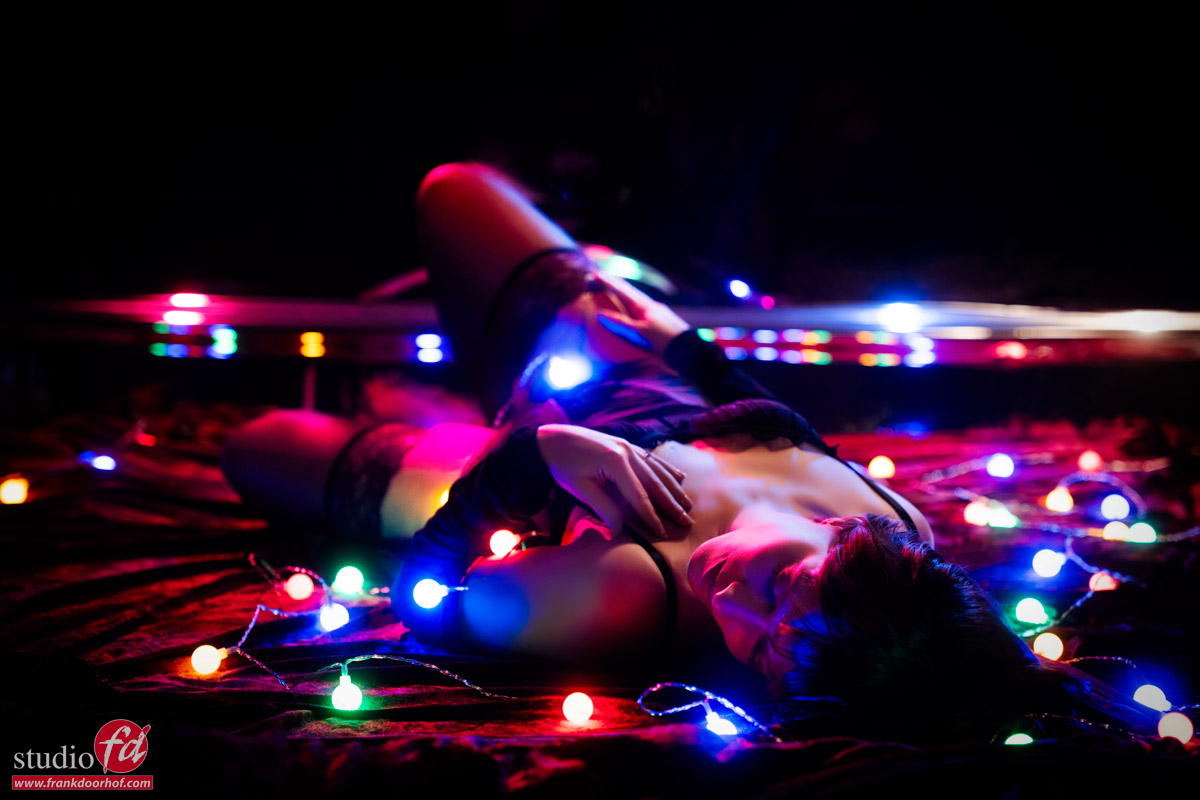
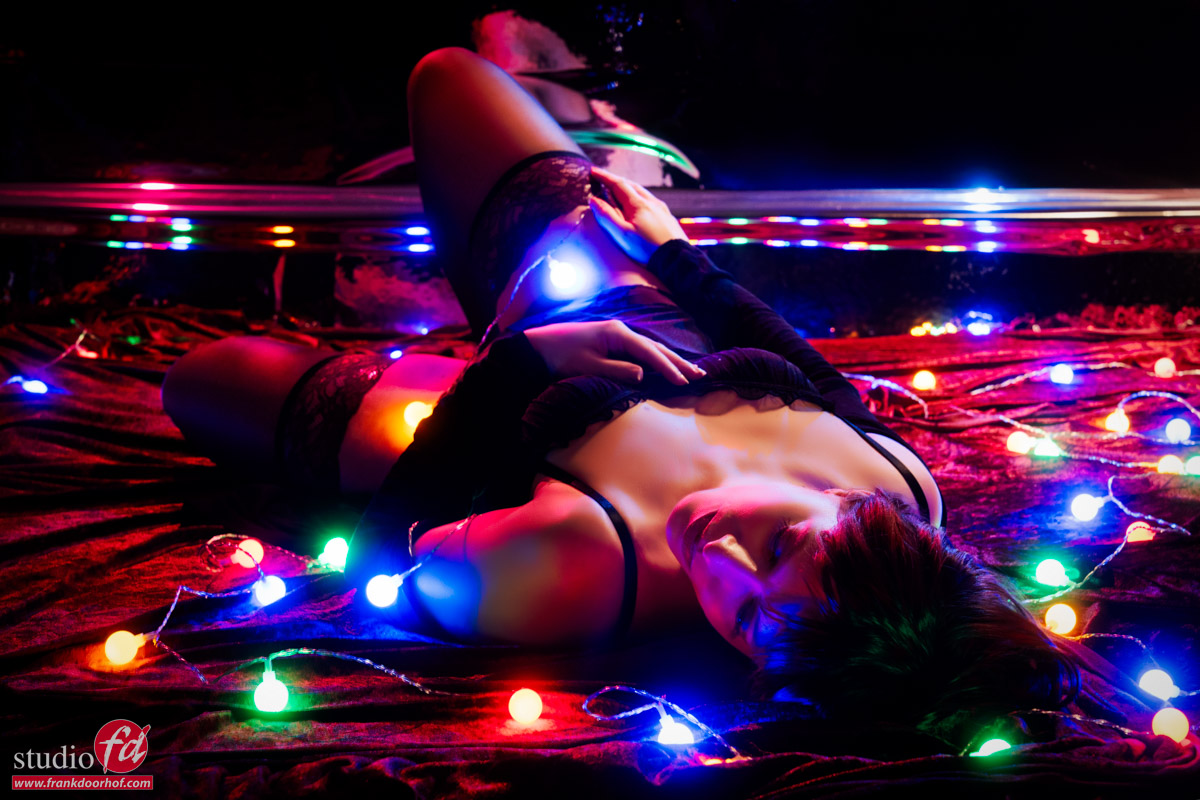
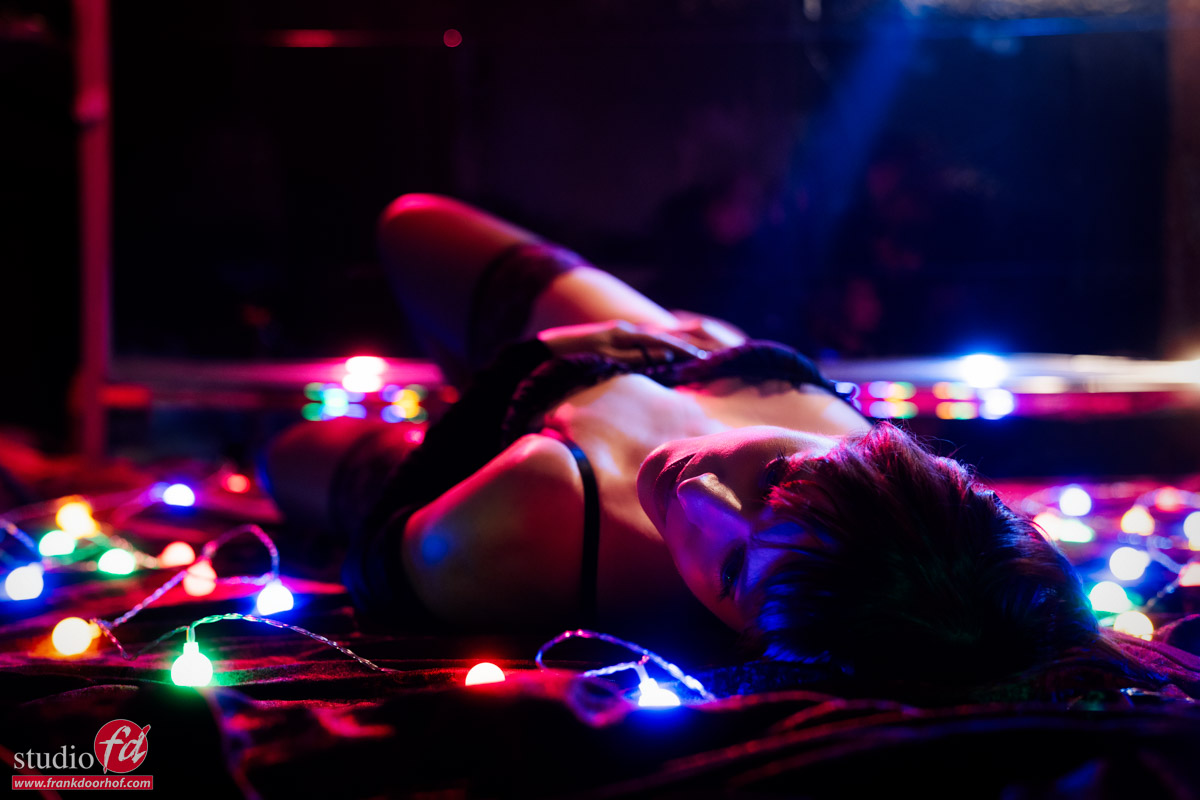
These images were shot during a glamour workshop with Claudia.
During this workshop, I love to create a more moody atmosphere and play a bit more with the model’s interaction with the camera.
One of the sets I think is great for glamour shots is pretty simple to recreate yourself.

Reflective surface

You only need some material with a nice reflective surface that you can lay on the floor for your model to lie on.
I love the color red, so for me it’s of course red velvet-like material.
Be careful with these kinds of materials; sometimes they will reflect light back differently depending on the angle you lay the material.
Sometimes this can be a nice effect. But if you want to keep the color even and need several parts together, make sure you check the direction you lay it down.

In most cases, I will light a set like this with one striplight or a small softbox. And let the light fall off around the legs.
Today we decided to add an extra element.

mixing colored lights with strobes

For this shot, I’m bouncing two strobes from our mirror wall into the set.
I’m using two Geekoto GT200’s with the Rogue magnetic kit and two Rogue gels, one red and one blue.
This already gave a really nice effect, but for a workshop, we need something more, right?

So let’s add some continuous lighting.

Mixing colored lights with strobes: the setup

In the past, this was something we had to guess for a large part.
Or, of course, shoot tethered and check the images while shooting.
But with almost every modern camera, it’s super easy.

When we normally shoot in the studio, we have our EVF in the “optical viewfinder emulation mode”.
This is the mode where, in a dark studio, you can see your subject perfectly.
On most cameras, even better than with a traditional viewfinder.

Emulation mode

You probably have at one time already experienced the “Emulation mode”.
When your camera is set to this mode, you will wonder what’s wrong with your camera when shooting in the studio.
In fact, there is nothing wrong with your camera, but the EVF is emulating what will happen when you press the shutter, and because we often shoot with very low light in a studio and with strobes, it’s normal for the camera to show you a pitch-black screen.

But for this setup, we actually need this setting.
You probably know, or by now have guessed, that the emulation mode is great for situations where you work with continuous lighting.
The camera literally shows you the result before you press the shutter.
So, for a setup like this, it helps a lot to set up the camera.

How to create this image: mixing colored lights and strobes

Step 1

Make sure the studio is very dark, and you don’t have any lights that affect the set.

Step 2

Choose the aperture for the depth of field you like.
I personally love to shoot these kinds of sets wide open or very close to wide open.
Now, make sure you choose a shutter speed you feel comfortable with for shooting handheld.
Although the model will be partly “frozen” by the strobes, we have a lot of the small lights in the frame, so you don’t want too much (if any) movement in your model.
In most cases, I would aim for anything between 1/8 and 1/30
Luckily, with today’s cameras, we have great high-iso performance and otherwise great software.

You can set the perfect ISO and shutter speed combination by simply looking at the emulation in the viewfinder.
When you lower the shutter speed/raise the ISO, the lights will get brighter.
When you raise the shutter speed/lower the ISO, the lights will get darker.

Step 3

Congratulations! The most difficult part is done.
Now that you know the aperture, shutter speed, and ISO, it’s important not to change the ISO and aperture anymore.
You now have to take out your light meter and meter the strobe to the aperture and ISO you have set in your camera.
When your strobe is too powerful, you can opt to place an ND filter on the strobe (not on the camera, of course :D), or bounce the strobe from a ceiling or wall.

Step 4

Now that you have set everything up perfectly and the first images come in, you will probably be disappointed.
And that’s normal, don’t worry.
In sets like this, the perfect exposure is often not the “perfect” exposure.
Because we are working with two different light sources, we have a lot of creative control over the set.
For example, you can choose to raise or lower the shutter speed and control the output of the little lights. But you can also opt to lower the output of the strobes and make it more moody with more saturated colors.

This is the part that I often compare with cooking.
The base has to be perfect, but then we start adding the spices.

Step 5

The final ingredient: mixing colored lights and strobes

Because we are working with loads of small lights in this setup, plus colored strobes that bounced from the wall, it was almost impossible to get perfect lighting on certain parts of the body and the face.
And this is where you have to be smart…. use the small lights to light these parts.
Together with the students, we checked the images coming into Lightroom.  (This is why we always shoot tethered) And every time we changed some lights until we got the final results you see here.

mixing colored lights and strobes mixing colored lights and strobes mixing colored lights and strobes

Conclusion

Sometimes a prop is just a prop.
But sometimes you can also use your prop to help with problems in the set. We used the lights here to light certain parts of the body and face that were not lit by the strobes.
Remember that in mixed lighting setups, the aperture/ISO combination must stay fixed for the strobe, and with the shutter speed, you can let in more or less of the continuous light.
Do remember to stay under the X-sync of 1/125 in the studio.

Workshops about (mixing) lights

Want to learn everything about light control?
Want to visit a workshop where it’s not just shooting a model with a fixed lighting setup, but see how the setup is built and adjusted to the taste of the group?
And of course learn how to work with poses, backgrounds, small sets, styling, retouching, and a lot more…..

If this all sounds awesome, visit fotografie-workshops.nl and book your workshop.
If you don’t speak Dutch, no problem, let us know a few weeks in advance, and we can switch the workshop to English.
Not possible to travel to the Netherlands?
We got you covered with our 1:1 online workshop.
We have a full streaming setup in our studio. 4 detail cameras and of course the retouching software, so you can see every detail and of course ask questions during the day. Plus, you get all the RAW files after the workshop.