Tag Archive for: x32

A videoclip with the DJI Osmo pockets

Making a video clip with the DJI Osmo Pocket

When testing cameras, what’s the most fun to do?

Of course, do something creative with it.
This is not a genuine review, but rather a comparison of the usage of the DJI Osmo Pocket, the first and last edition.

For the livestreams and tutorials, we have been using an Osmo Pocket 1 for a few years. A great camera, and in essence, everyone can take great footage.
But, to get great behind-the-scenes footage, the Osmo Pocket 1 was not as good as we wanted in low light.
Thanks to the quick delivery from Kamera Express, we were able to test the Osmo Pocket 3 just before Christmas.

What’s the difference between the DJI Osmo Pocket 1 and 3?

It’s huge!.
The first thing that is a huge upgrade is the display; for me, this was the biggest problem with the Osmo Pocket.
The Osmo Pocket 3 has a great bright display, you can switch between landscape and portrait mode, awesome!
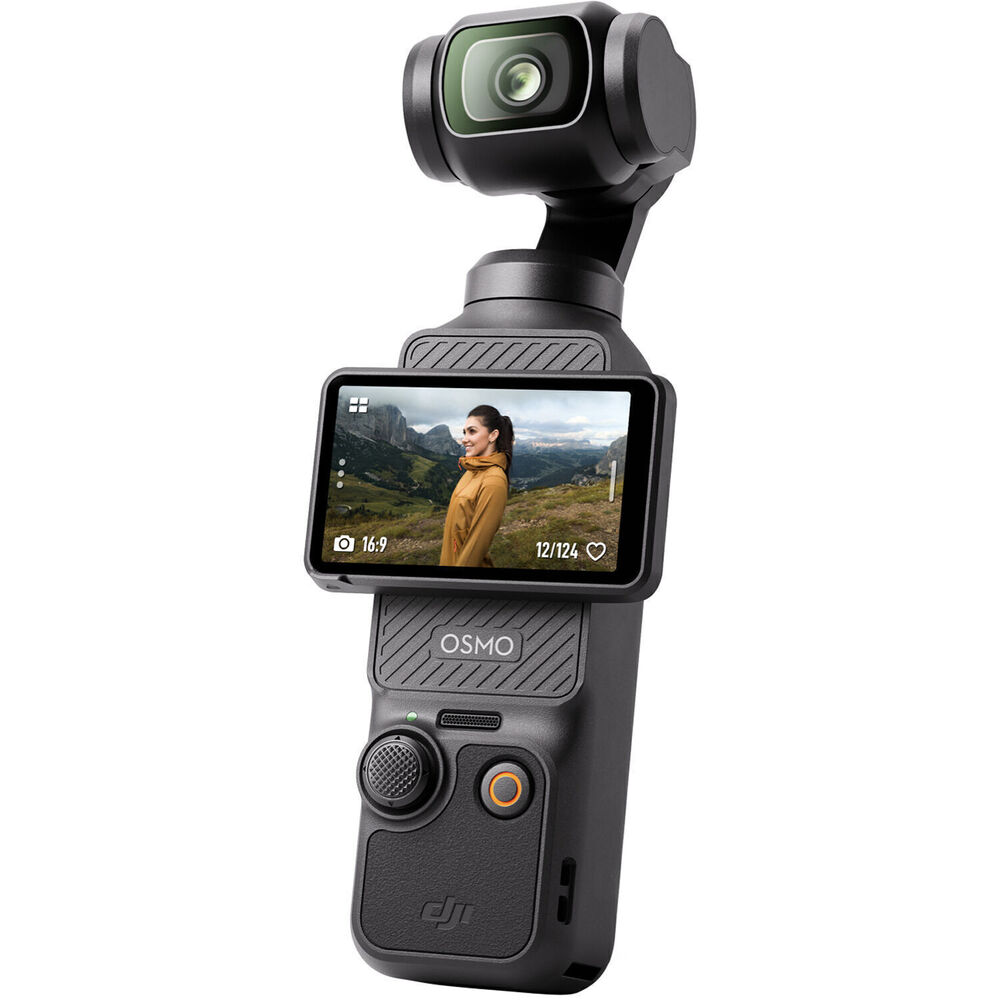
DJI Osmo pocket 3, making a video clip

Of course, I could test the camera quickly in a dimly lit room. But between Christmas and the New Year, we had a bit more time.  So I decided to do something a bit different.
Record a song and create a “simple” videoclip with both cameras. And also test how well the Platypod system works in this kind of setting.

The DJI Osmo Pocket

I think we can keep it short in this department.
Both cameras perform well enough in dimly lit situations to get some very usable material.
However, the colors, detail, and movement are a lot better with the Osmo Pocket 3.
Also, when adding special effects (switch into overdrive mode in the clip :)), the Osmo Pocket 3 material stayed much better and showed more detail.

Remote control with both cameras is possible. But the Osmo 3 is a lot easier and is out of the box usable as a webcam. It can be controlled with an app on your phone.
For the Osmo Pocket 1, you need a separate wifi module for remote control; the Osmo 3 wins here hands down.
Also, when using the camera without a remote, the Osmo 3 wins on all fronts.
And let’s be honest, with one whole generation between them, this is not really a surprise.
But I still wanted to test both cameras in the same setup.
Conclusion for the Osmo Pocket is that we will be using the 3 as one of the main cameras during live streams and tutorials. And when there is proper lighting, the Osmo Pocket 1 is a great B-roll camera.
It’s insane to see how well these small cameras have become.
The quality of the Osmo Pocket 3 is actually better than one of our older 4K “semi pro” cameras 😀

Platypod

If you can’t use a tripod, use the Platypod!
And in this situation, a tripod was out of the question.
I decided to film myself playing guitar from different angles. Which meant placing the cameras pretty close, and there is not a lot of room.
By using the smallest platypod foot (which works fine for the Osmo Pocket), I could raise the Osmo Pocket to the level I wanted, and even bent the gooseneck if necessary


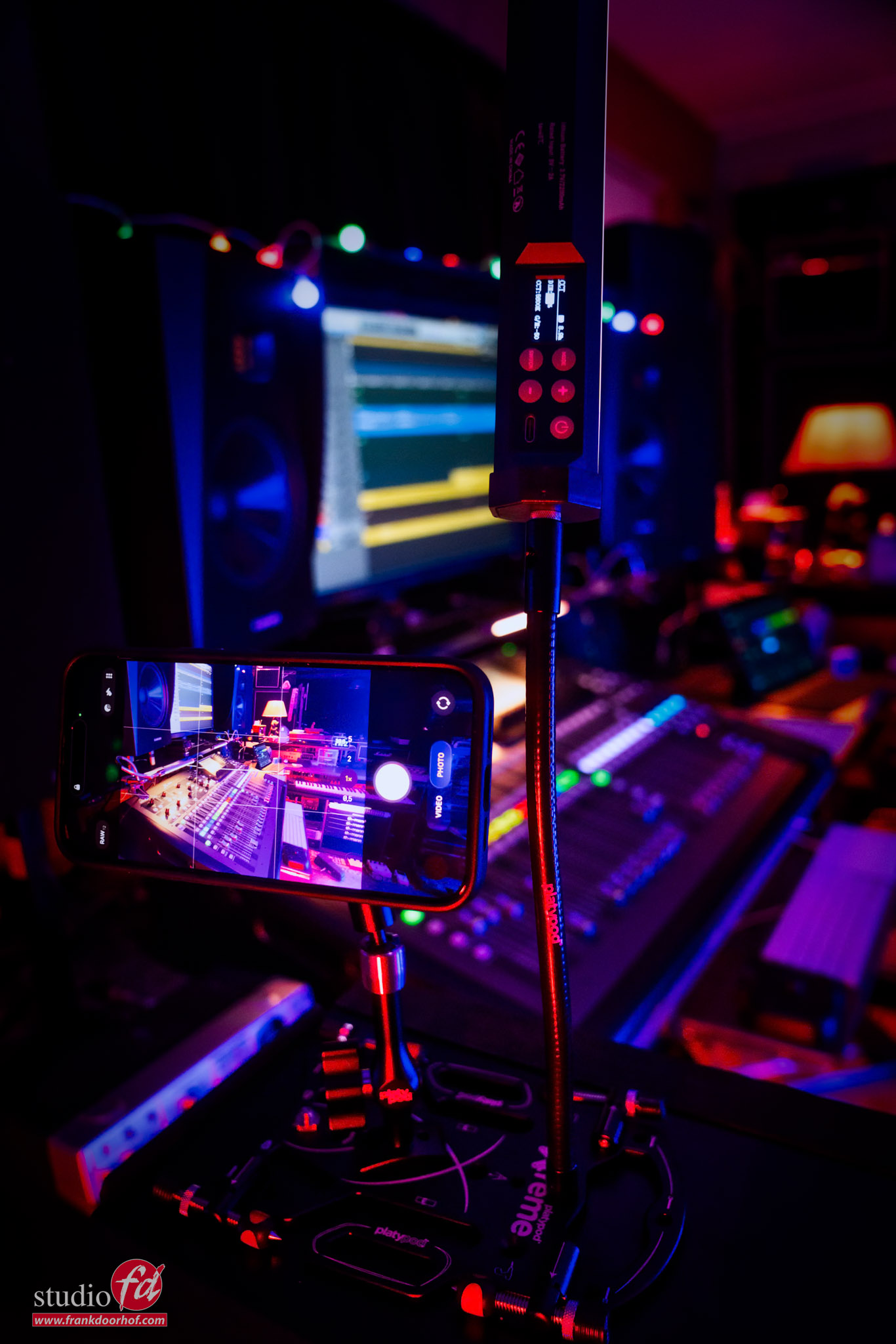
In this photo, you can see a similar setup with an iPhone.
Quick tip: Don’t film a multicam clip with your iPhone if you want to sync on the audio. The iPhone films in a variable frame rate. And this means syncing on audio becomes impossible.
You can use separate camera apps, but the built-in app I could not get to sync properly.
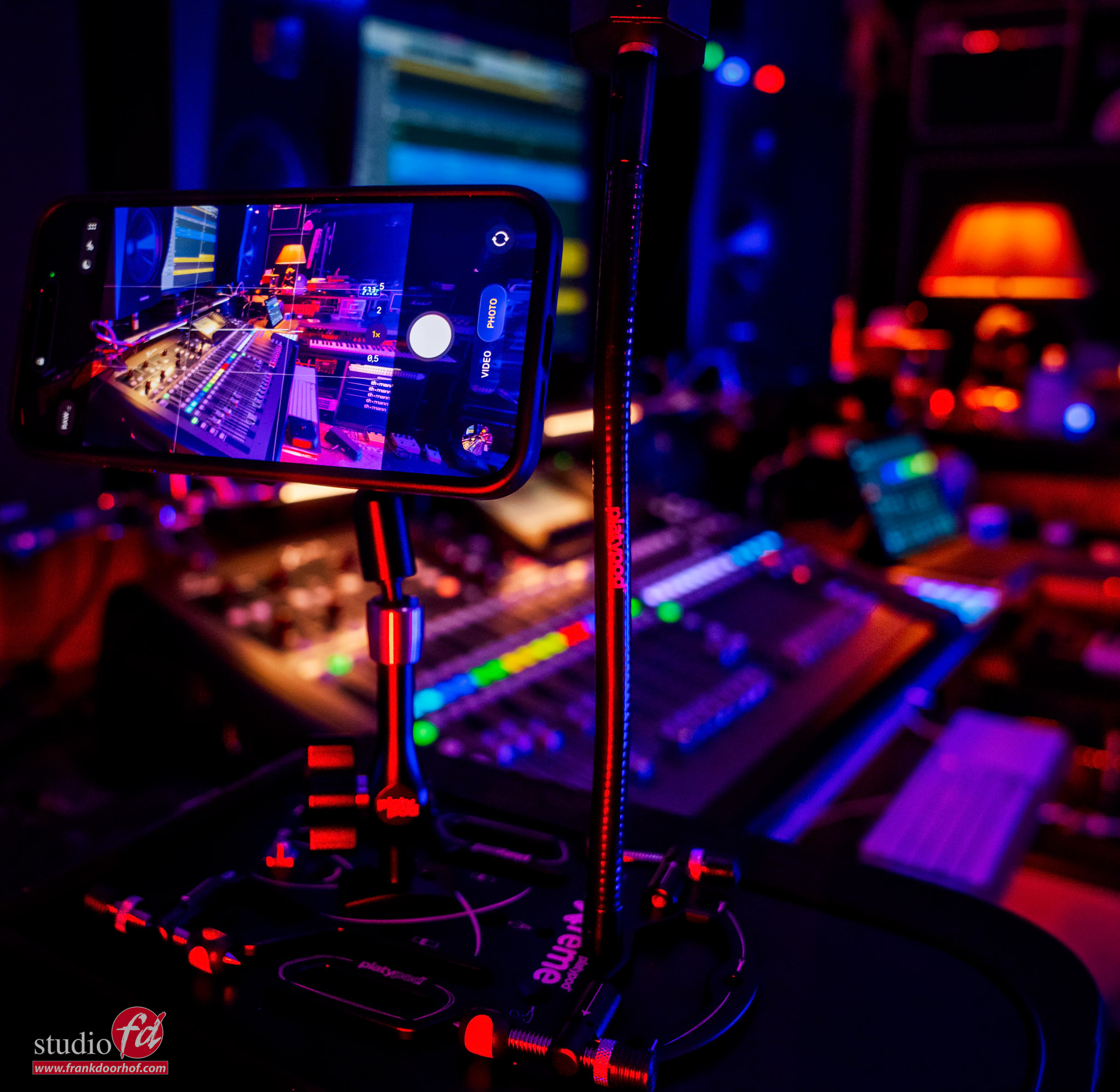
here I am using my iPhone and not the DJI Osmo Pocket You can get the Platypod products in our webshop at frankdoorhof.com/shop

The final result and conclusion: DJI Osmo Pocket

The Osmo pocket 3 material was great to edit with, even with the heavier effects, the material from the Osmo 3 held detail more easily.
If you want something better than an iPhone for video? Make sure to check out the Osmo Pocket series. The built-in gimbal, webcam function, wireless remote and of course great subject tracking make it a great camera to walk around with. When it powers down, it turns the camera into a protective position.  (Something I missed in the 1 and never felt comfortable putting it in my pocket)

The app has some great features that will give you more than enough options for super creative videos. From hyper lapse to slow panning, and you can even zoom from 1 to 2x.
But for me, it’s the size and the fact that, in combination with the Platypod, we have a super portable video system I can bring with me wherever we go to create videos, and if needed, go live with the webcam function.
Use software like OBS, and you can use the Osmo Pocket 3 in combination with your built-in webcam and screensharing for a 3-camera live stream setup, all in your backpack next to your camera gear.

But for now, let’s take a look at the video.
I hope you enjoy the video as much as I did creating it.
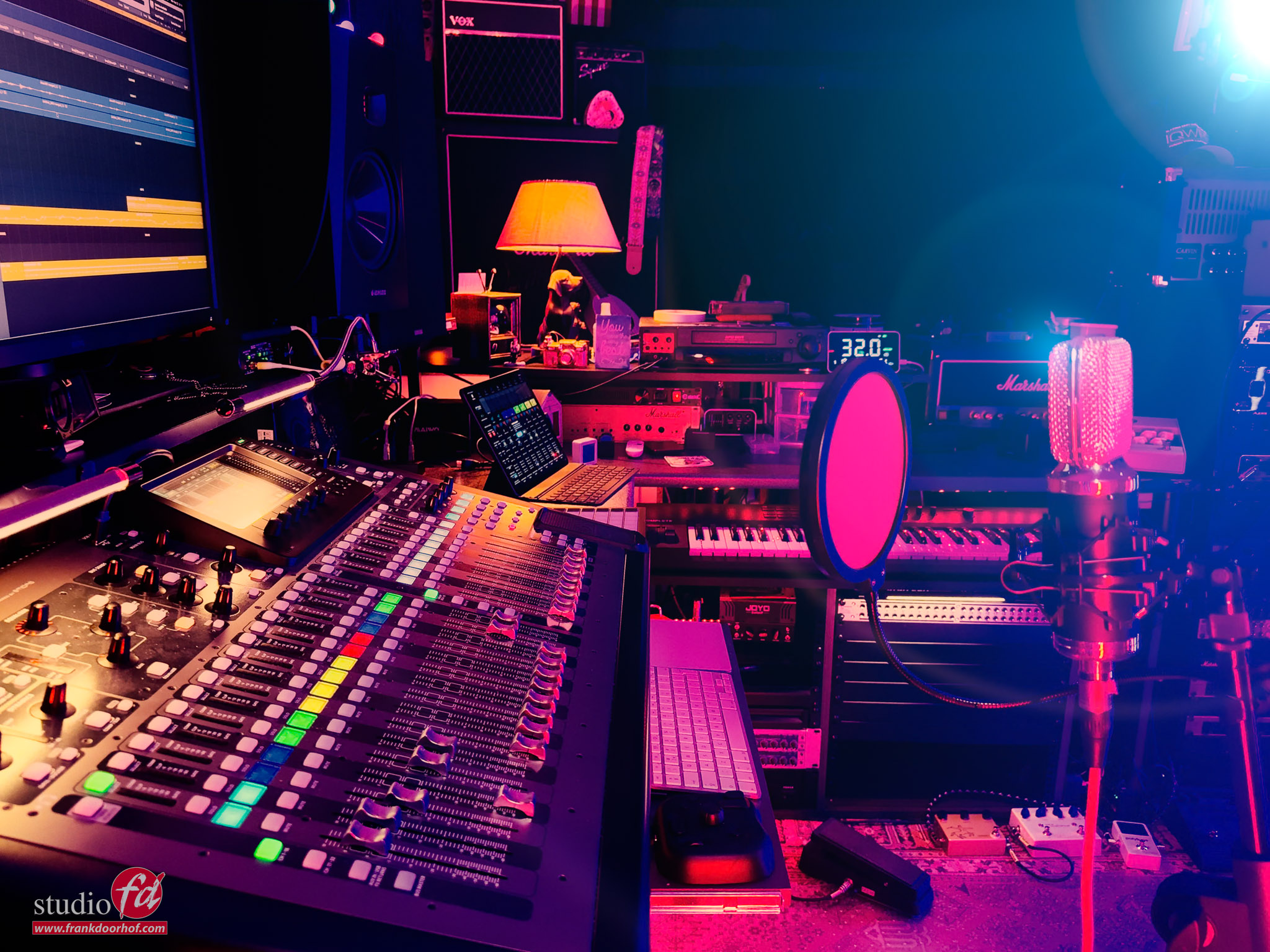
The Platypod in action

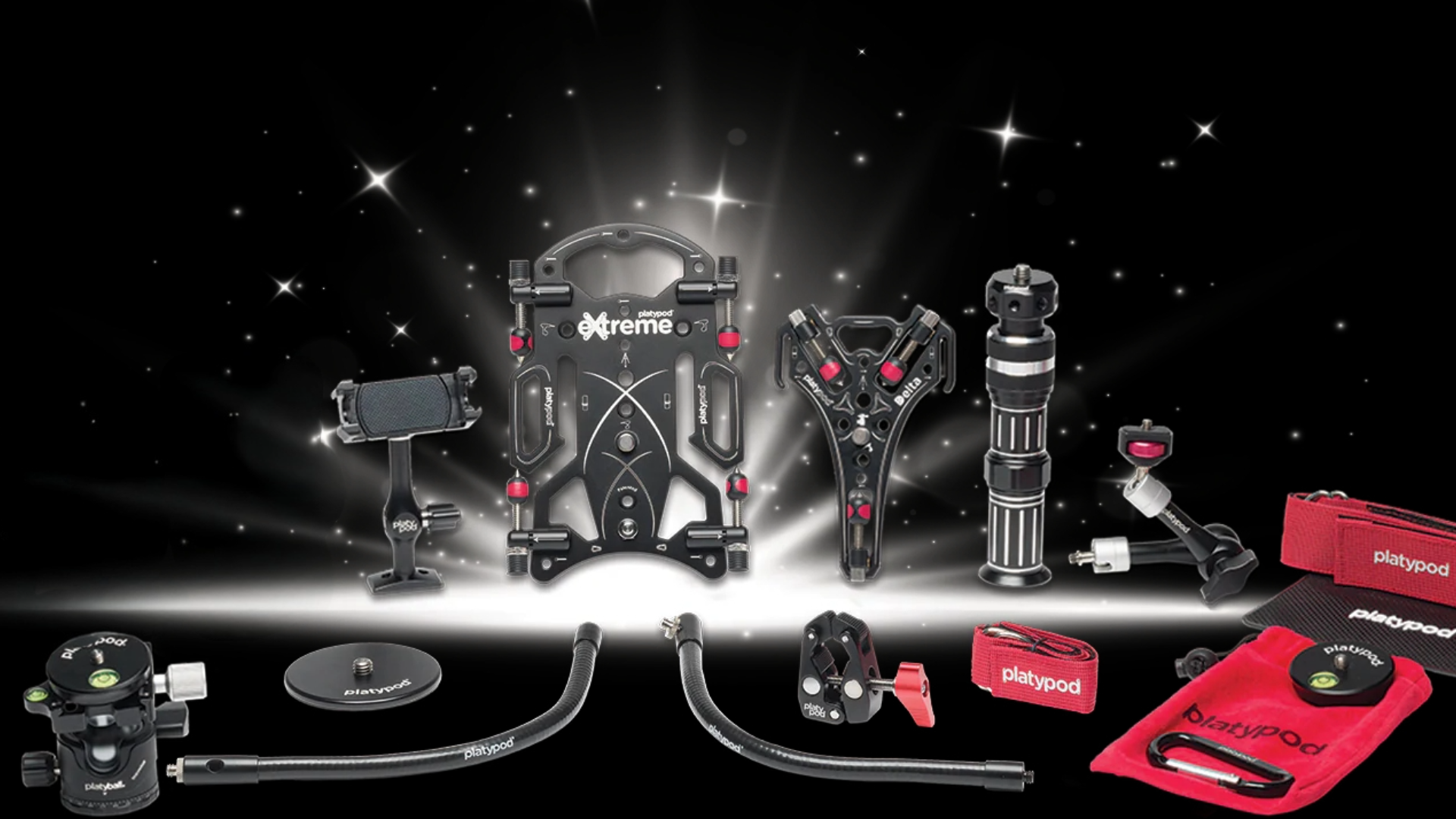
We love the Platypod lineup for many reasons

But without a doubt, one of my favorites is the Platypod Maggrip,  as a replacement for a tripod when shooting video.
Especially when shooting multicam or in tight situations, using a tripod can be problematic. The Platypod system is a great solution in these situations. Read more about the Platypod in action.

For an upcoming video, we are shooting some material with iPhones using the Platypod Maggrip to place my iPhone easily in interesting positions. Due to the small ball head, I can adjust the angle of the iPhone to make sure I get the angle I need.
Recently, Platypod released the Platypod Mag Deluxe Set which also makes it possible to charge your iPhone during filming, so you never run out of power during the vital moments.

Filming and charging my iPhone


That’s the cool thing about the Platypod system: it’s a fully modular system, so you can add almost everything to the Platypod base plate. When filming, for example, we use small LED lights via the extra mounting arms
But as you can see in the behind-the-scenes images, you can also easily mount a Nanlite PavoTube.

The angle the iPhone sees.

And the setup.

In this case, I’m using the Platypod with a Nanlite PavoTube connected on the Gooseneck.
In other words, it doesn’t have to be small lights, which makes the system very flexible to use.

platypod in action

Platypod in action. I use the Maggrip on the Extreme base, which also holds a Gooseneck for the Pavotube

Also want to add Platypod to your bag?
Check www.frankdoorhof.com/shop for the gear I use, including, of course, Platypod


Workshops

Want to learn everything about light control?
Want to visit a workshop where it’s not just shooting a model with a fixed lighting setup, but see how the setup is build and adjusted to the taste of the group?
And of course learn how to work with poses, backgrounds, small sets, styling, retouching and a lot more…..

If this all sounds awesome, visit fotografie-workshops.nl and book your workshop.
If you don’t speak Dutch, no problem, let us know a few weeks in advance and we can switch the workshop to English.
Not possible to travel to The Netherlands?
We got you covered with our 1:1 online workshop.
We have a full streaming setup in our studio. 4 detail cameras and of course the retouching software so you can see every detail and of course ask questions during the day. Plus you get all the RAW files after the workshop.


And now for something completely different digital vs VHS for music

Yes you read it correctly

As you might or might not know I love playing guitar and recording music.
Every minute I can get I’m playing around in our Home Studio we build during Corona.

I don’t have any illusions of making it as a songwriter or musician but I love experimenting with sounds, modes and recording techniques. It’s probably no surprise for people knowing me that my gear is mostly vintage tube amps, older guitars and of course vintage studio gear. Still love the Alesis, Digitech and Lexicon gear. Somehow due to the imperfections it just sounds beter.

To make the connection to photography, when I shoot with older M42 lenses there are a lot of downsides but somehow it just inspires more and the images have “Character” it’s hard to explain but you just see and feel it under certain lighting conditions. The flares of an old lens are just so much different, same as the bokeh. But ok, todays topic is something else.

Digital all the way

Today it’s not strange to go all digital.
Well ok the guitar is still analogue (I hope) but most guitarists will probably play over a modeller.
For me it’s a mixed bag. I love modellers but I still feel that a real tube amp is still king.
I’m in the lucky position to own a few older models and they are… well just awesome.

When I grew up my first one company was a recording studio which I ran together with a friend.
There we wish we would have the options you now have in a laptop.
I had to work with 2 consoles, one for drums and one for the rest.
Recording was done on a 8 track (which was very nice for that time and the size of our studio) reel 2 reel deck which had to be aligned every single recording. We were saving for an ADAT system but before that happened my fried decided to use the building for something else.

Many years later I picked up playing myself again and was literally shocked by the options you have now.
When I was starting I owned a 4 track Tascam which immediately made me one of the most sought after bandmembers, a bit like the PA from David Lee Roth 😀
I still own the recorder (but it’s doesn’t work anymore) and the main problem was that you had to bounce almost everything because 4tracks was very limiting especially when you wanted to work in stereo.

Now a days we have almost no limit to the amount of stereo/surround tracks and how many effects you want to use. We had to work with one Reverb unit 😀

At the moment I’m recording in Logic and using an X32 console.
Somehow mixing or recording in the box feels very unnatural and having loads of sliders feels like home.
The X32 has this really handy feature of recording your song on a USB stick via an internal recorder. Just pop the drive in your PC/Mac and you’re ready to master.
The results are great.

But…. there is always a but

Don’t get me wrong the sound quality is amazing from the X32 (well more than enough for me).
But I always have to grab some tape emulation plugins to tame the sterile highs I often hear from the drum samples and keys.
In the past I tried a few older reel2reel tapes and dump the stereo mix there before mastering and always came back disappointed, yes the sound was there that I loved but it was messy, lost definition and it wasn’t in sync. And spending 400,00 on a reel2reel that is 100% correct (for how long) is not something I’m willing to spend.

So…
The idea came to test out a device you probably would not expect in a recording setup.
An Hi-Fi stereo VHS recorder.
Now it may seem weird, but it’s not.
When I grew up, most music was spread on tapes and even with Dolby noise reduction and great players the sound quality was nothing near the very expensive CDs.
Until we started to experiment with BetaMax and VHS recorders. Especially the Hi-Fi VHS recordings sounded great. Beta was still beter but compared to even the best cassettes this was a huge step forward, and you could get loads of music on one tape.

So that got me thinking.
The recording technique on VHS is different from tape, so you know you’re not going to get that real tape magic, but let’s be honest anything that doesn’t run at very high speeds and has the proper width will not, and those decks are horrendously expensive. So I dug up our VHS recorder, blew of the dust and ordered a new tape.

The test

Now this is of course just for fun.
I recorded the same mix simultaneously on both the VHS and USB stick.
After that the VHS was routed back into logic via the interface.
In logic I selected both tracks and did the exact same mastering workflow, this time I did not fine tune anything to make sure I didn’t change anything by accident and uploaded the two files here for you to compare.

The outcome might surprise you.
I advise headphones or a really good set to listen to the details.

Click here to download the files
VHS mastering
USB mastering

The song

The song is called under the balcony.
It’s recorded during the holiday on an Ibanez Tod10N.
This is a nylon string acoustic electric guitar.
I hope you enjoy the song and the test.

If you also record music or a podcast and you want to be available on all streaming services and want to keep your revenue, but also get nice art for releases and landing pages.. check out distrokid. I’ve been with them for 2 years now and it’s a great service. Songs are released for free on all streaming platforms (even more than I knew existed) and you get a nice overview of your revenues. And if you use our link we also get a nice bonus.

Want to hear more of my music?
Check out your favourite streaming service or
https://soundcloud.com/frank-doorhof

https://www.bandlab.com/frankdoorhof