
A videoclip with the DJI Osmo pockets
Making a video clip with the DJI Osmo Pocket
When testing cameras, what’s the most fun to do?
Of course, do something creative with it.
This is not a genuine review, but rather a comparison of the usage of the DJI Osmo Pocket, the first and last edition.
For the livestreams and tutorials, we have been using an Osmo Pocket 1 for a few years. A great camera, and in essence, everyone can take great footage.
But, to get great behind-the-scenes footage, the Osmo Pocket 1 was not as good as we wanted in low light.
Thanks to the quick delivery from Kamera Express, we were able to test the Osmo Pocket 3 just before Christmas.
What’s the difference between the DJI Osmo Pocket 1 and 3?
It’s huge!.
The first thing that is a huge upgrade is the display; for me, this was the biggest problem with the Osmo Pocket.
The Osmo Pocket 3 has a great bright display, you can switch between landscape and portrait mode, awesome!
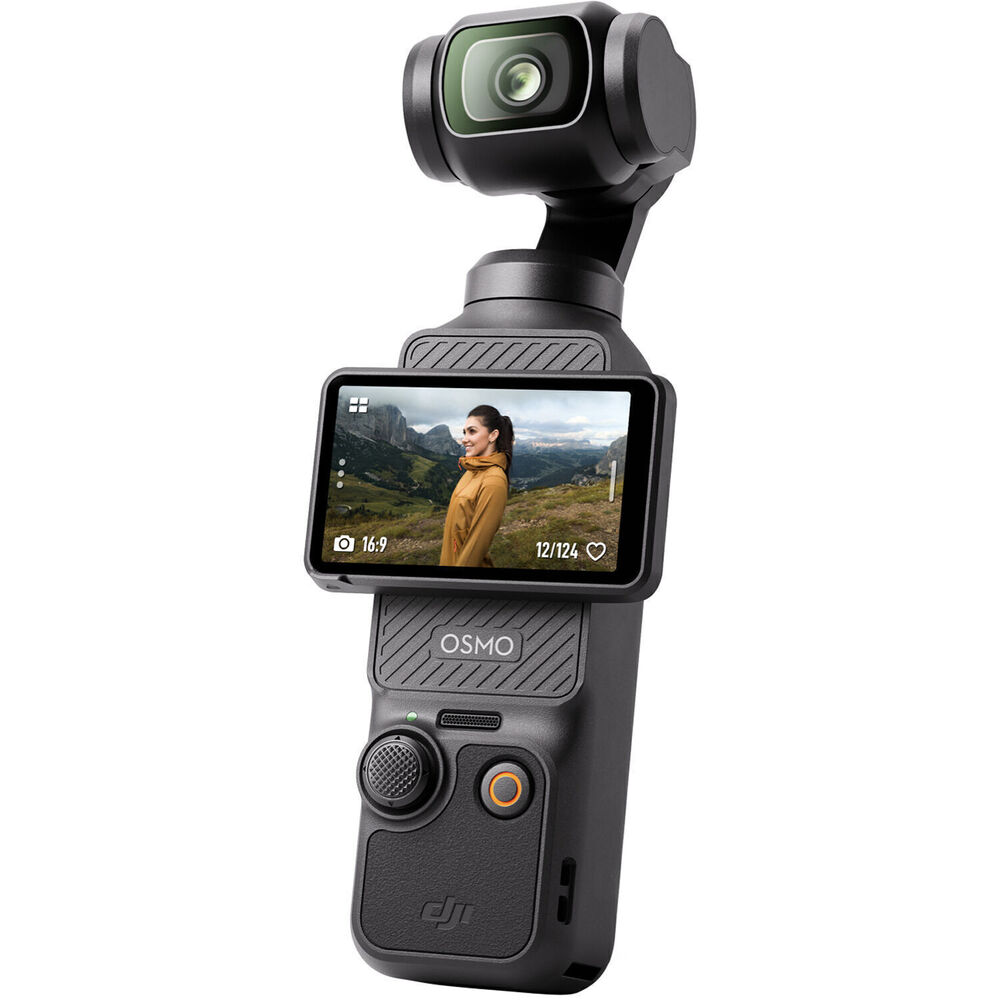
Of course, I could test the camera quickly in a dimly lit room. But between Christmas and the New Year, we had a bit more time. So I decided to do something a bit different.
Record a song and create a “simple” videoclip with both cameras. And also test how well the Platypod system works in this kind of setting.
The DJI Osmo Pocket
I think we can keep it short in this department.
Both cameras perform well enough in dimly lit situations to get some very usable material.
However, the colors, detail, and movement are a lot better with the Osmo Pocket 3.
Also, when adding special effects (switch into overdrive mode in the clip :)), the Osmo Pocket 3 material stayed much better and showed more detail.
Remote control with both cameras is possible. But the Osmo 3 is a lot easier and is out of the box usable as a webcam. It can be controlled with an app on your phone.
For the Osmo Pocket 1, you need a separate wifi module for remote control; the Osmo 3 wins here hands down.
Also, when using the camera without a remote, the Osmo 3 wins on all fronts.
And let’s be honest, with one whole generation between them, this is not really a surprise.
But I still wanted to test both cameras in the same setup.
Conclusion for the Osmo Pocket is that we will be using the 3 as one of the main cameras during live streams and tutorials. And when there is proper lighting, the Osmo Pocket 1 is a great B-roll camera.
It’s insane to see how well these small cameras have become.
The quality of the Osmo Pocket 3 is actually better than one of our older 4K “semi pro” cameras 😀
Platypod
If you can’t use a tripod, use the Platypod!
And in this situation, a tripod was out of the question.
I decided to film myself playing guitar from different angles. Which meant placing the cameras pretty close, and there is not a lot of room.
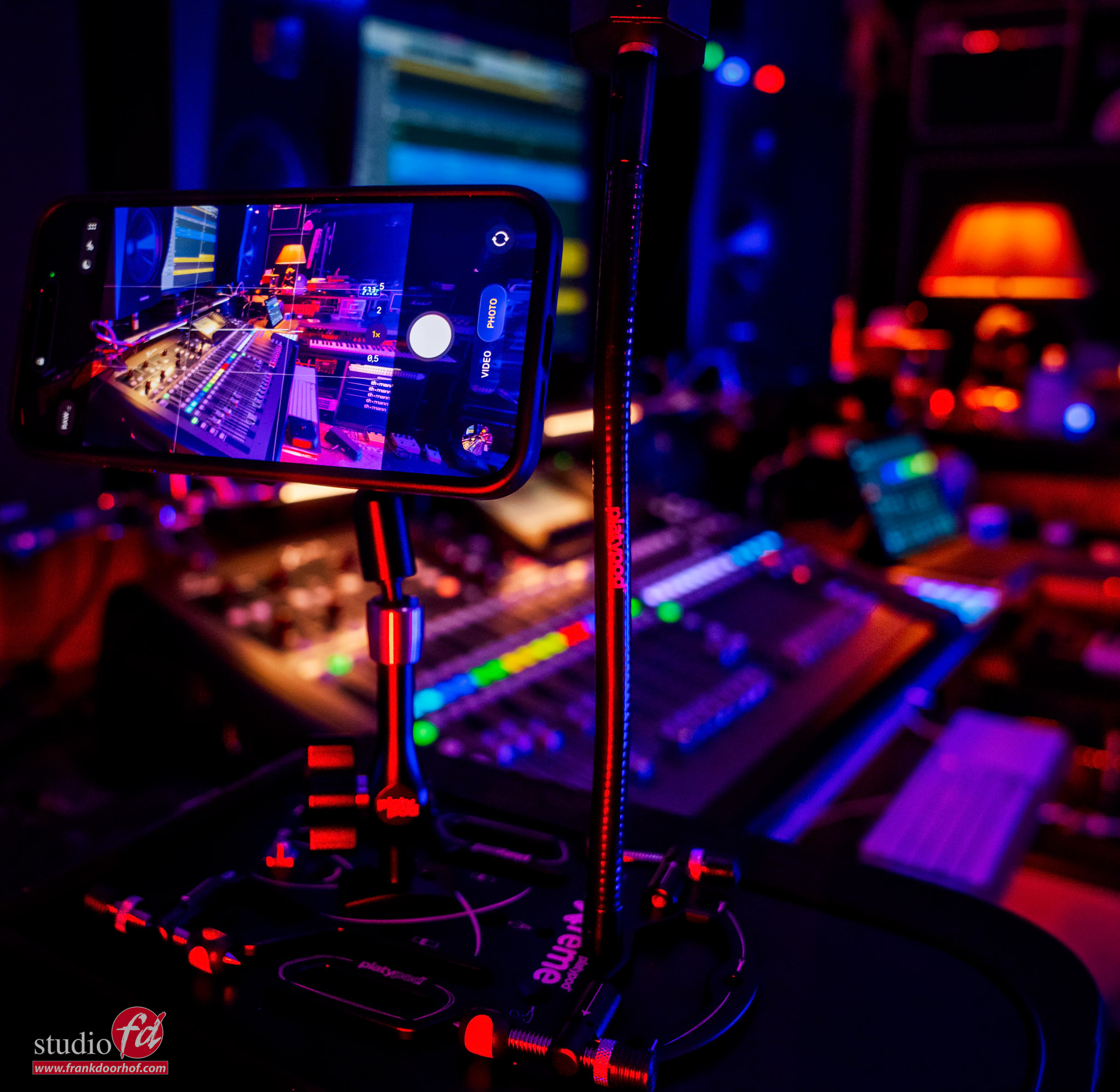
By using the smallest platypod foot (which works fine for the Osmo Pocket), I could raise the Osmo Pocket to the level I wanted, and even bent the gooseneck if necessary
In this photo, you can see a similar setup with an iPhone.
Quick tip: Don’t film a multicam clip with your iPhone if you want to sync on the audio. The iPhone films in a variable frame rate. And this means syncing on audio becomes impossible.
You can use separate camera apps, but the built-in app I could not get to sync properly.
 You can get the Platypod products in our webshop at frankdoorhof.com/shop
The final result and conclusion: DJI Osmo Pocket
The Osmo pocket 3 material was great to edit with, even with the heavier effects, the material from the Osmo 3 held detail more easily.
If you want something better than an iPhone for video? Make sure to check out the Osmo Pocket series. The built-in gimbal, webcam function, wireless remote and of course great subject tracking make it a great camera to walk around with. When it powers down, it turns the camera into a protective position. (Something I missed in the 1 and never felt comfortable putting it in my pocket)
The app has some great features that will give you more than enough options for super creative videos. From hyper lapse to slow panning, and you can even zoom from 1 to 2x.
But for me, it’s the size and the fact that, in combination with the Platypod, we have a super portable video system I can bring with me wherever we go to create videos, and if needed, go live with the webcam function.
Use software like OBS, and you can use the Osmo Pocket 3 in combination with your built-in webcam and screensharing for a 3-camera live stream setup, all in your backpack next to your camera gear.
But for now, let’s take a look at the video.
I hope you enjoy the video as much as I did creating it.
