
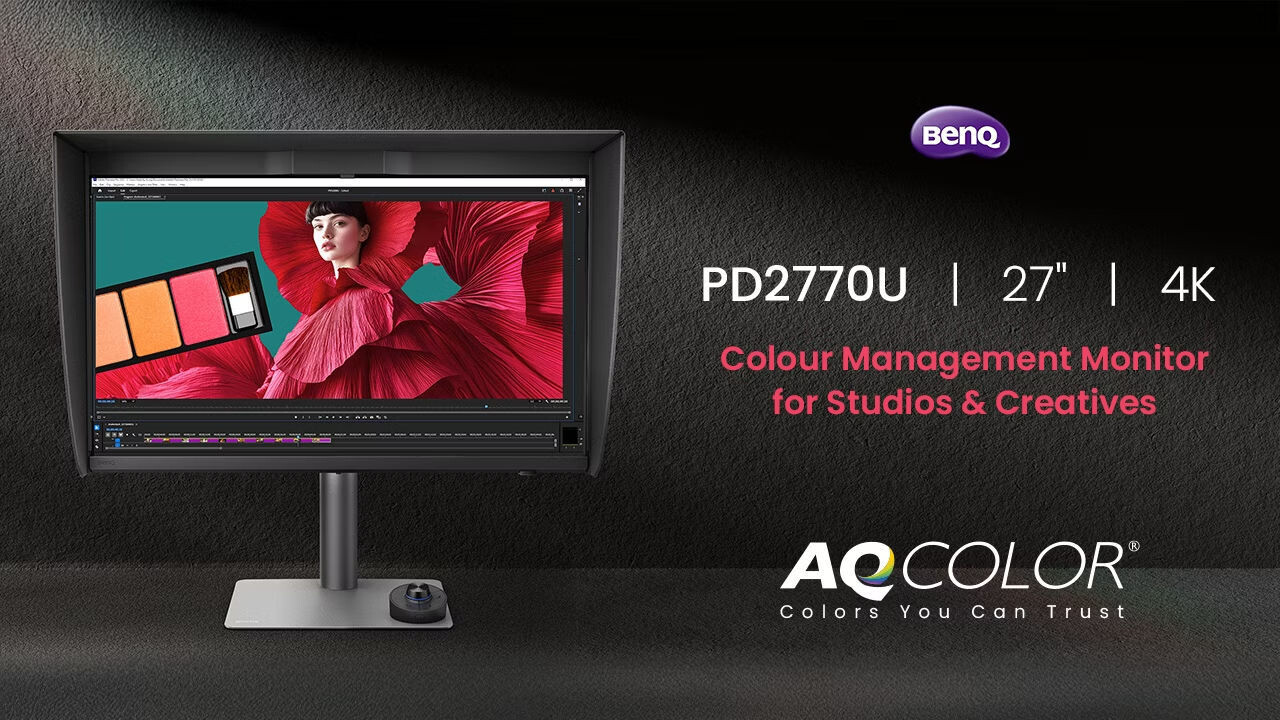
BenQ Creative Pro PD2770U monitor: a totally new workflow
BenQ Creative Pro PD2770U review by Frank Doorhof
Workflow has to be easy
When it comes to calibration and backups, we can always talk about backups, but for today, let’s talk about something that a lot of photographers forget or simply never do: calibration. This is the BenQ Creative Pro PD2770U review. It’s the first BenQ monitor with a built-in calibrator.
Let’s first talk a bit about what calibration is, and why it’s important for you and your clients.
But first:
Disclaimer
I’ve been a BenQ ambassador for many years.
I have chosen BenQ due to their dedication to calibration and color accuracy. They did not read the review beforehand and have no input on my opinions.
What I advise my readers is 100% my personal opinion, and I think it is the only way to deliver reliable reviews.
Color Evokes Emotion
When we watch movies or look at art, there is an almost 100% chance that the creator of that piece of art/movie has spent hours determining the exact color he/she uses for a particular scene or work.
Movies
Think about movies like The Matrix, where we see a slight green cast when we are inside the matrix and a slight blue tint in the real world.
Same thing with Terminator, the start-scene is incredibly blue while the rest of the movie has a more warmer tint.
This is not an accident; it’s done 100% intentional.
Photography
But also think about your own photography.
How many of you empty the card, look at the images, and go “done for today, it’s perfect”?
Most of the time, we will adjust the exposure, contrast, and maybe add some sharpness.
So I hear you think “this is my workflow, so I don’t need color calibration”.
Sorry to burst your bubble.
When we talk about the calibration of a device, we don’t just talk about color; we talk about much more.
Including the perfect black point, where we see all the shadow detail, and the perfect white point, where we don’t see any clipping in our images.
And of course, don’t forget about the so-called Gamma curve, which makes sure we see a nice smooth curve from black to white.
Let’s quickly dive further
When we look at colors in the digital domain, we first have to have a base to build on.
When we look at our TV sets, for example, we talk for example a bout REC709 and BT2020 in most cases.
Maybe you have already seen these 2 settings on your screen.
The REC709 colorspace is for standard movies, and the BT2020 colorspace is for HDR movies.
And some TV sets will have the label “Native”, which means literally the native colorspace of the screen itself.
When we talk about photography/design, we mostly use 3 colorspaces.
sRGB, AdobeRGB, and ProPhotoRGB.
The first 2 can be stored as JPGs, ProPhotoRGB must be stored as TIFF.
So why is that?
When we look at color spaces, we are, in essence, determining the maximum “performance” of the colors.
sRGB will show great colors, but it won’t give you the saturated colors of AdobeRGB, and ProPhotoRGB is even more saturated.
For now, let’s focus on sRGB and AdobeRGB.
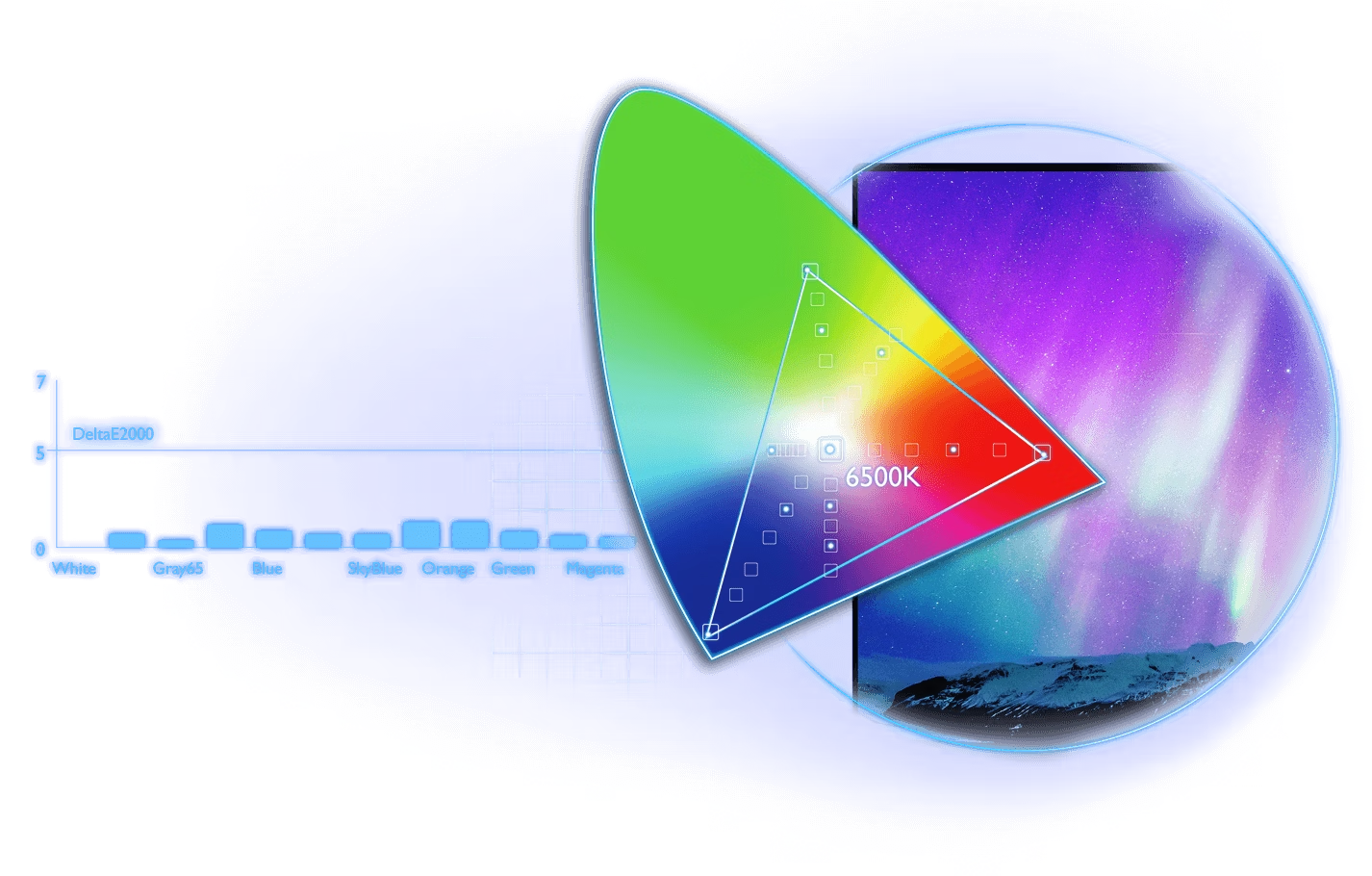
A color space needs space
As we have seen, we can have several color spaces.
But how do we make sure we use the right one, and how do we make sure …….. loads of questions right?
Don’t worry, it’s actually not that hard.
A color space is nothing more than a table where you can find coordinates for the colors inside that space.
You probably already know the names from these coordinates, x,y,Y, or in other words, HSL.
Hue, Saturation, and Luminance.
Now that we know that each colorspace has a table with the coordinates of the colors, it’s important to know in which colorspace we have to work, and how we make sure that what we see on the screen is also what we see in real life.
Horses for courses
When we publish on the web, we use the sRGB color space.
It’s a smaller color space, and this means it’s highly compatible with smartphones of older generations, laptops, TV sets, etc.
In most cases, sRGB will look fine.
Also, when working with a non-colormanaged app or operating system, sRGB is often the only one colorspace that looks right.
So when you deliver to clients… It’s often best to choose sRGB.
Personally, I love to work and store my final results in AdobeRGB.
You can always do a near-perfect conversion in Photoshop from AdobeRGB to sRGB.
Do make sure you are also using a monitor that can display the colorspace as accurately as possible.
Over the years, monitors have gone from 95 to 99% Adobe RGB accuracy, so you can get a perfect result with the new generation screens.
Workflow kills
Now that we know how a colorspace works, we have to choose one to work in, and we need to know the monitor’s colorspace.
The question that remains open is….” how do we make sure this all fits together”.
In fact, that’s the easiest part, to be honest.
When I look at the work I do for the ISF (Imaging Science Foundation), this often means using external software with a high-end calibration tool and making all the adjustments by hand. In fact, in the old times we had to lift the hood of a TV/Projector and use a screwdriver to adjust the drive and bias, which was not safe or fun.
For screens like the BenQ, I’m taking a look at in a moment, it’s literally all automated (if you want).
So why do so many people “forget” to calibrate, or simply don’t see the need?
To get a proper calibration, it’s always necessary to warm up the screen for 15-30 minutes. I guess that we are then already fully at work and forget.
Or the reason is “the client doesn’t calibrate, so why would I?”
That one is easy to explain; the client is used to his/her screen, and doesn’t need to deliver color accuracy in their work.
Simple example.
How often did you order a scarf and a sweater that looked great in the catalogue, but when they arrived, they looked totally different?
Well, that’s why WE as photographers/designers need to make sure our screens are as accurate as possible.

Enter the new BenQ Creative Pro monitors
I’ve been a BenQ ambassador for a long time, and you probably already guessed why. Color accuracy and understanding color are not only my profession but also my passion.
So finding a company that lives and breathes color was feeling at home from the first moment.
And I think BenQ did something incredibly smart. Listen to the market, and do exactly what we want, but even better.
The BenQ Creative Pro PD277oU
It took me a while, but here we are. First off, I love the fact that BenQ recognizes that the market is not Photographers vs Designers vs Videomakers vs Musicians.
When I started teaching workshops many moons ago, one of the things I told attendees the moment video arrived in cameras was that they would better learn how to create short videos because before you know it, clients will choose all-around content-creators instead of sending two employees to an assignment. And nothing has changed.
As many of you know, I love creating music, but this also means taking the photos for the band, creating the artwork, and of course, filming and editing the music video.
As a professional photographer, I have to edit my images, create artwork for workshops, and create videos showcasing my work or tutorials.
We are all-round creative pro’s, and it’s awesome that BenQ now labels us as the multifaceted creators we are.
We need it all.
And boy does the Creative Pro PD2770U deliver!
The looks
Beauty is in the eye of the beholder, but I have to be honest.
I really like the design of the BenQ monitors; they are a nice centerpiece on many desks.
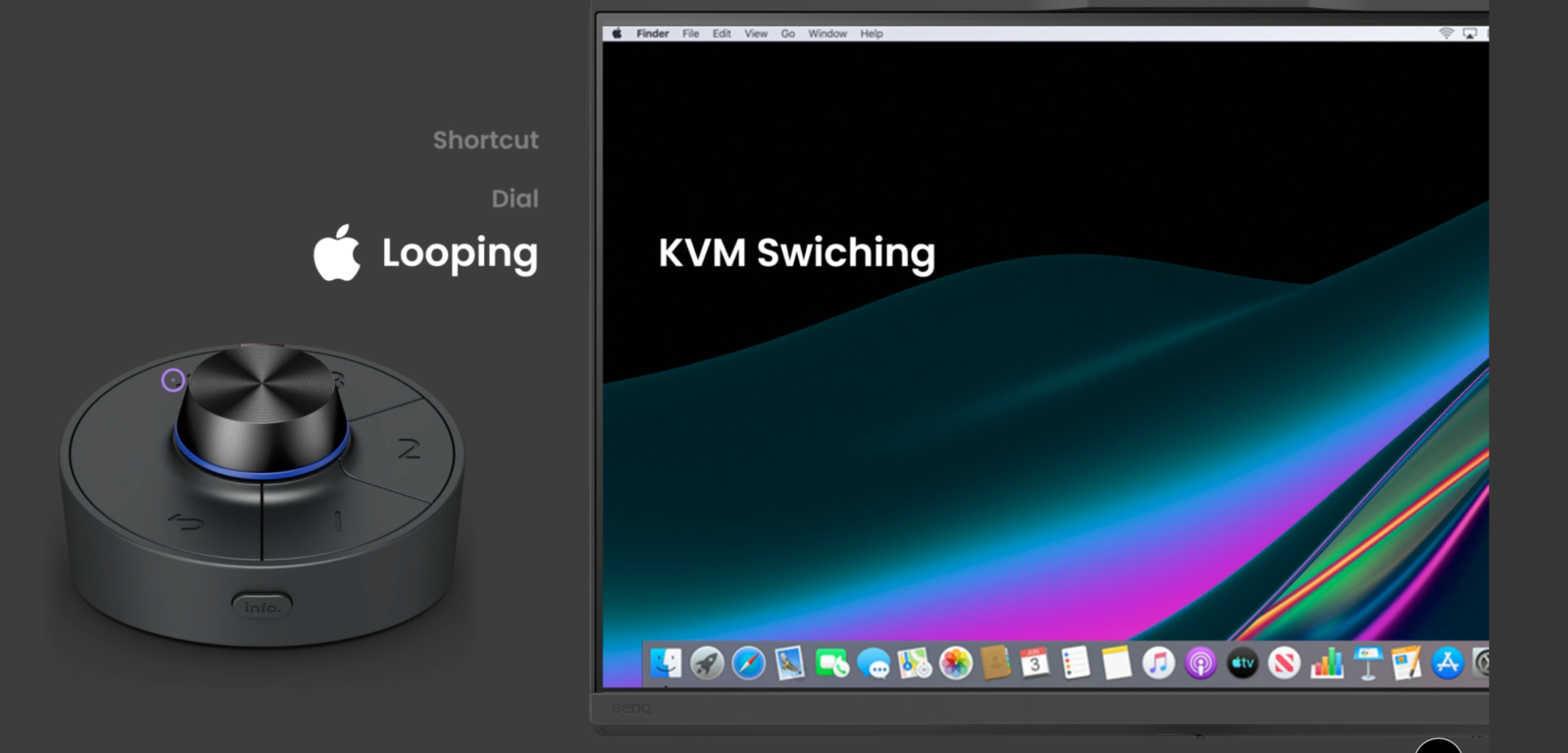
As you can see in the image, the new Creative Pro PD2770U is using the same remote control “puck” as the previous generation.
It’s a very nice addition that can take over the control of the menus, but also is able to switch between color spaces and some more cool tricks.
It’s one of those accessories where at first you think you don’t need it and after a few weeks find out you love it, that’s it’s wireless because you start using it more and more.
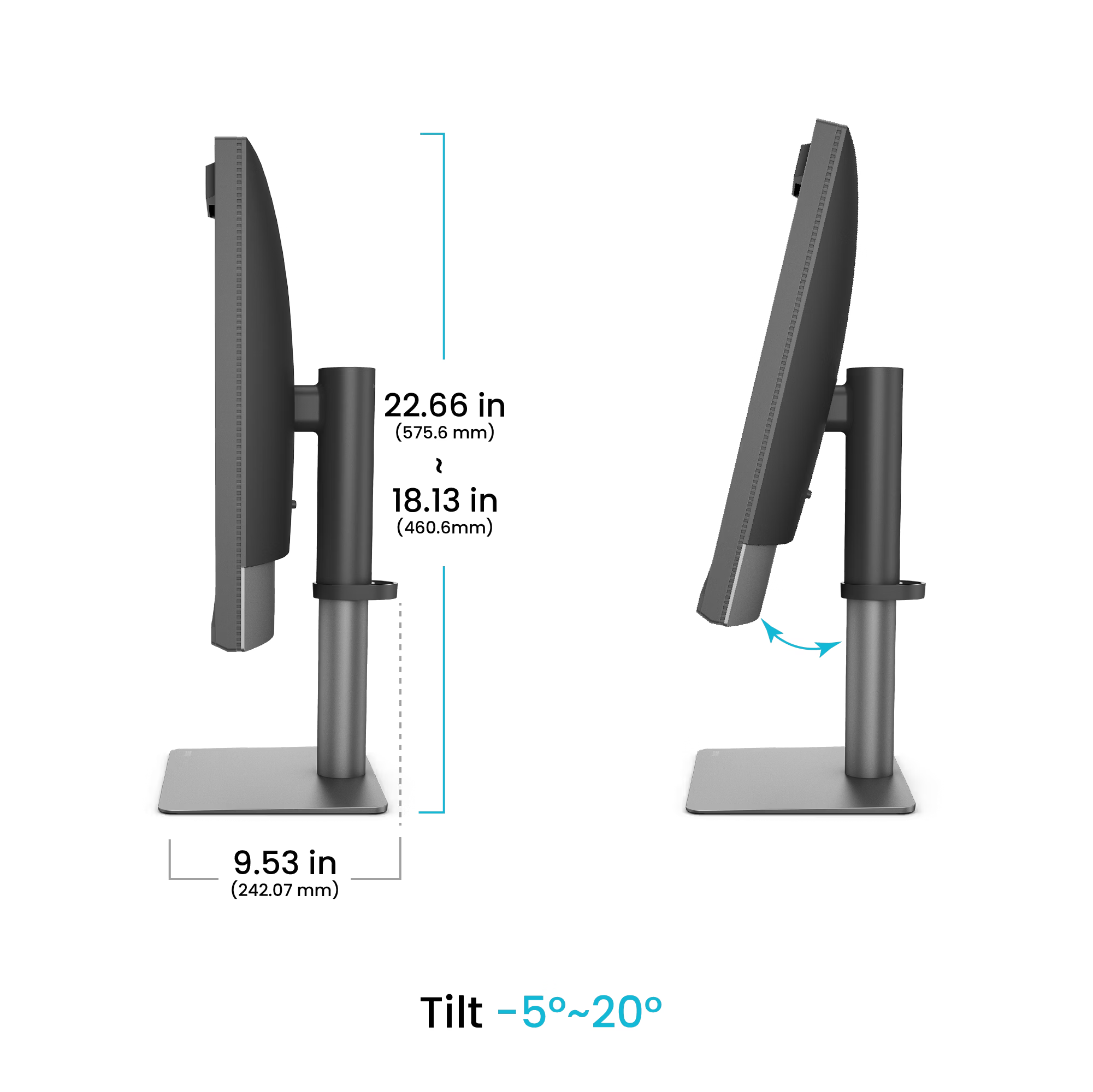
Not every desk and position is the same, so of course, you can adjust the monitor to fit your position.
 But there is one more design change that will make a lot of people really happy.
When I ask people, “What is the biggest frustration when getting a new monitor?”, in a lot of cases, you will get the same answer.
“That blxxdy hood”, and I totally agree, it feels sometimes like a puzzle.
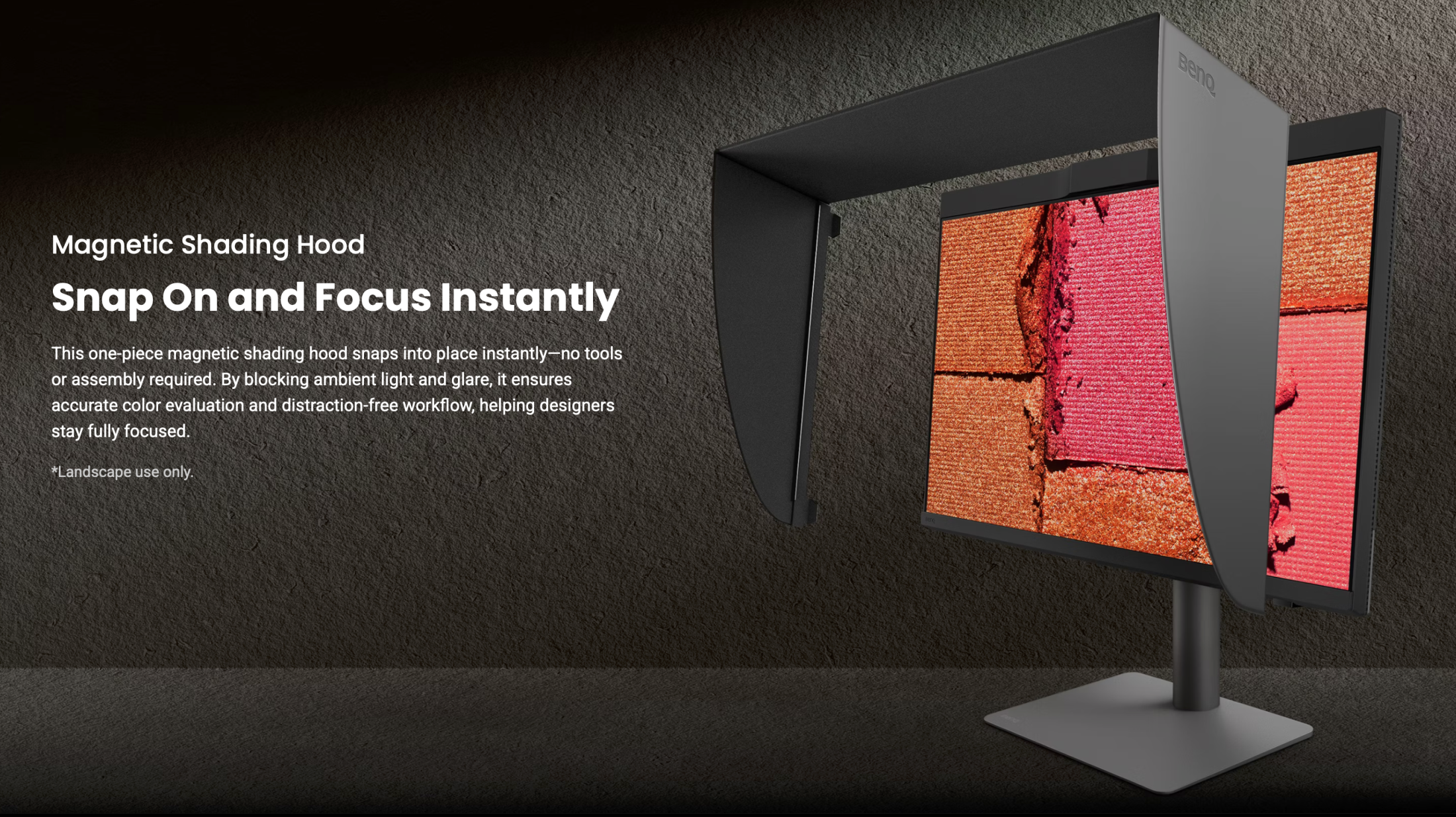
And with the new Creative Pro PD2770U, I can honestly say, they solved it.
This is a totally newly designed hood that literally just snaps on via magnets. Love it.
Specifications of the Creative Pro BenQ PD2770U
The BenQ PD2770U is a 4K 27″ monitor with a 99% AdobeRGB colorspace accuracy.
But there is one thing that you have not yet seen on another BenQ monitor. Or did you already wonder what that bump in the middle was?
That’s the brand new color analyzer.
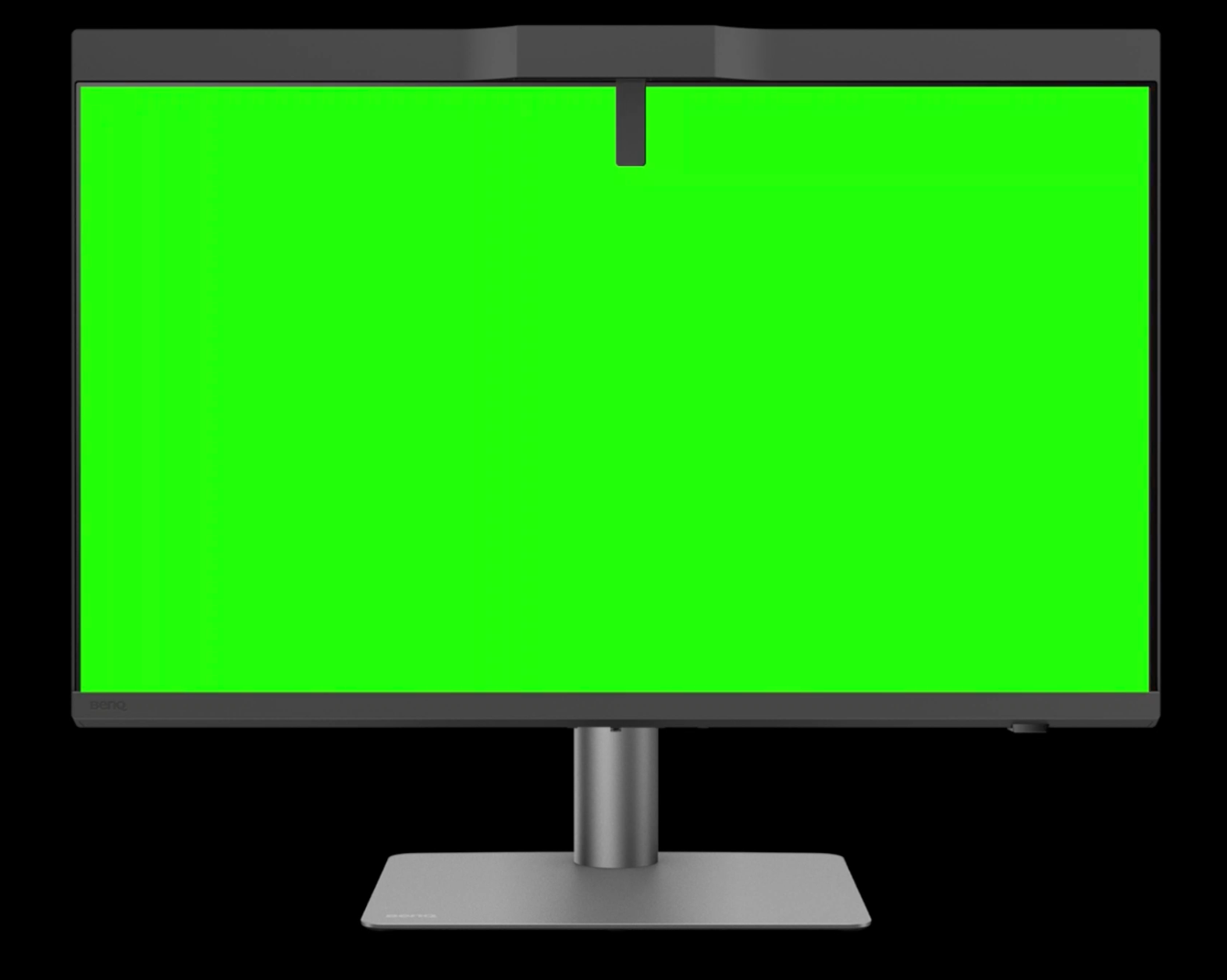
Indeed, the BenQ Creative Pro PD2770U has the color analyzer built in.
Now, many things can go wrong when a monitor has a built-in calibrator.
The first one is, of course, the position where it measures.
This is why, as you can see in the image, BenQ uses a slightly longer arm, combined with their great uniformity across the screen; this is a perfect way to overcome the biggest issue with built-in calibrators.
But how about deteriorating over time?
This is where you can see BenQ not only understands color, but also the whole workflow.
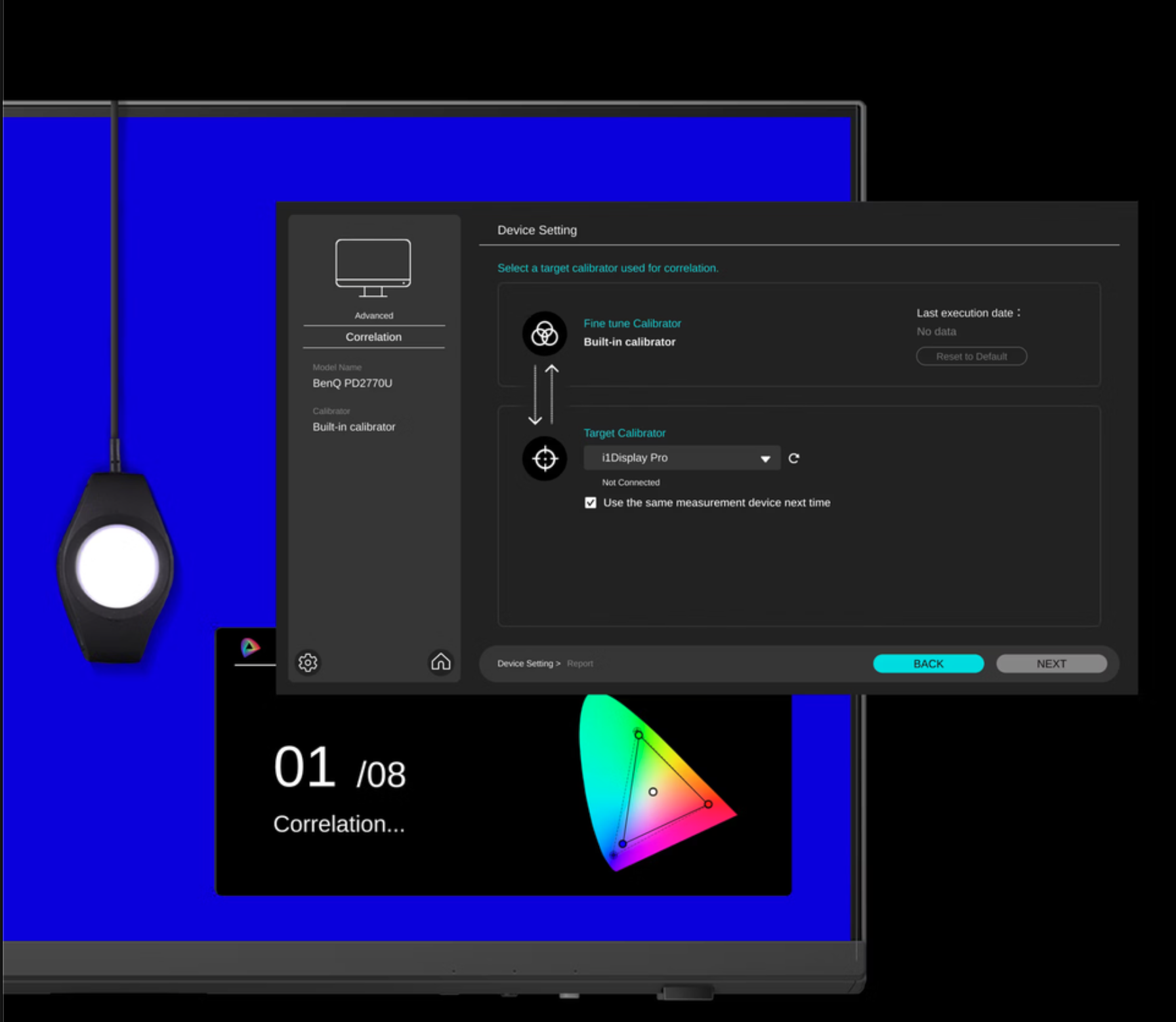
As you can see in the image, you can still use an external calibrator and use it to “train” the internal calibrator, if needed.
I cannot express how important this is. When you buy a screen like this, you expect years of perfect performance, and the monitor can deliver this without a problem, but the reality is that both screens and calibrators drift. Never in the same direction for all devices, especially when taking into account the level of detail the meter has to measure. So having a way to keep it all running as accurately as new is a protection of your investment and something other manufacturers would have to take note (or not, of course :D)
Time, and always too late
I know, life runs super fast nowadays. So calibrating your screen is not something you are looking forward to doing, I totally understand.
So what if I tell you, you don’t have to… never again.
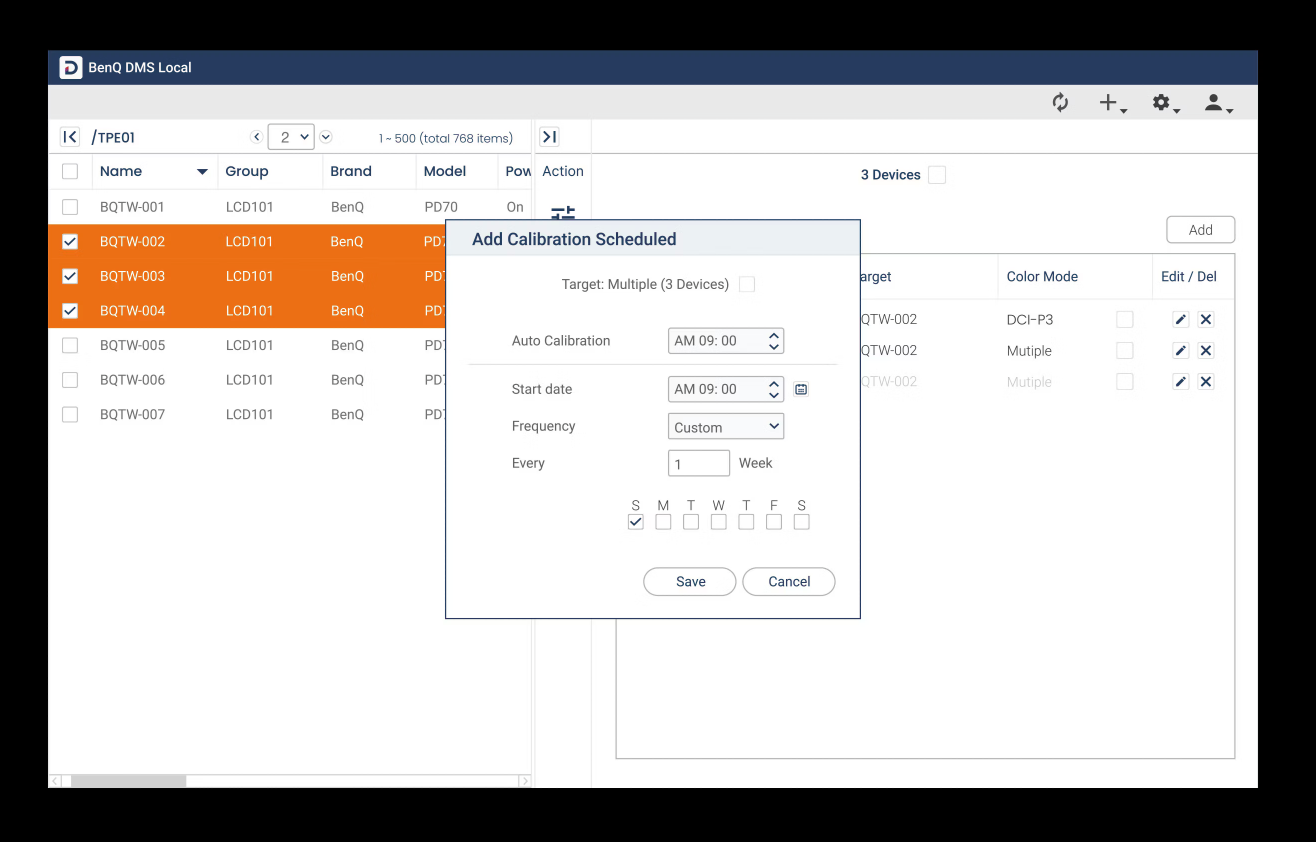
Yes, you absolutely see it correctly.
The BenQ PD27770U is part of a new series of monitors that take calibration as seriously as I do.
And that means you can automate the whole process. No more waiting when you don’t want to, no more excuses about forgetting the calibration.
Set the software and forget about it.
But that’s not all, we can make it even crazier.
What do you think about running a whole office building with dozens of screens?
Do you want the design department to be calibrated to setting 1, the photography department to setting 2, etc., etc.?
Just program it in the software, and it will all be done behind the scenes, and nobody will have to think about it.
Never worry about the color accuracy of your intern anymore, or that one photographer who is sloppy with calibrations; it’s now all centrally done.
This is HUGE.
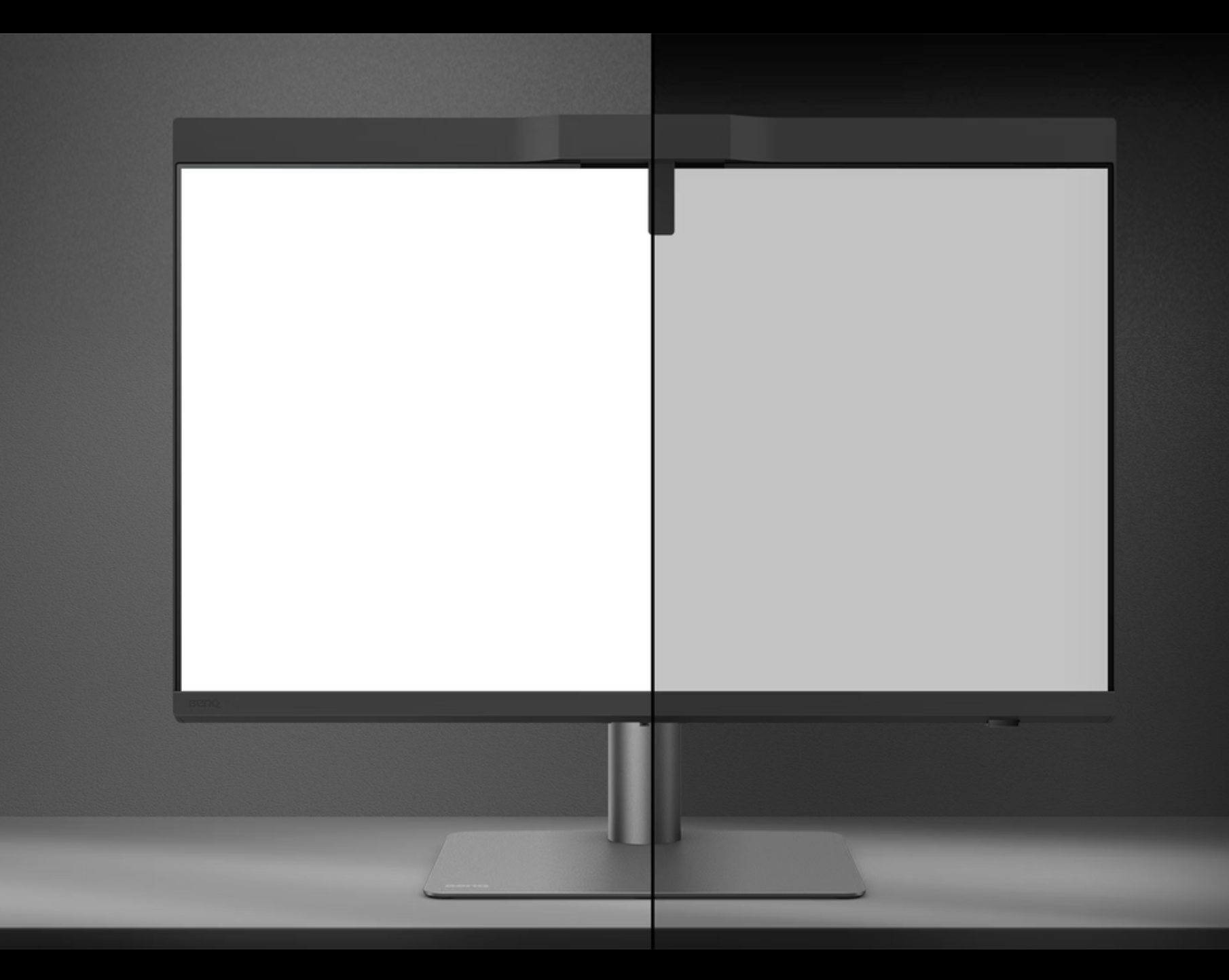
Although I’m a big fan of a “shadowbox” setup, this is not always possible.
And also there, the BenQ Creative Pro PD27770U has you covered with an available light meter that will adjust the calibration to your surroundings.
And I’m not done yet
The BenQ Creative Pro PD2770U is full of tricks, as you can see.
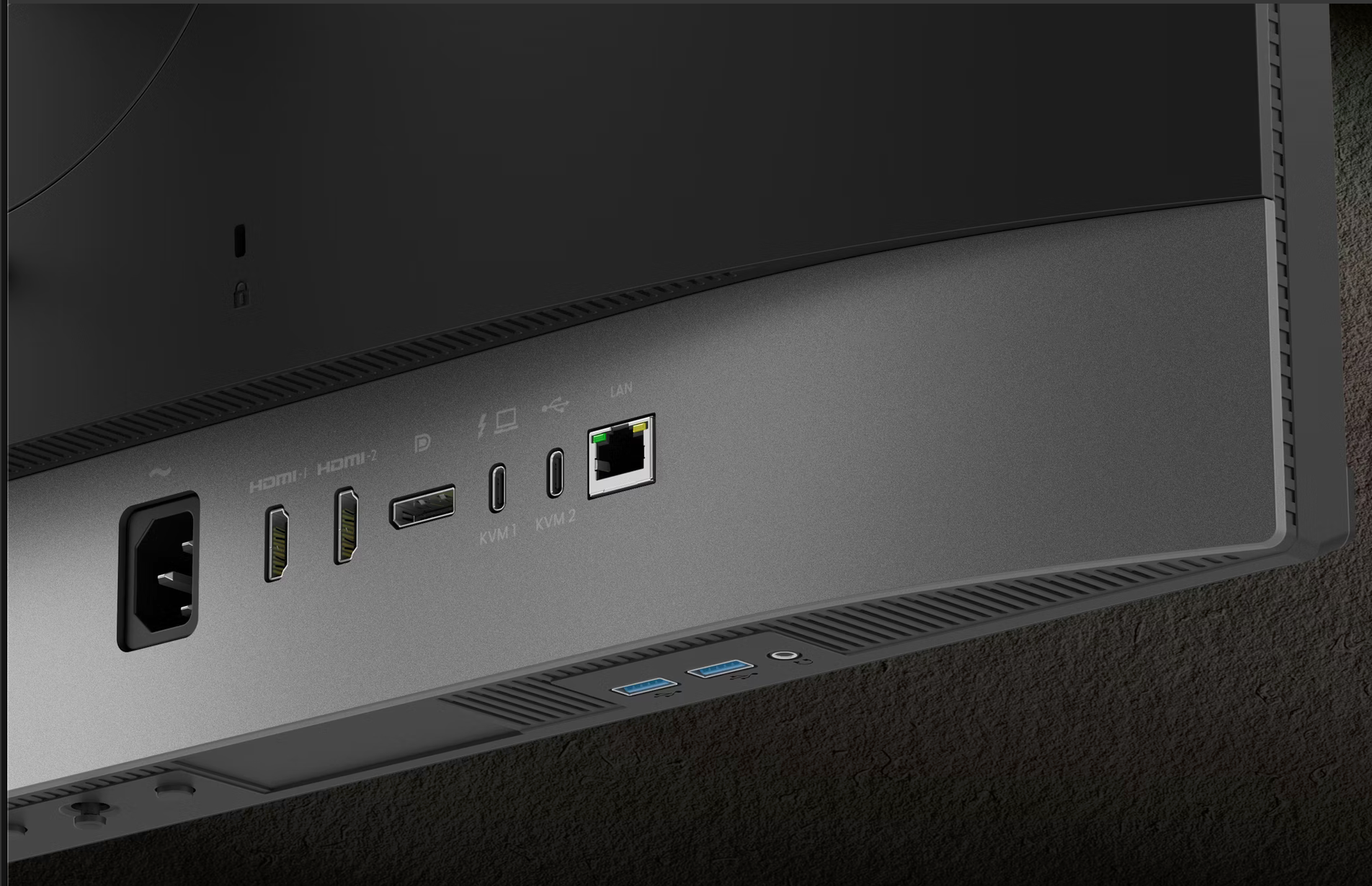
And I did not even talk about the connections.
In the past, I used a desktop and a laptop. But with today’s performance of the MacBook Pro, I don’t see any need for a desktop anymore. So that means I want to connect my MacBook with as few cables as possible, but still use everything I need.
The PD2770U supports the one-cable connect method. (Have to be honest, I thought that up, it’s not an official feature, I think)
Meaning when I’m at my desk, I just plug in the cable from the monitor, and I’m done.
I can scan my images, access my hard drives, and of course use an external keyboard and mouse.
Talking about the mouse and keyboard.
The PD2770U has a built-in KVM switch, which means you can seamlessly switch between machines and use the same keyboard and mouse, very smart and super handy.
Conclusion: Do I like the new BenQ Creative Pro PD2770U?
Normally, I always wonder what to write about a new monitor.
But with the rebranding into Creative Pro, BenQ really raised the bar.
This is an insanely complete monitor with finally a hood that is super easy to put on, a built-in calibrator that can be “trained” as protection of your investment. And I did not even talk about the screen surface that is not only tested and designed for the best possible corner-to-corner uniformity, but also has a beautiful coating for much better blacks and reflection rejection.
It’s a whole list, but I think I covered most.
Of course, you still get a 1-year free Pantone subscription with the Creative Pro monitors.
And of course, the BenQ PD2770U is compatible with the Display Pilot 2 software from BenQ.
Read more here.
I think that when you are like us, doing a lot of different things ranging from photography to video editing, the Creative Pro series hits the nail on the head, and I can highly recommend them.
Also want a new monitor and decided on BenQ?
If you live in the EU, drop me an email for a 10% discount code, not only on the BenQ PD277U but on a lot of BenQ Creative Pro monitors.
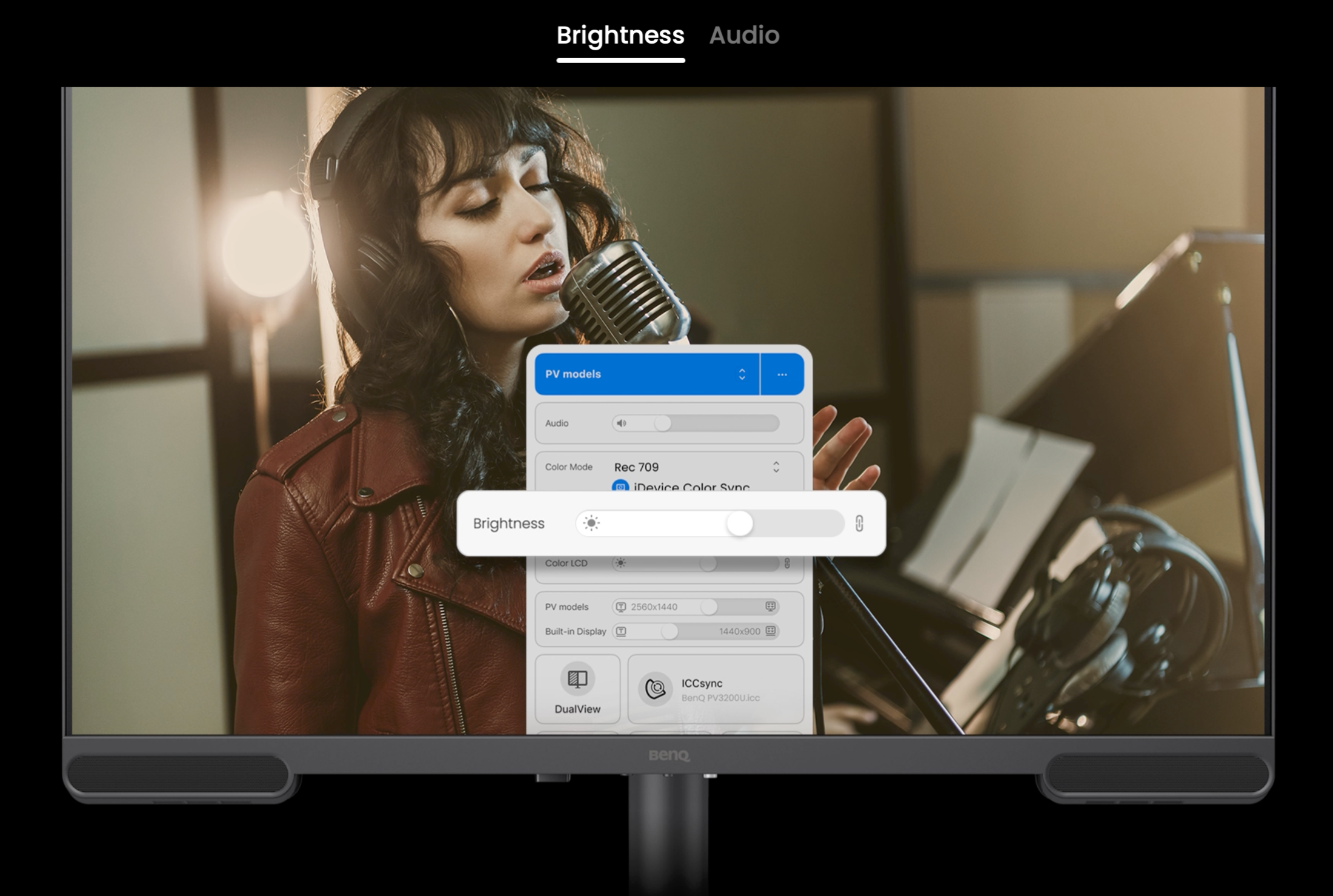
The BenQ has another monitor specially for MacBooks, with a one-cable connection: the Creative Pro BenQ272U
We are proud that BenQ is a sponsor of our Digital Classroom: a free live shoot from our studio, often with a model shoot. BenQ also supports our explainer videos in the Digital Classroom Playlist
Besides monitors, BenQ also released a tiny monitor to put directly on your camera for viewing your pictures more easily. Check the review of the PVS7 on-camera monitor









Leave a Reply
Want to join the discussion?Feel free to contribute!