Frank Doorhof
  • Blog (articles)
  • Rent our studio space
  • MAIN SHOP
    • MAIN SHOP
      • Orders
      • Account details
      • Downloads
      • Addresses
      • Lost password
      • Cart
      • Checkout
      • Terms webshop
      • Return policy
      • Privacy Policy
      • Privacy Statement in3. Dutch customers only. When you want to pay in 3 parts
  • IQwire Tether Cables
  • Rogue Modifiers
  • Geekoto Flash and Modifiers
  • Platypod
  • Click Backdrops
  • PORTFOLIO
  • Learning with Frank
    • Dutch workshop agenda
    • Workshops
    • A Year With Frank
    • Online 1:1 workshops
    • 1:1 workshops in English
    • Portfolio review by Frank Doorhof
    • Patreon
  • Support our work
  • Merchandise
  • Digital Classroom LIVE
  • Our YouTube channel
  • Biography Frank Doorhof
  • Services
  • Discounts etc
  • I need help
  • Menu Menu
  • Shopping Cart Shopping Cart
    0Shopping Cart
  • Link to Facebook
  • Link to X
  • Link to Youtube
  • Link to WhatsApp
You are here: Home1 / Shop products & books2 / Full length tutorials3 / A guide to Capture one
A guide to Capture one

A guide to Capture one

€15.00

Because this video is very large, a downloadable link could not be automated. So, you will receive an email within 48 hours with a one-time limited download link. This link is for computer/mac only. 

If you have questions, please email us info@frankdoorhof.com 

Category: Full length tutorials Tags: C1, Capture One, Tutorial
  • Description
  • Reviews (0)

Description

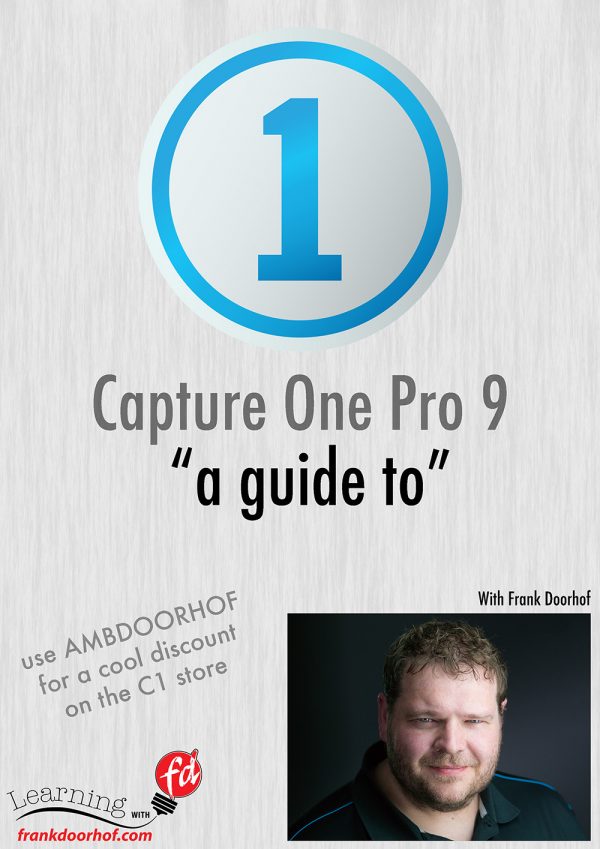
Often people forget the importance of the RAW developer and how much of a difference it can make on your final images, let alone what you can do in the RAW convertor as retouching. As soon as you open up Photoshop you are not working in the RAW convertor anymore so it’s vital to do as much as possible before that. For years Capture One has been on the top of the list of best RAW convertors and not without a reason (of course), Capture One has many retouching and developing options that for some people will even make it possible to do the complete workflow within Capture One.

But that’s not all, in-studio or location setups many photographers love to shoot tethered, and this is were Capture One in my opinion really shines as being rock solid and incredibly versatile. When you first open up Capture One everything can look a bit…. frightening, especially when you are used to the industry standard Lightroom, but in all honestly the layout and options are actually very easy to learn if you get a little bit of help, and that’s where this video comes in. In over 3 hours I walk you through the way that I use Capture One, you will find chapters on the tools, tethered shooting, retouching samples and workflow. All videos are kept as short as possible and are very easy to understand.

Topics include :
BW modes, integration with Lightroom/Photoshop and plugins, exporting recipes, styles/looks, synchronising, using local adjustments and layers, advanced colour adjustments, advanced and simple skin retouching, masking possibilities, folder structures, overlays, watermarks, customising the look and layout, HDR from one image, making images pop, using processing in batch, all the tools you need to know explained, auto masking tips, skin tone smoothing, tricks with the skin tone smoothing for skies, removing spots and dust, using healing for removing hair and blemishes, using capture pilot in a tethered workflow, RAW developing explained, lens correction, adding grain for a great look and evening out retouches, noise reduction, stacking effects in layers and styles, sorting and rating in the browser, creating your personal layout and much much more….

If you want to get the best out of Capture One in your workflow and set up a great integration with Lightroom this is without a doubt the best way to start. All the videos are 100% usable in both capture one 9 and the new version 10. Videos are in random order but in folders per subject. Some videos are labelled with numbers, those should be watched in that order.

Run time well over 190 minutes, screen captures are high resolution and video is 4K
Reviews

There are no reviews yet.

Be the first to review “A guide to Capture one” Cancel reply

You must be logged in to post a review.

Related products

  • Live in Boston

    €35.00
    Add to cart Add to cart Add to cart Show Details Show Details Show Details
  • Live in the UK : one light can be enough

    €35.00
    Add to cart Add to cart Add to cart Show Details Show Details Show Details
  • Glamour : Light of the old masters

    €75.00
    Add to cart Add to cart Add to cart Show Details Show Details Show Details
  • MTM : creativity

    €75.00
    Add to cart Add to cart Add to cart Show Details Show Details Show Details

Interesting links

Here are some interesting links for you! Enjoy your stay :)

Snel naar

  • Blog
  • Learning with Frank
  • News etc
  • Reviews
  • Shop products & books
  • Contact

Contact

Studio Frank Doorhof:
Constructieweg 8
8305 AA Emmeloord

The Netherlands
+31-6-14522327

Or Email : info@frankdoorhof.com


© Copyright 2000 - - Frank Doorhof
  • Link to Facebook
  • Link to X
  • Link to Youtube
  • Link to WhatsApp
Link to: Beyond snaps : New York Link to: Beyond snaps : New York Beyond snaps : New York Link to: MTM : creativity Link to: MTM : creativity MTM : creativity
Scroll to top Scroll to top Scroll to top